0DLQWHQDQFH
CodeMaster 100
13-7
Maintaining the Defibrillator
This section contains information about maintaining and cleaning the HP
CodeMaster 100.
Changing the Recorder Paper
To change the recorder paper, perform the following steps:
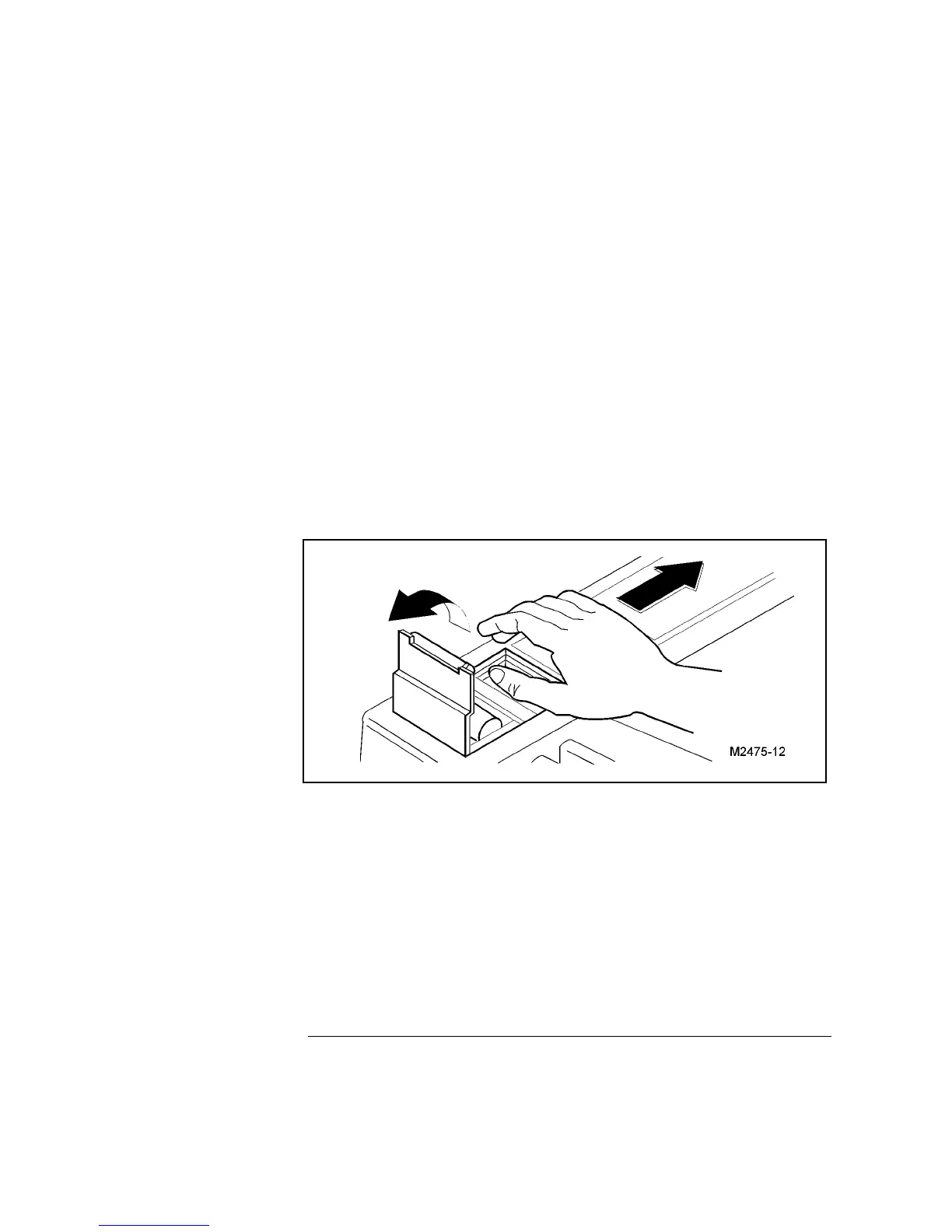
1 Slide the recorder door to the right of the defibrillator as shown Figure
13-1. The paper platen will tilt up.
2 Pull up on the plastic removal tag to remove the empty or low paper roll.
Figure 13-1
Changing the Recorder Paper
13-1
3 Place a new roll of recorder paper (HP 40457C/D) in the recorder so that
the paper unrolls from the top of the roll and the grid faces down as it
comes out of the recorder.
4 Pull the end of the paper past the recorder platen.
5 While holding the recorder door open (to the right), press the platen
down over the paper.
6 Allow the door to close over the platen roller.



 To Next Page