ENWW Dispensing the ingredients 49
To dispense the ink quickly and accurately, do the following:
a For rapid dispensing, press the Coarse and Fine buttons.
Release the Coarse button (but not the Fine button) 5 to 10 g before the desired
weight.
b To dispense the last few grams incrementally, press the Coarse button in short
spurts while still pressing the Fine button.
Note The dispensing of transparent ink should be accurate to 3 g. All other inks should be accurate
to 0.4 g. If the amount added was more than required, you may remove the excess ink from the
receiving can or fix bottle with the spatula or a clean stick.
If the amount of ink to dispense is very small (2 g or less), the following alternate
dispensing method may be used:
a Dispense some ink into an empty ink can cover.
b Using a clean spatula, take small amounts of ink from the can cover and put them
into the receiving can until the required amount of ink is reached.
CAUTION Beware of sudden ink spills.
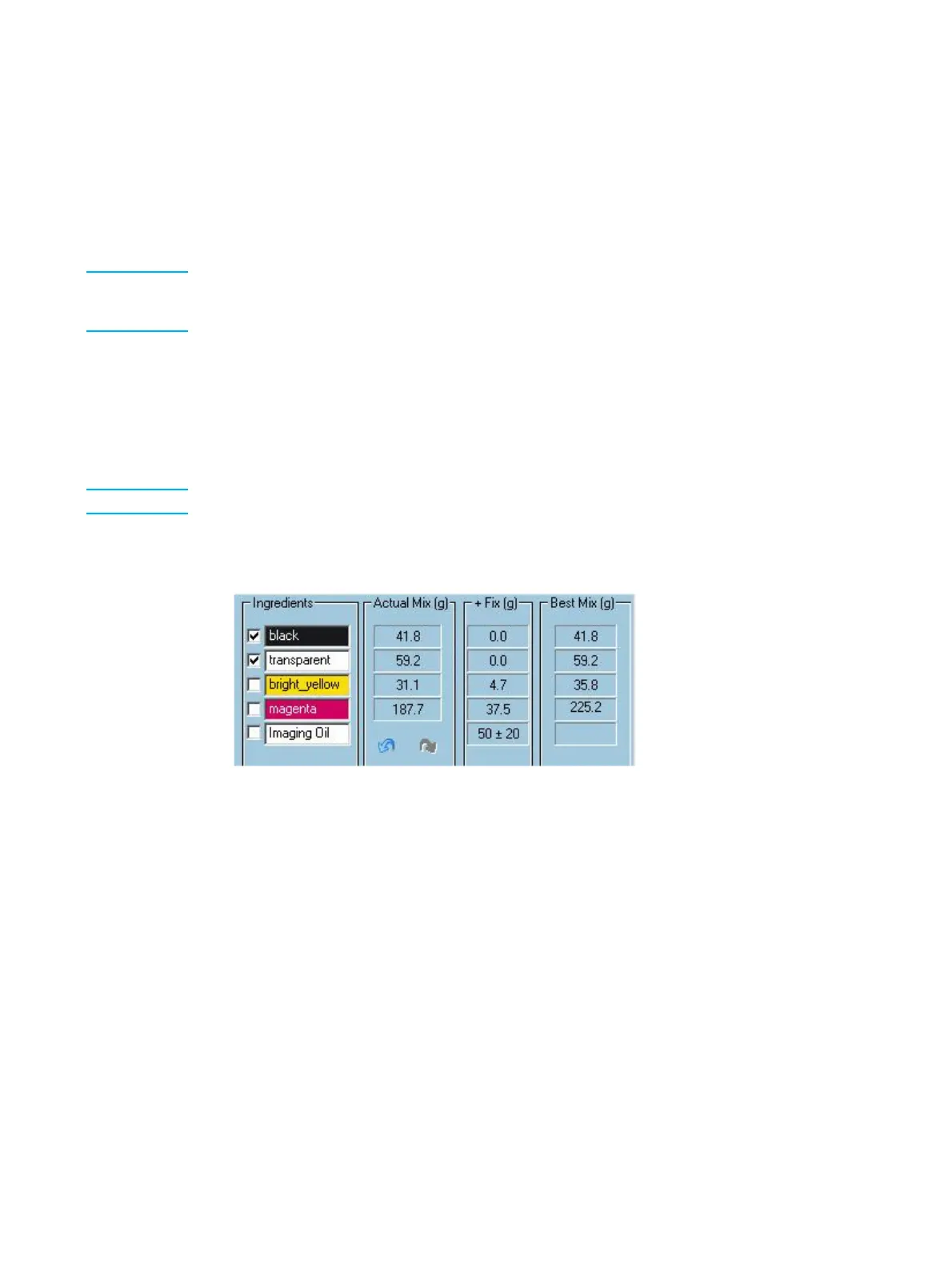
6 (Optional) Click the box in the check list that corresponds to the ingredient that you
have finished adding to the receiving can.
Ingredients list
7 If you are dispensing into a receiving can, repeat steps 2 through 5 for all the other
ingredients (but not the imaging agent) listed in the Ingredients list in the order they
appear in the list.
If you are dispensing into a fix bottle, repeat steps 2 through 5 for all the other
ingredients (but not the imaging oil or the imaging agent) listed in the Ingredients list
in the order they appear in the list.
8 If you are dispensing into a receiving can, remove it from the dispenser.
If you are dispensing into a fix bottle, leave it in the dispenser.
9 For a first can and a new first can, add to the receiving can the amount of imaging
agent as shown next to the Ingredients / Imaging Agent field.



 To Next Page