94 Chapter A Special options, basic concepts, and spare parts (all presses) ENWW
Special options
Setting the mix precision
Mix precision is a parameter that refers to the color difference (∆E*
94
) between the color
of the printed sample (actual mix) and the target color and to the difference between
∆E*
94
of the actual mix and the best mix.
The main impact of the mix precision is on the type of messages you receive from the
software. If the ∆E*
94
of the actual mix, or if the difference between ∆E*
94
of the actual mix
and the best mix, is less than the mix precision, you receive messages such as:
The Actual Mix is only xx units away from the target color. An
accurate formulation has been achieved.
With these messages, the software is merely suggesting that you complete the ink
formulation stage; they are not imperative instructions. You may decide to continue trying
to achieve a better match to the target color.
In addition, mix precision determines the degree of metamerism that brings up the
Metamerism window.
The default value of the mix precision is 1. You can set the mix precision value to the
maximum accepted ∆E*
94
value.
Note See “∆E*
94
” on page 96 for an in-depth explanation of ∆E*
94
.
To set the mix precision, perform the following steps:
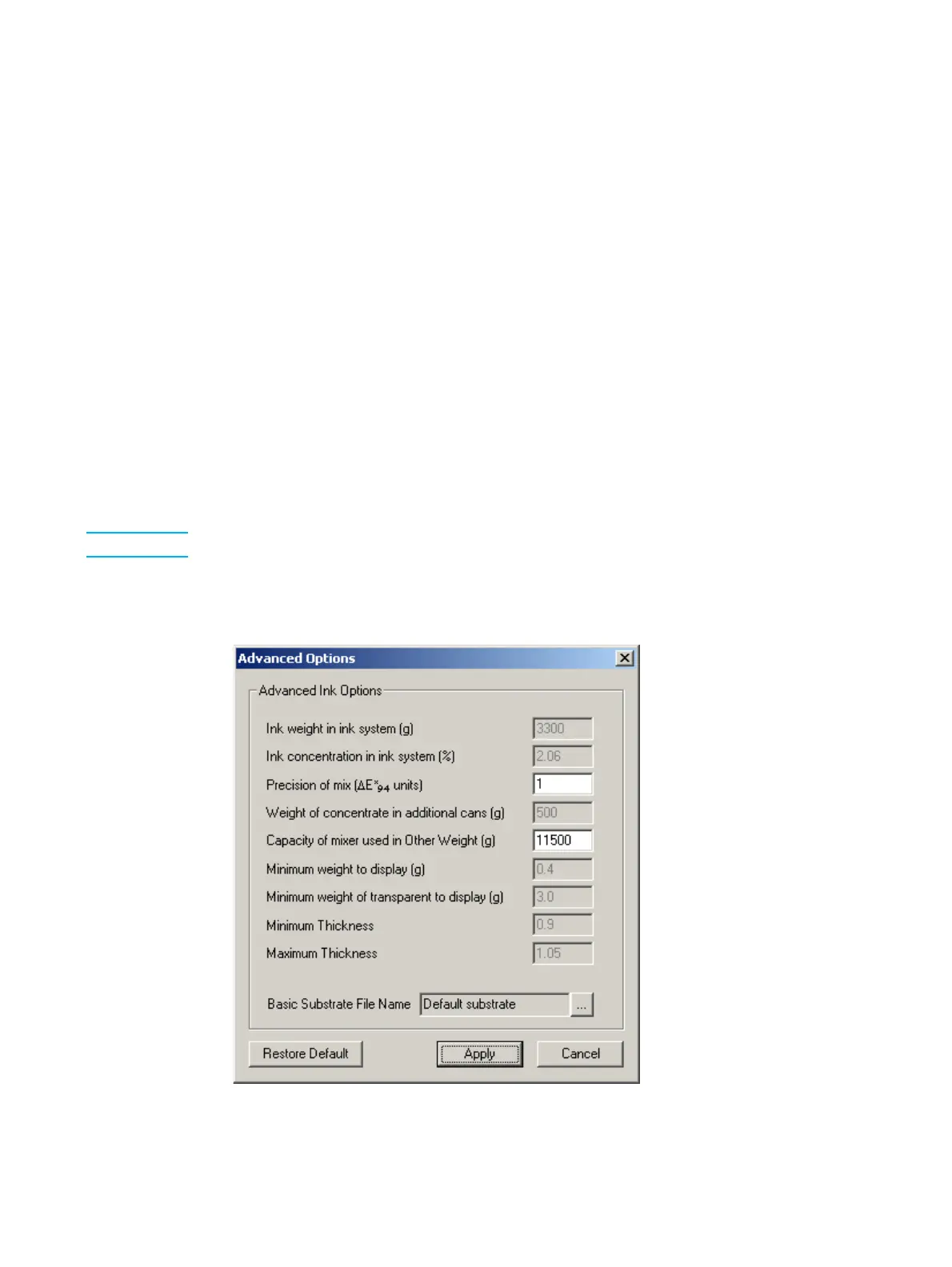
1 From the Options menu, click Advanced. The Advanced Options window appears.
Figure A-1. Advanced Options window



 To Next Page