28 Chapter 3 Getting started ENWW
HP IndiChrome Wizard
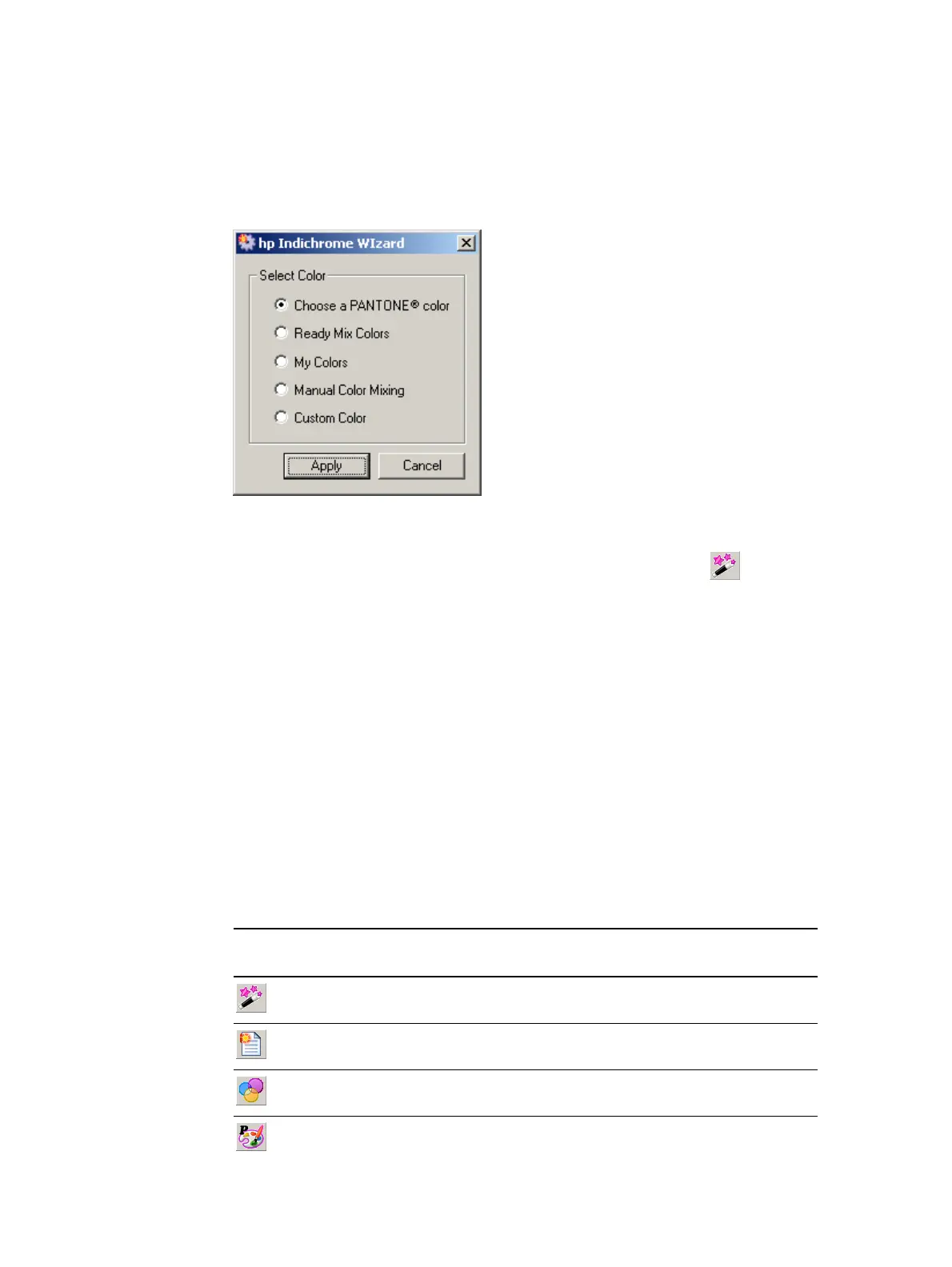
The hp IndiChrome Wizard window provides access to the ink mixing procedure options
of the IMS software. It is especially useful when learning the MS software and to ensure
that the correct method is used for each ink mixing option.
hp IndiChrome Wizard window
The hp IndiChrome Wizard window opens when IMS software starts.
To open the hp IndiChrome Wizard window at other times, click the button.
The following ink mixing procedures are available:
z Choosing a PANTONE
®
color (see page 37)
z Ready Mix Colors (see page 64)
z My Colors (see page 68)
z Manual Color Mixing (see page 69)
z Custom Color (see page 71)
Toolbar
The following buttons are available on the IMS Toolbar:
IMS Toolbar Buttons
Button Meaning Details
Open the hp IndiChrome wizard See "HP IndiChrome Wizard" on page 28.
Start a new color See "Measuring the color directly" on page 72.
Load a Ready Mix color See "Ready Mix colors" on page 64.
Choose a PANTONE
®
color See "Selecting a PANTONE
®
color" on page 37.



 To Next Page