ENWW Selecting a PANTONE
®
color 43
Save the Ink Definition file
The HP Indigo press contains a separate ink definition file for each ink that is used. You
must save the ink definition file of the new custom ink to a network drive or to a disk so
that it is accessible by the HP Indigo press computer.
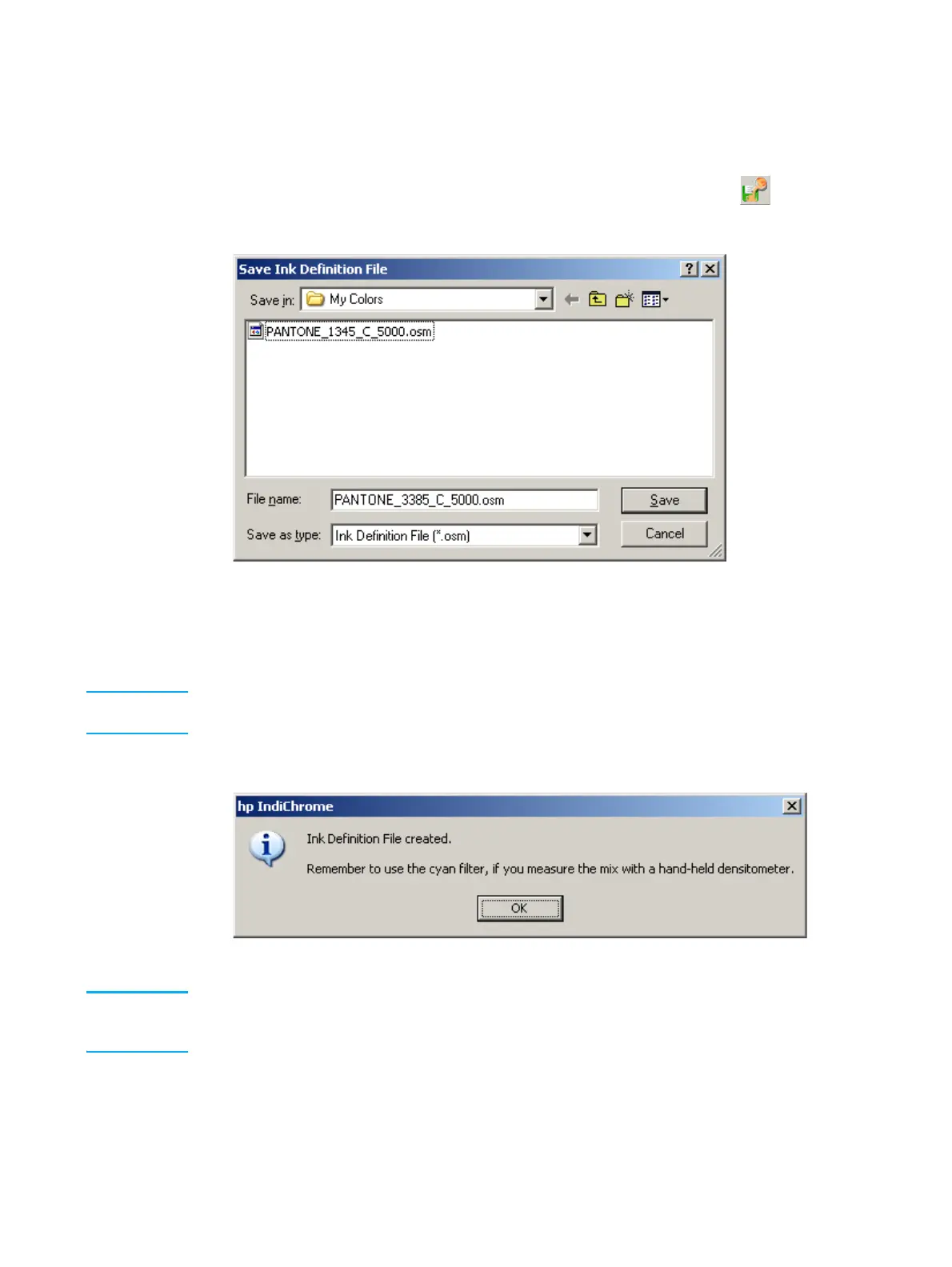
1 From the Utilities menu, click Save Ink Definition File; or click the button. The
Save Ink Definition File window appears.
Save Ink Definition File window
The Save Ink Definitions File window provides a file name for the ink definition file.
This name is the combination of the PANTONE
®
color name and the press type. You
can edit the default file name.
Note The My Colors default location is C:\Program Files\IMS. This location can be opened by clicking
on Utilities, and Open Ink Definition File Folder.
2 Click Save. The following message appears:
Ink Definition File Created message
Note The filter color, mentioned in the message, is the filter with which the in-line densitometer
measures the custom color. If your press uses an off-line densitometer, the preferred filter color
appears in the Color Adjustment window.



 To Next Page