ENWW Selecting a PANTONE
®
color 37
Selecting a PANTONE
®
color
Instead of measuring a color using the spectrophotometer, you can select the PANTONE
color from a color list (if you know its name). The colors in the list are exactly the same as
those found in the PA N TO N E
®
Color Formula Guide. The list does not contain fluorescent
or metallic colors.
To select the PANTONE
®
color, perform the following steps:
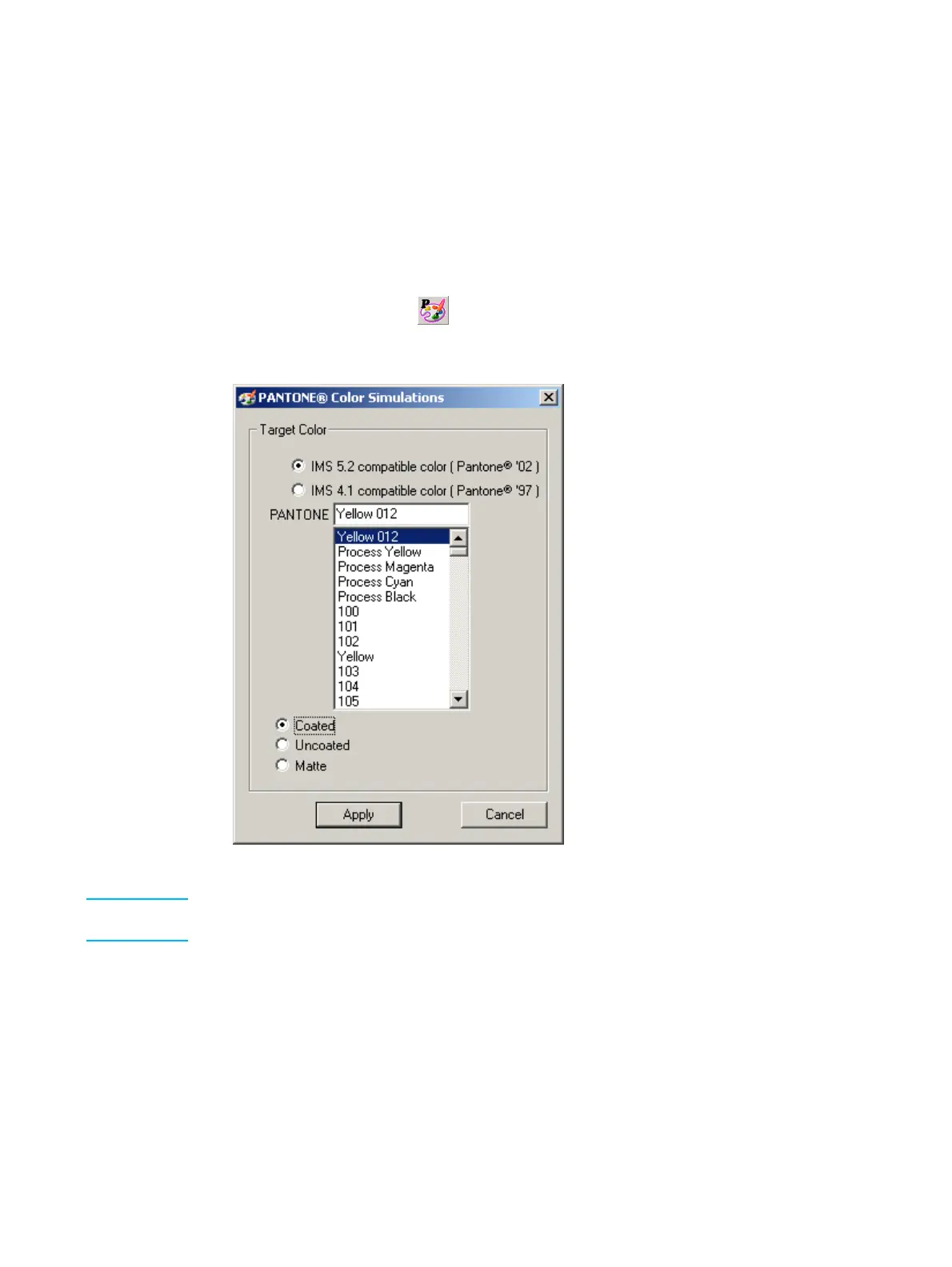
1 From the hp Indichrome Wizard window, select Choose a PANTONE
®
color and click
Apply. The PANTONE
®
Color Simulations window appears.
Alternatively, click the button or from the Edit menu, click PANTONE
®
Color
Simulations.
PANTON E
®
Color Simulations window
Note If an "(R)" (the letter R within parentheses) appears next to the PANTONE
®
color name, the
color is available as a Ready Mix color (see "Ready Mix colors" on page 64).
2 If your PANTO N E
®
Color Formula Guide is dated year 2000 or later, select the
IMS 5.2 compatible color option. Otherwise, select the IMS 4.1 compatible color
option.
3 Type the PANTONE
®
color name in the PANTONE field, or scroll and select the color
from the list.
4 Select the Coated, Uncoated, or Matte option. Choose whichever type most closely
matches the substrate.



 To Next Page