ENWW Zoom into 2D color space 81
Zoom into 2D color space
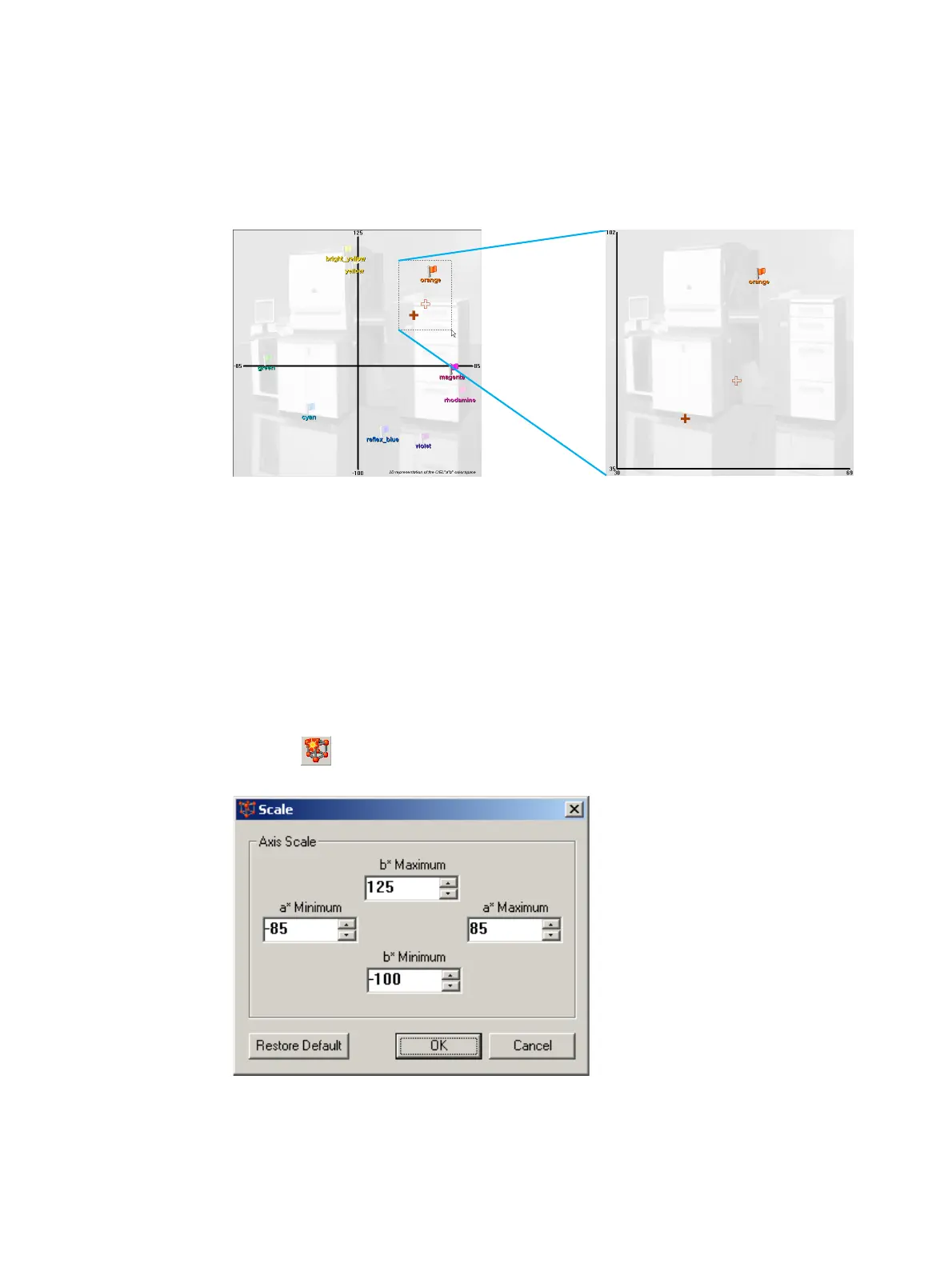
Click and drag the cursor across the relevant section of the 2D color space. When the
mouse button is released, the 2D color space automatically resizes to display only the
drag area.
Zoom into 2D color space
The axis values automatically change to show the reduced area of the 2D color space.
To return to the default view of the 2D color space, right click in the 2D color space panel
and select Restore Default Scale from the pop-up menu.
Zoom by changing axes values
To change the scale used in the 2D color space panel (and therefore change the portion
of the 2D color space displayed), perform the following steps:
1 Click . The Scale window appears.
Alternatively, from the View menu, click Scale.
Scale window
2 Change the values in Axis Scale fields.
Original View Zoom Result



 To Next Page