82 Chapter 5 Additional IMS procedures ENWW
3 Click OK. The new axis values appear on the 2D color space panel and the view of
the color space is altered accordingly.
Note The size of the panel remains the same.
To return the axis values and the view of the 2D color space back to the default, perform
the following steps:
1 Click . The Scale window appears.
2 Click Restore Default.
3 Click OK.
View the 3D color space
The normal display of the ink color is done on a two-dimensional (2D) representation of
the CIE L*a*b* color space.
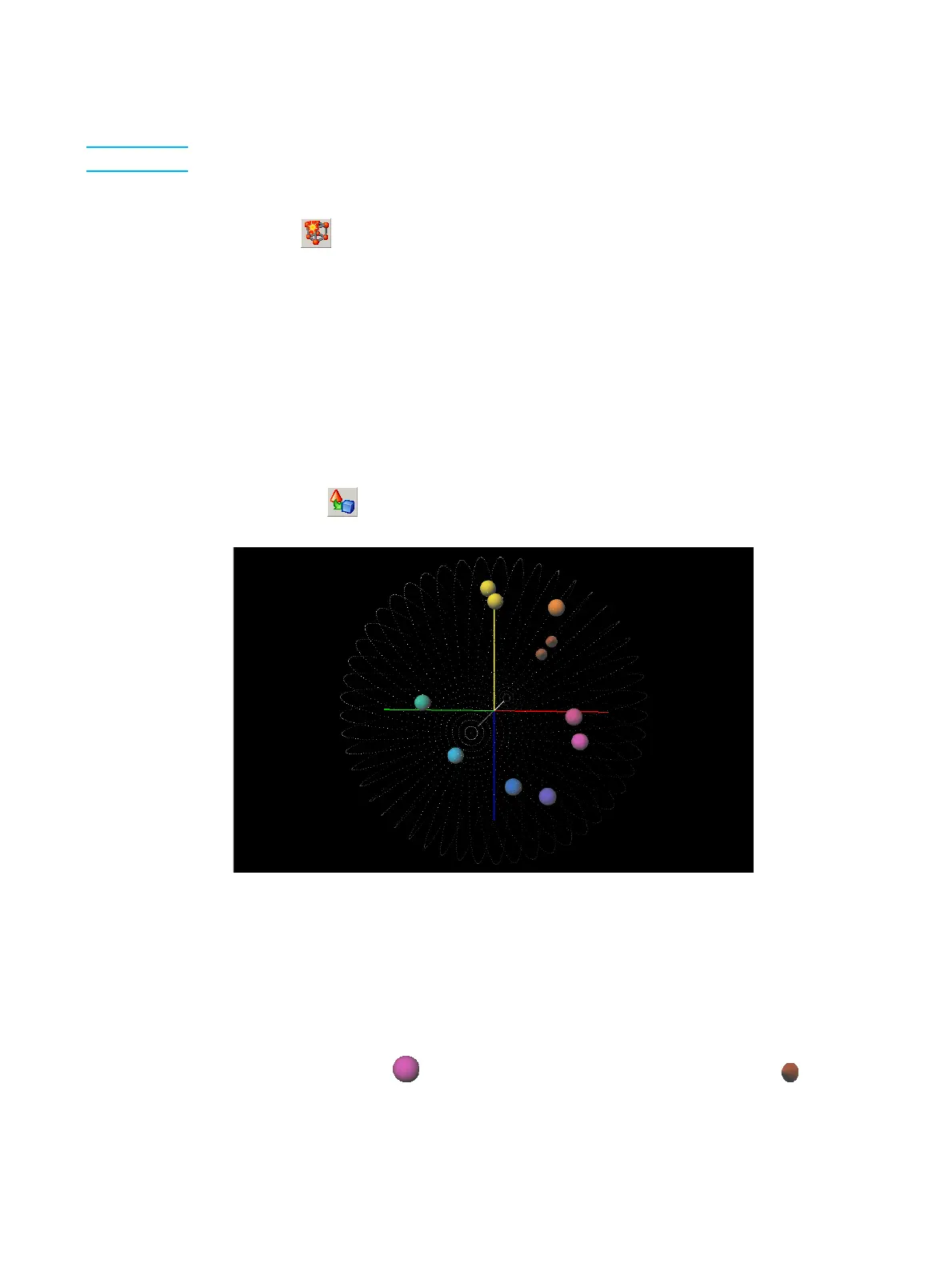
To display a 3D representation of the color space, perform the following steps:
1 Click in the 2D space
2 Click the button.
3D color space window
To rotate on an axis of the 3D color space, move the cursor left or right.
To change the axis used for rotation, press Tab.
To zoom in on the 3D color space, hold right-click and move the cursor to the left (to zoom
out) or to the right (to zoom in).
To move the 3D color space within its panel, CTRL-click and drag the cursor across the
color space.
Spheres (for example, ) are basic inks, cone-shaped objects (for example, ) are mix
inks.
To close the 3D color space window, select Close from the File menu.



 To Next Page