ENWW Adding a new substrate 75
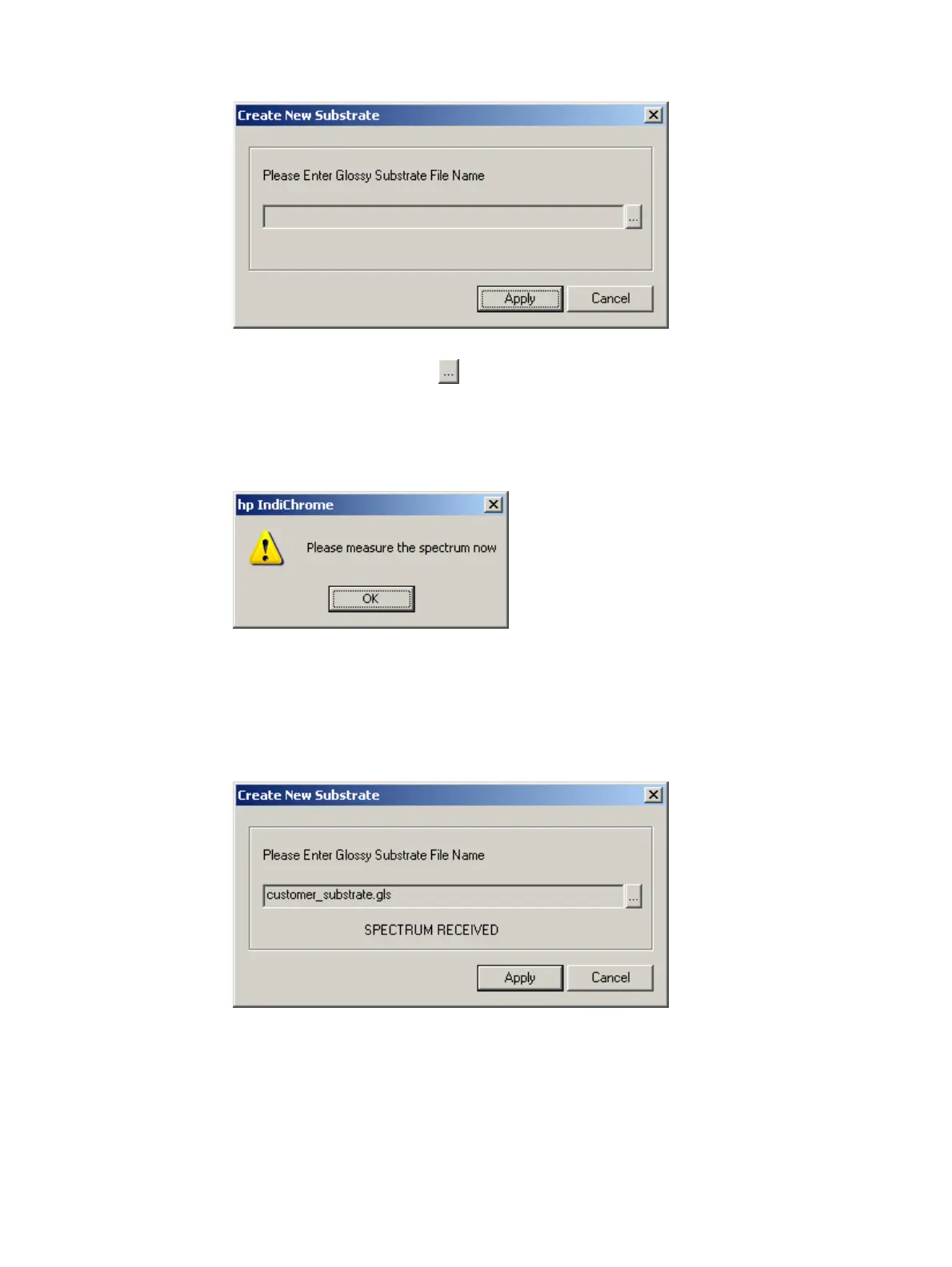
Create New Substrate window
2 Click the Browse button ( ). The Save As window appears.
3 Type a filename (preferably a name that refers to the substrate name). Do not type a
file extension; the software attaches the relevant file extension.
4 Click Save. The measure spectrum now message appears.
Measure spectrum now message
5 Click OK.
6 Measure the color of the substrate with the spectrophotometer. The SPECTRUM
RECEIVED message appears in the window below the Glossy Substrate Filename
field.
Spectrum Received message
7 Click Apply. The new substrate (matching the substrate filename) is now available for
selection in the Substrate list of the Configure Color Matching Parameters window.



 To Next Page