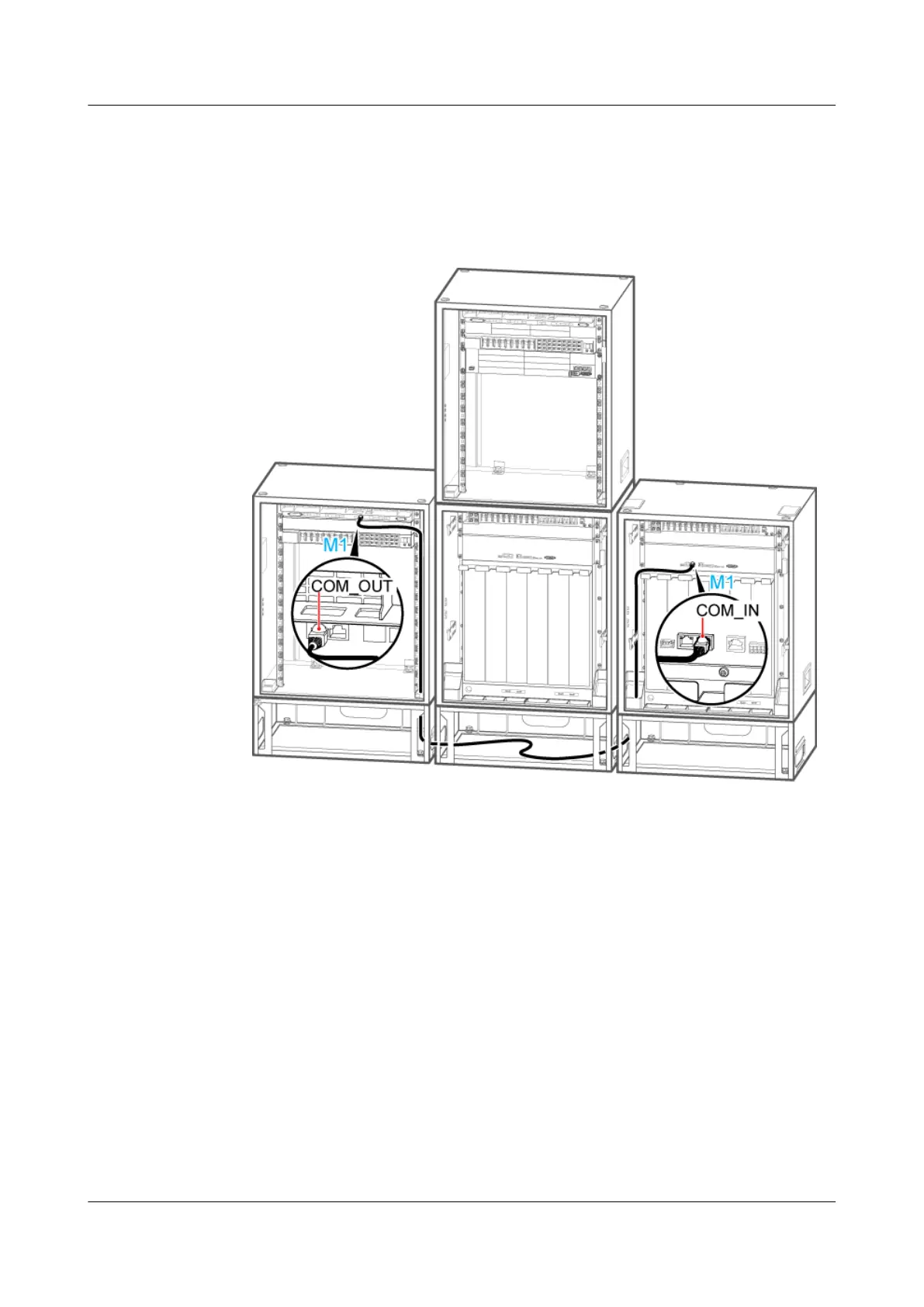
1. Install the monitoring signal cable between the cascaded CMUAs between the secondary
TMC11H and the extension RFC. Connect one end of the cable to the COM_OUT port on
the CMUA in the fan box of the secondary TMC11H and the other end to the COM_IN
port on the CMUA in the fan box of the extension RFC, as shown in Figure 12-55.
Figure 12-56 Installing the monitoring signal cable in the scenario of 2 RFCs+2 TMC11Hs
2. Attach labels to the installed cables. For details, see Attaching an L-Shaped Label.
3. Run each cable that leave the cabinet in a PVC corrugated pipe, and then tie the pipe to the
cable hole in the cabinet.
----End
Scenario: 2 RFCs+2 TMC11Hs
If a site is configured with two RFCs and two TMC11Hs, two monitoring signal cables are
required on site.
Context
Two BBUs are configured in a triple-mode base station. The new BBU is installed in the
TMC11H cabinet at the right-hand side, and it does not have monitoring functions. For details
about monitoring principles, see Monitoring Principles for the Cabinets.
BTS3900A(Ver.B)
Installation Guide 12 Installing the Cables
Issue 01 (2011-10-25) Huawei Proprietary and Confidential
Copyright © Huawei Technologies Co., Ltd.
137












 To Next Page