Context
CAUTION
The RF jumpers must be connected securely to prevent RF signal leakage.
Procedure
Step 1 Remove the screws from the cable hole at the bottom, and then remove the cable outlet module.
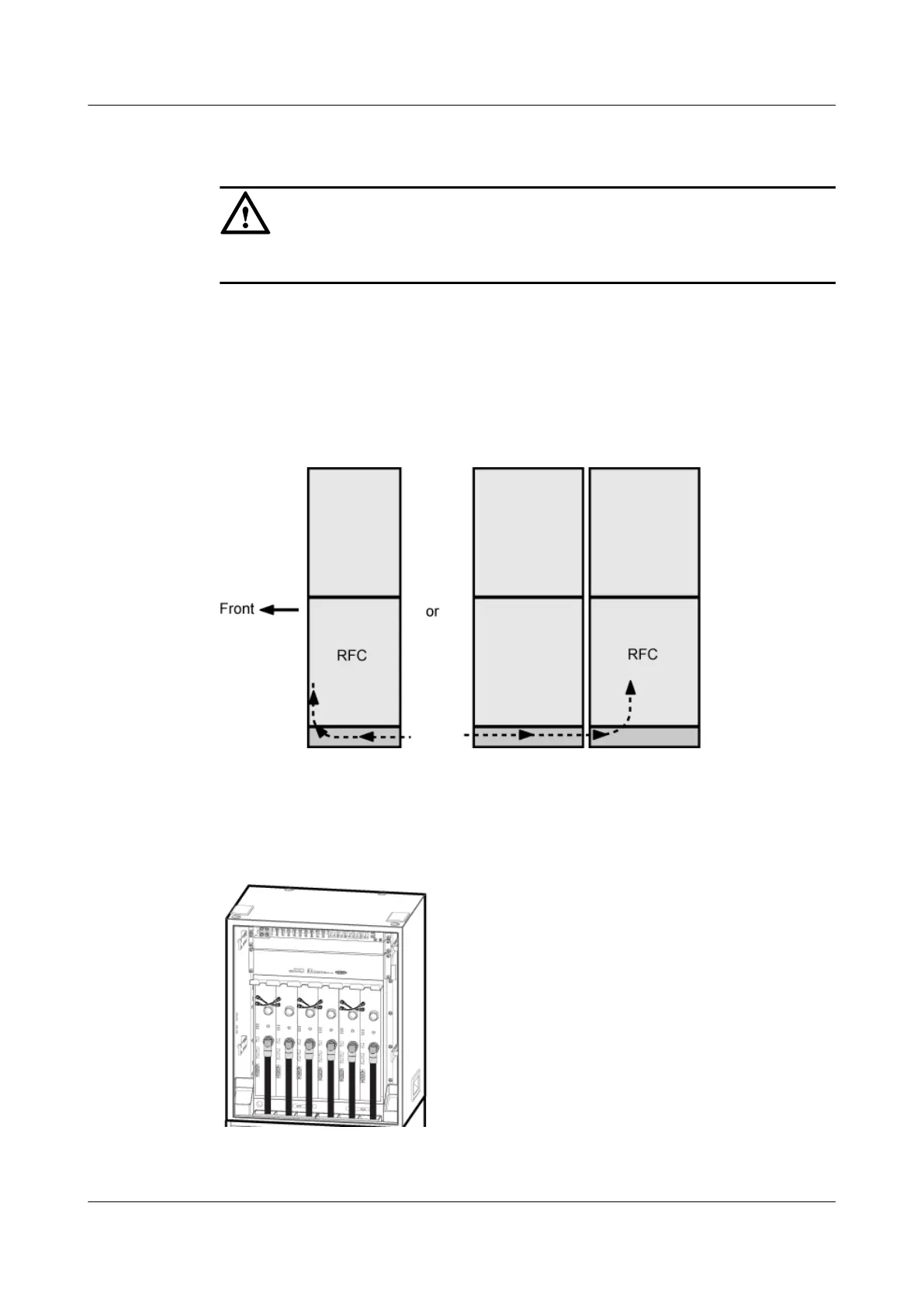
Step 2 Lead the RF jumper into the cabinet from the cable hole along a cable route shown in Figure
12-59, and then route the jumper by referring to 12.1 Cabling Requirements.
Figure 12-59 Route of the RF jumper
Step 3 Install the RF jumper, as shown in Figure 12-61 and Figure 12-60.
Figure 12-60 Installing the RF jumpers on the interconnected RFUs
BTS3900A(Ver.B)
Installation Guide 12 Installing the Cables
Issue 01 (2011-10-25) Huawei Proprietary and Confidential
Copyright © Huawei Technologies Co., Ltd.
140












 To Next Page