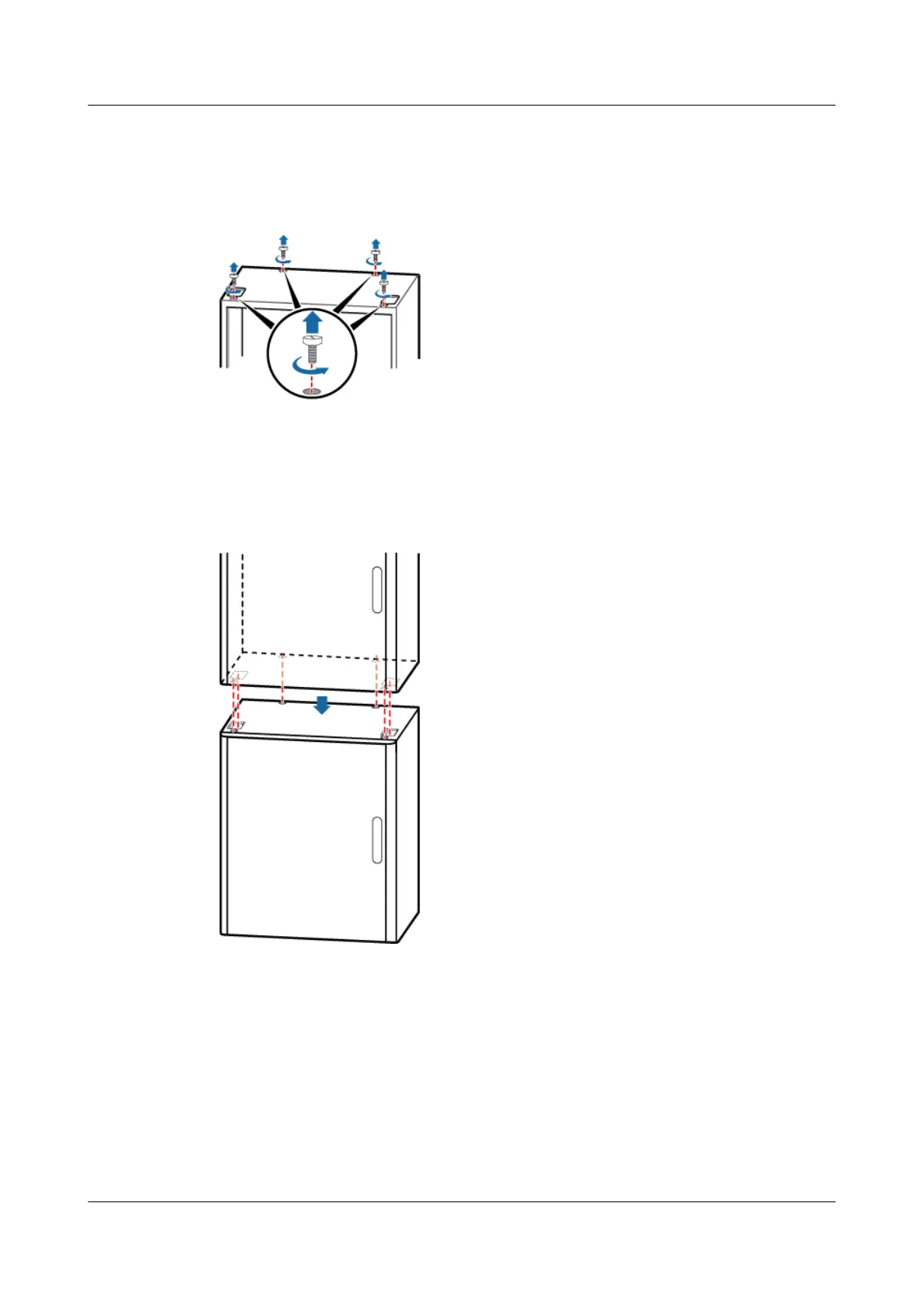
Step 3 Remove the four plastic screws from the top of the lower cabinet, as shown in Figure 9-9.
Figure 9-9 Removing the plastic screws
Step 4 Stack the cabinets and ensure that the mounting holes in the upper and lower cabinets are aligned,
as shown in Figure 9-10.
Figure 9-10 Stacking the cabinet
Step 5 Use a torque wrench to tighten the four M12x30 bolts in the cabinet, as shown in Figure 9-11.
BTS3900A(Ver.B)
Installation Guide 9 Installing the Cabinet
Issue 01 (2011-10-25) Huawei Proprietary and Confidential
Copyright © Huawei Technologies Co., Ltd.
51












 To Next Page