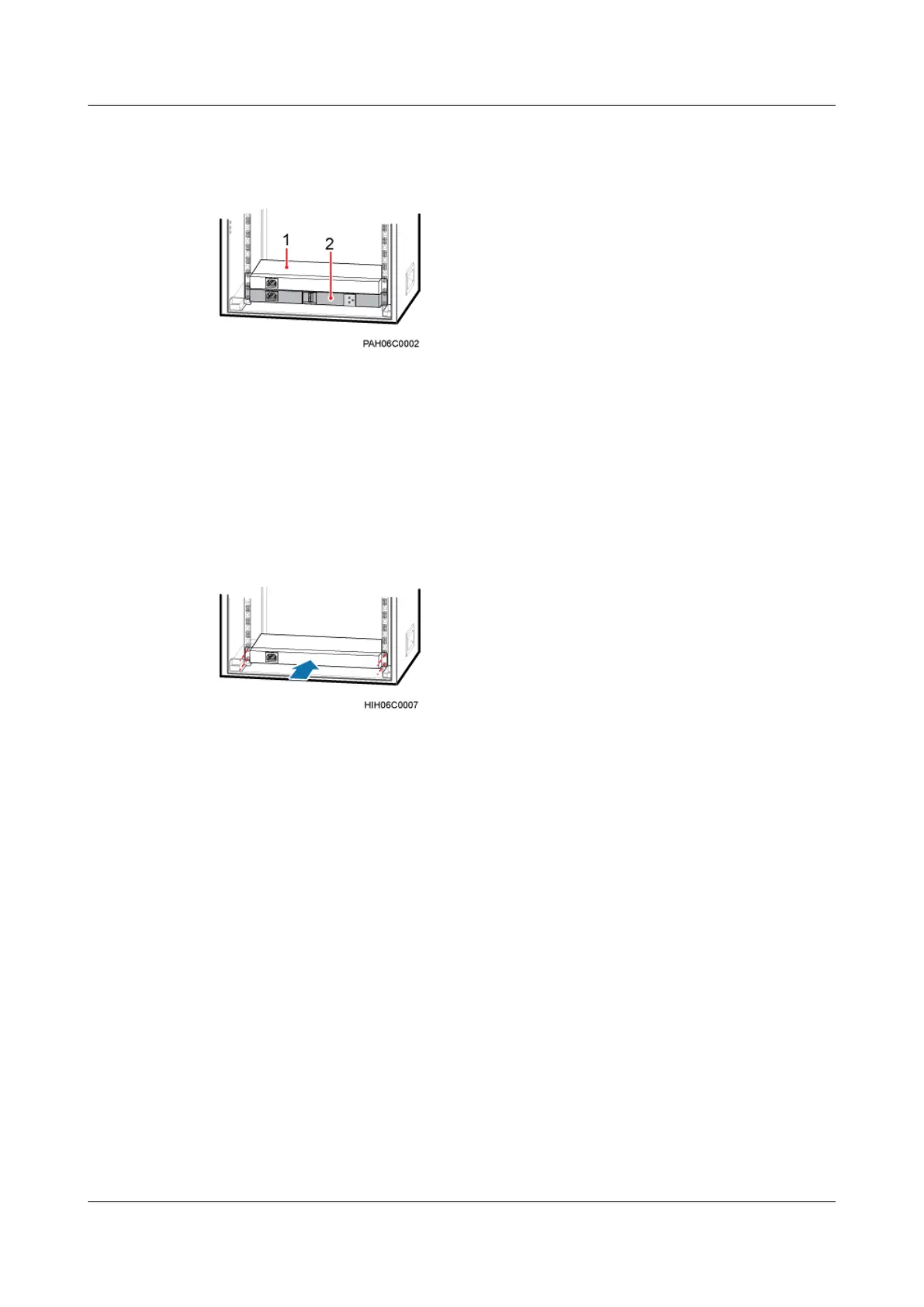
Figure 11-15 Position for installing an AC heater (2)
(1) AC heater (2) SOU
Procedure
Step 1 Slide an AC heater along the guide rails into the cabinet, and then tighten four M6x16 screws
on the panel until the tightening torque reaches 3 N·m, as shown in Figure 11-16.
Figure 11-16 Installing an AC heater
Step 2 Install a power cable for the heater, as shown in Figure 11-18.
1. Remove the cover plate from the junction box.
2. Route the power cable for the junction box into the TMC11H along the left, link the OT
terminal at one end of the cable to AC power input terminals labeled L and N in the junction
box in the TMC11H, as shown inFigure 11-17 .
BTS3900A(Ver.B)
Installation Guide 11 Installing Optional Modules
Issue 01 (2011-10-25) Huawei Proprietary and Confidential
Copyright © Huawei Technologies Co., Ltd.
67












 To Next Page