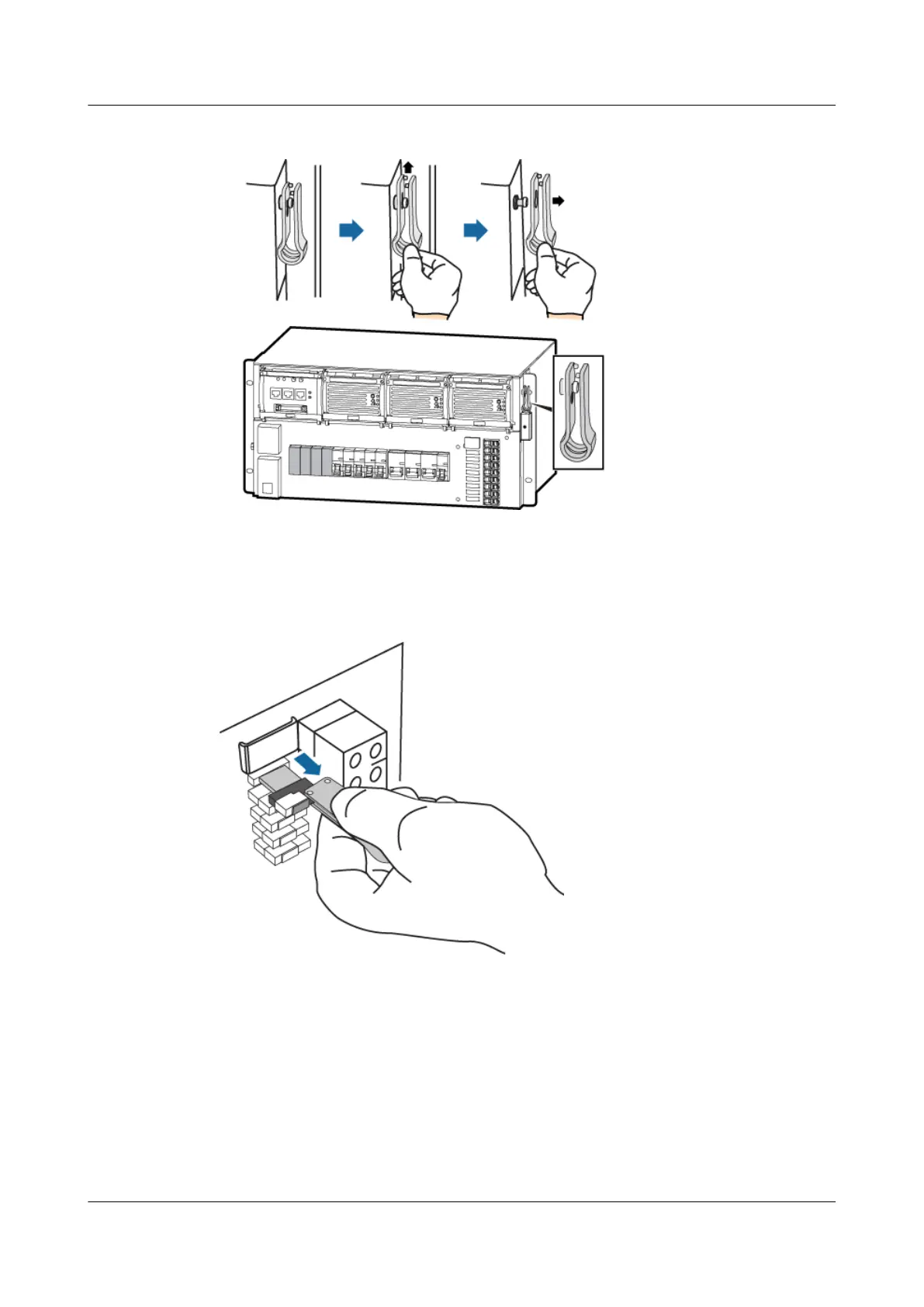
Figure 11-29 Position of the extraction tool in the cabinet
Step 3 Use the extraction tool to remove the faulty fuse, as shown in Figure 11-30.
Figure 11-30 Removing the faulty fuse
Step 4 Place the faulty fuse into an ESD box or bag.
Step 5 Take the fuse from the spare fuse box, as shown in Figure 11-31.
BTS3900A(Ver.B)
Installation Guide 11 Installing Optional Modules
Issue 01 (2011-10-25) Huawei Proprietary and Confidential
Copyright © Huawei Technologies Co., Ltd.
78












 To Next Page