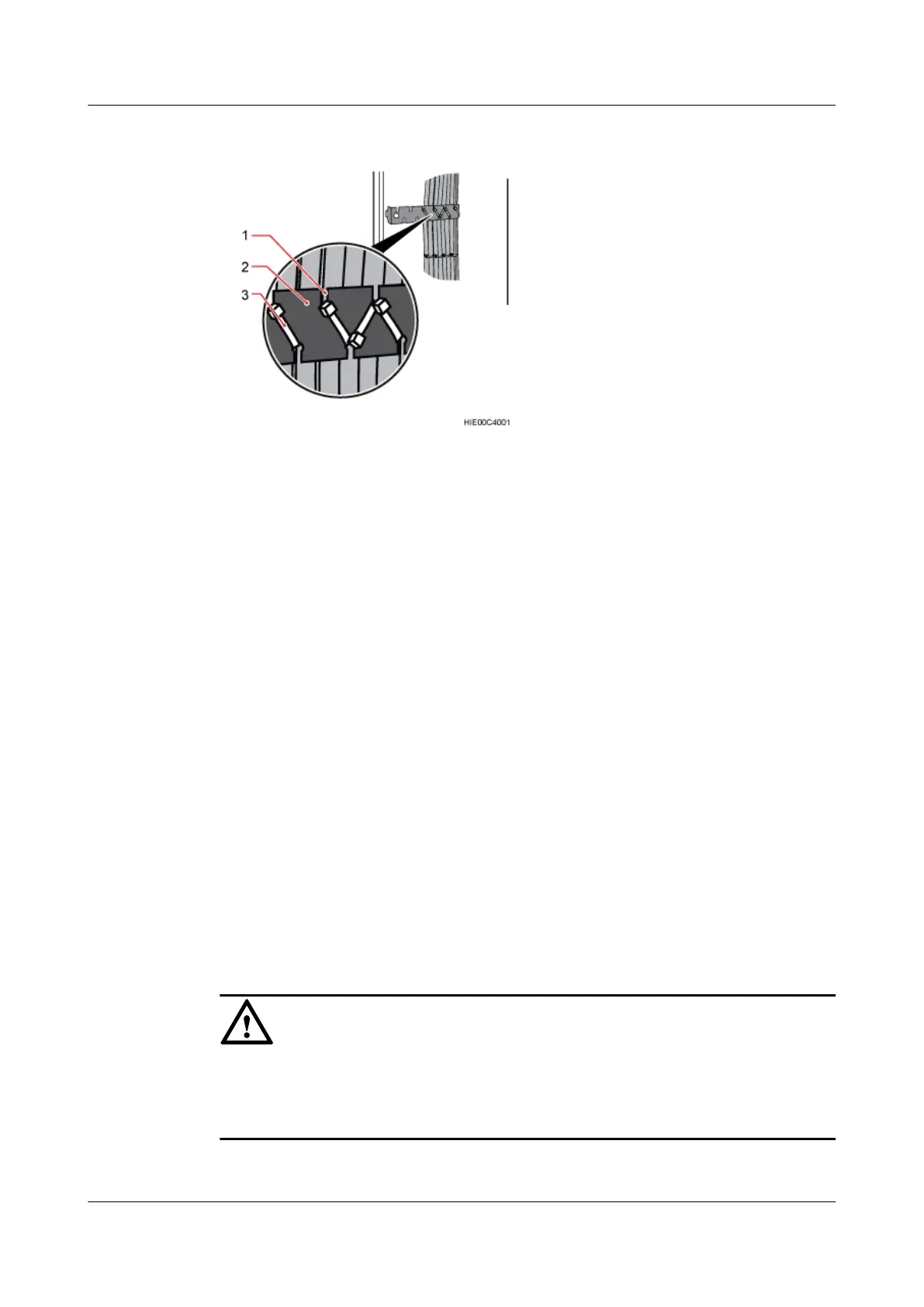
Figure 11-39 Binding CPRI cables
(1) Cabling teeth (2) Binding bracket (3) Cable tie
Step 6 Attach labels to the installed cables. For details, see Attaching an L-Shaped Label.
----End
11.10 (Optional)Installing a CPRI Optical Fiber
A CPRI fiber optic cable transmits CPRI signals between a BBU and an RRU.
Context
l Single-mode optical modules are labeled as SM and multimode optical modules are labeled
as MM.
l The puller of a single-mode optical module is blue. The puller of a multimode optical
module is black or gray.
l The optical modules to be installed must match the rates of their corresponding ports.
l The figures in this section show the routing of the CPRI fiber optic cables in a UL scenario.
Connect the CPRI fiber optic cables according to the onsite configurations and instructions
in section "CPRI Cable Connections" in the BTS900L Hardware Description.
NOTICE
The performance of an optical module that is exposed to the air for more than 20 minutes may
be abnormal. Therefore, you must insert an fiber optic cable into an unpacked optical module
within 20 minutes.
BTS3900L (Ver.C)
Installation Guide
11 Installing the Cables
Issue 07 (2013-11-08) Huawei Proprietary and Confidential
Copyright © Huawei Technologies Co., Ltd.
100





 To Next Page