10.3 Installing the DCDU-11B
When an indoor base station is configured with both RFUs and RRUs, a DCDU-11B (DCDU
for short) can be installed on a wall and its power cables can be connected to supply power to
RRUs.
Context
A DCDU-11B supports -48 V DC power input. The following table lists the specifications of
DCDU-11B power cables.
Table 10-2 Specifications of DCDU-11B power cables
Cable One End The Other End Remar
ks
DCDU-11B power
cable
RTN(+)
wire
OT terminal (M6, 16
mm
2
or 0.025 in.
2
)
Depending on the
external
equipment
Black
NEG(-)
wire
Blue
NOTE
The colors and structures of cables vary according to countries and regions. If cables are purchased locally, the
cables must comply with local rules and regulations.
Procedure
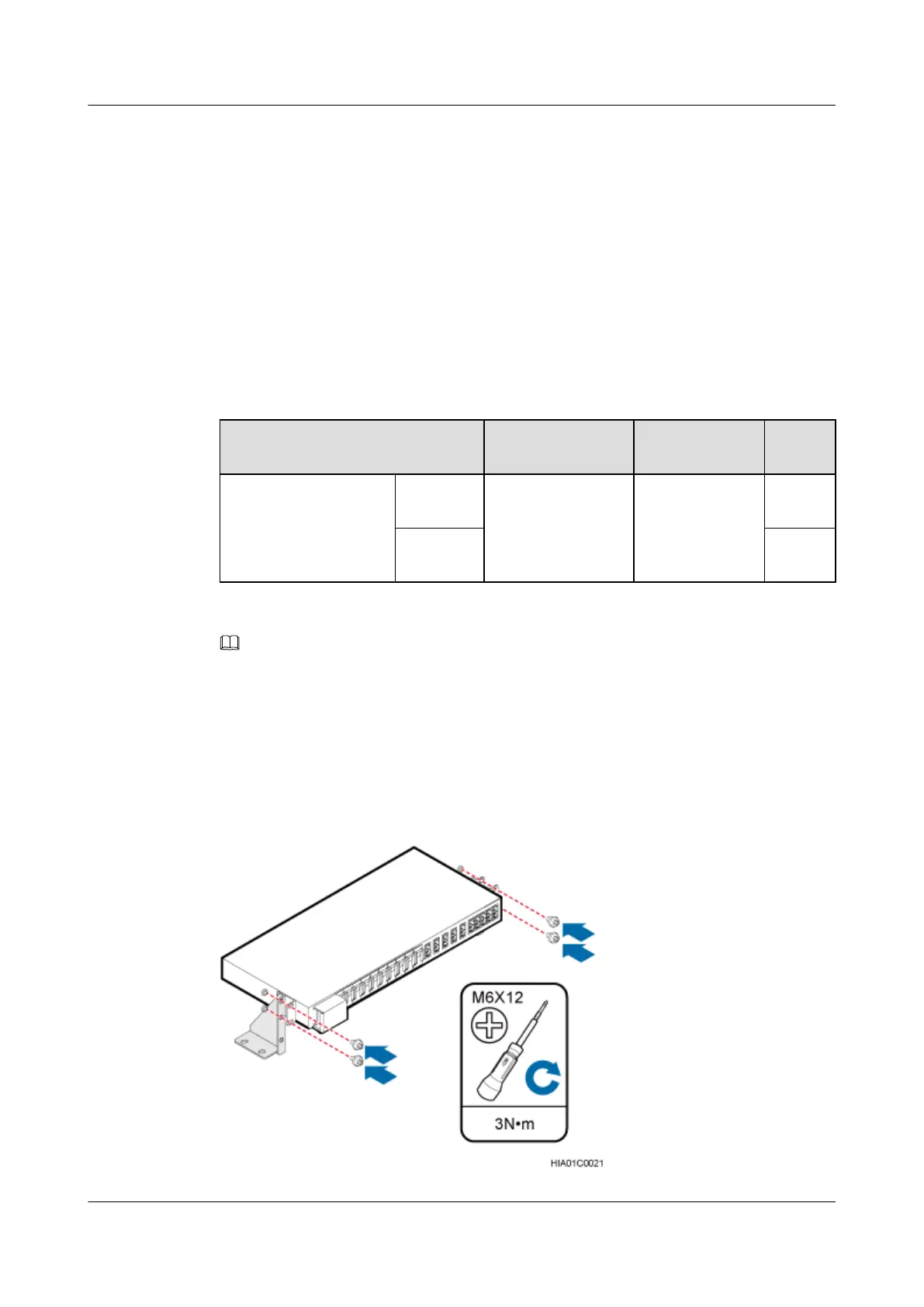
Step 1 Use four M6x12 screws to secure the mounting ears on the wall and those on the DCDU, and
tighten the screws to 3 N·m (26.55 lbf·in.), as shown in the following figure.
Figure 10-9 Securing the mounting ears on the wall and those on the DCDU
BTS3900L (Ver.C)
Installation Guide 10 (Optional) Installing the Modules
Issue 07 (2013-11-08) Huawei Proprietary and Confidential
Copyright © Huawei Technologies Co., Ltd.
52











 To Next Page