Setup mode
OPERATION MANUAL Chapter 4
CC® Liability for errors and misprints excluded. V1.3.0en/06.07.15//14.06
turbance influence. Please note the specifications on page 36 in section »To be noted when plan-
ning the test«.
The adjustment behavior can be selected at any time without reactivating the “Find control pa-
rameters”.
PROCEDURE
Go to the “Categories Menu”.
Tap on the category “Temperature Control”.
Tap on the category “TAC/Manual”.
Tap on the sub-category “Configuration auto”.
Tap on the sub-category “Control Dynamics”.
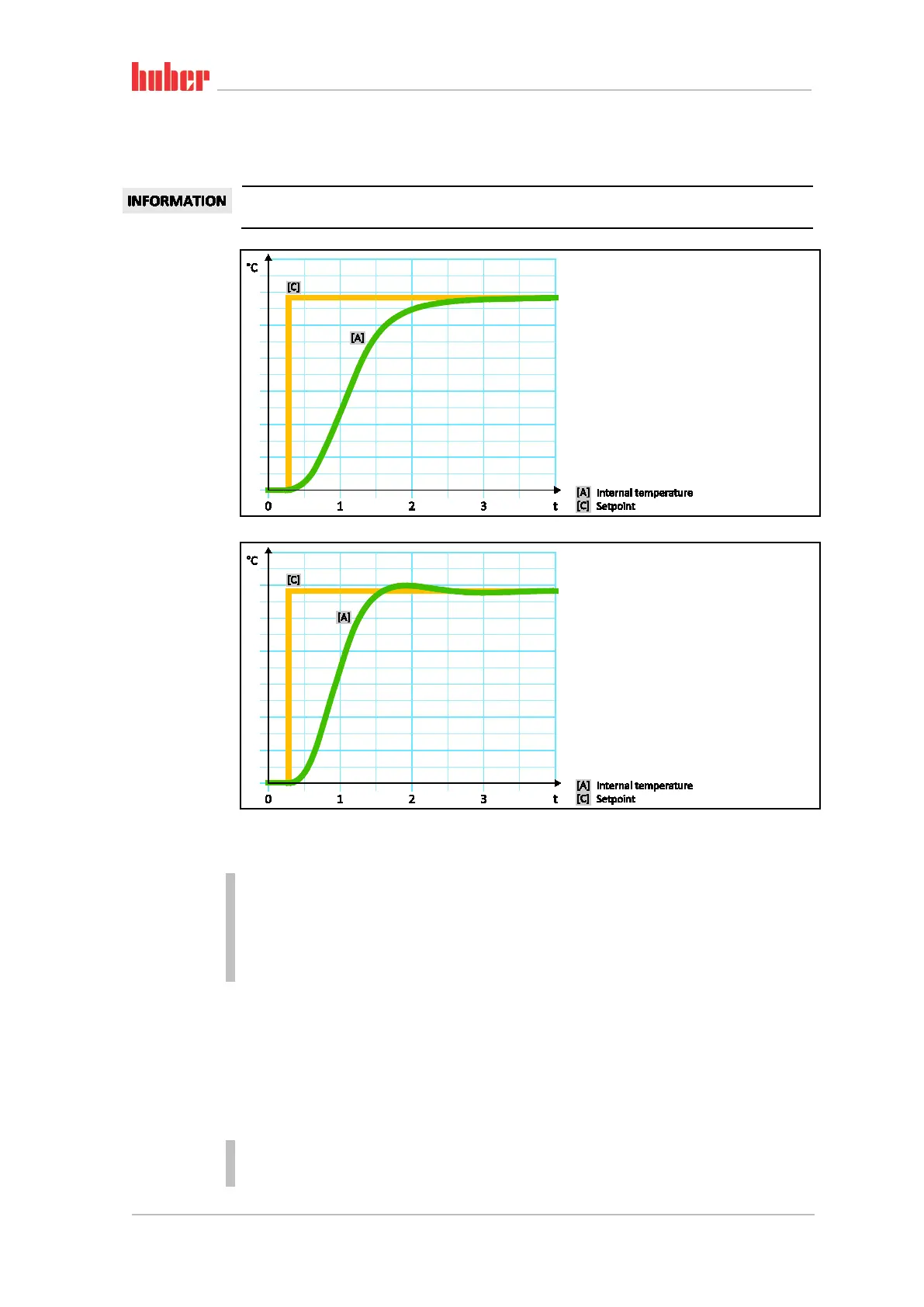
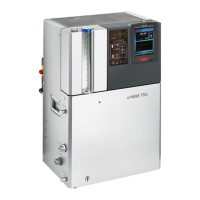
Choose between the dialog entries “Fast, small overshoot” and “Without overshoot”.
Confirm your choice by tapping on “OK”.
4.2.8.3 Sub-category: “Fluid Properties”
4.2.8.3.1 Sub-category “Select Fluid”
Under this entry, you can select the thermal fluid used from a list.
PROCEDURE
Go to the “Categories Menu”.
Tap on the category “Temperature Control”.
Tap on the category “TAC/Manual”.
Internal, aperiodic
temperature control
Internal, dynamic
temperature control
with possible over-
shooting of the tem-
perature



 To Next Page