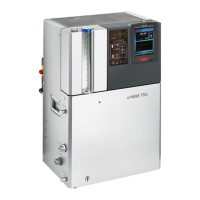
OPERATION MANUAL
V1.3.0en/06.07.15//14.06 Liability for errors and misprints excluded. CC®
2.11.4.1 Utilization as a pure cooling bath (without hanger thermostat) ................ 31
2.11.4.2 Utilization as a cooling/heating baths (with hanger thermostat) .............. 32
3 Function description 34
3.1 Function description of the temperature control unit ................................... 34
3.1.1 General functions ............................................................................................ 34
3.1.2 Other functions ............................................................................................... 34
3.2 Information on the thermal fluids ................................................................ 35
3.2.1 Only valid for CC®-520w, CC®-525w, CC®-906w and cooling baths used in
continuous operation ...................................................................................... 35
3.2.2 Information about Huber thermal fluids ........................................................ 36
3.3 To be noted when planning the test ............................................................. 36
3.4 “Pilot ONE®” controller ................................................................................ 37
3.4.1 Functional overview of “Pilot ONE®” .............................................................. 37
3.5 Clock/event function .................................................................................... 39
3.5.1 Rechargeable accumulator ............................................................................. 39
3.5.2 Programmable event function ........................................................................ 40
3.5.2.1 Event function “Alarm clock event” ........................................................... 40
3.5.2.2 Event function “Program event” ................................................................ 40
3.6 Operation via the touch screen ..................................................................... 40
3.7 Display instruments ..................................................................................... 40
3.7.1 The touchscreen [88] ...................................................................................... 40
3.8 Control instruments ..................................................................................... 41
3.8.1 The touchbuttons ............................................................................................ 41
3.8.2 The categories ................................................................................................. 41
3.8.3 The sub-categories .......................................................................................... 41
3.8.4 The dialogs ...................................................................................................... 41
3.9 Function examples ....................................................................................... 42
3.9.1 Display of software version ............................................................................. 42
3.9.2 Start & Stop ..................................................................................................... 42
3.9.3 Restore factory settings .................................................................................. 43
3.9.3.1 Restore to factory settings without overtemperature protection ............. 46
3.9.3.2 Restore to factory settings including overtemperature protection ........... 46
4 Setup mode 47
4.1 Setup mode ................................................................................................. 47
4.1.1 Turning on the temperature control unit ....................................................... 47
4.1.2 Cooling/heating baths: Switching K6 on/off ................................................... 47
4.1.2.1 Cooling/heating baths: Switching K6 on ..................................................... 47
4.1.2.2 Cooling/heating baths: Switching K6 off .................................................... 48
4.1.3 Cooling/heating baths: Switching K1x and K2x on/off .................................... 48
4.1.3.1 Cooling/heating baths: Switching K1x and K2x on (without hanger
thermostat) ................................................................................................ 48
4.1.3.2 Cooling/heating baths: Switching K1x and K2x off (without hanger
thermostat) ................................................................................................ 48
4.1.3.3 Cooling/heating baths: Switching K1x and K2x on (with hanger thermostat)49
4.1.3.4 Cooling/heating baths: Switching K1x and K2x off (with hanger
thermostat) ................................................................................................ 49
4.1.4 Setting the overtemperature protection ........................................................ 50
4.1.4.1 General information on the overtemperature protection ......................... 50
4.1.4.2 Setting “OT limit: heating” ......................................................................... 50
4.1.4.3 Setting “OT expansion vessel” .................................................................... 51
4.1.4.4 Setting “Process Safety” ............................................................................. 51



 To Next Page