42
4
RECEIVE AND TRANSMIT
4
D Convenient functions for receive
• Preamp and attenuator (p. 74)
➥ Push [P.AMP/ATT] momentarily to turn the pre-
amp ON or OFF.
• “ ” appears when the preamp is set to ON.
➥ Push [P.AMP/ATT] for 1 sec. to turn the attenua-
tor ON.
•Push [P.AMP/ATT] momentarily to turn the attenuator
OFF.
• “ ” appears when the attenuator is set to ON.
• Twin PBT (passband tuning) (p. 79)
➥ Push [PBT/M-ch/RIT] (switch) momentarily once
or twice to select the twin PBT ON or OFF (M-ch
RIT).
•PBT indicator lights green when the twin PBT is se-
lected.
➥ Rotate [PBT/M-ch/RIT] (controls–inner/outer).
•Push [PBT/M-ch/RIT(
CLR
)] to clear the settings.
• AGC (auto gain control) (p. 76)
➥ While “
M
-
3
” is selected, push [F-3
AGC
] momen-
tarily one or more times to select AGC fast, AGC
middle and AGC slow.
•“ ,” “ ” and “ ” appears when the
fast time constant, middle time constant and slow
time constant is selected, respectively.
➥ While “
M
-
3
” is selected, push [F-3
AGC
] for 1
sec. to enter the AGC set mode.
•Push [F-2
FAST
], [F-3
MID
] or [F-4
SLOW
] to select
the time constant, then rotate [DIAL] to adjust the time
constant.
• Noise blanker (p. 80)
➥ Push [NB/ADJ] to turn the noise blanker ON and
OFF.
• “ ” appears when the noise blanker is set to ON.
➥ Push [NB/ADJ] for 1 sec. to enter the noise
blanker set mode, then rotate [DIAL] to adjust the
threshold level, or noise pulse width.
• DSP noise reduction (p. 81)
➥ Push [NR/LEV] to turn the DSP noise reduction
ON and OFF.
• “ ” appears when the DSP noise reduction is set to
ON.
➥ Push [NR/LEV] for 1 sec. to enter the noise re-
duction level set mode, then rotate [DIAL] to ad-
just the DSP noise reduction level.
• Manual notch filter (pgs. 82, 83)
➥ Push [MNF/ADJ] to turn the manual notch filter
ON and OFF.
•“ ” appears when the manual notch filter is set to
ON.
➥ Push [MNF/ADJ] for 1 sec. to enter the manual
notch filter set mode.
•Push [F-2
NF1
], [F-3
NF2
] to select the notch filter,
push [F-4
NW
] to set the filter width, rotate [DIAL] to
set the attenuating frequency.
•
1
⁄4 function (p. 32)
➥ While “
M
-
3
” is selected, push [F-2
1/4
] to turn
the
1
⁄4 function ON and OFF.
• “ ” indicator appears when the function is activate.
•Push and hold [MENU/GRP] for 1 sec. once or twice
to select the menu group
M
.
•Push [MENU/GRP] momentarily one or more times
to select the menu
M
-
3
.
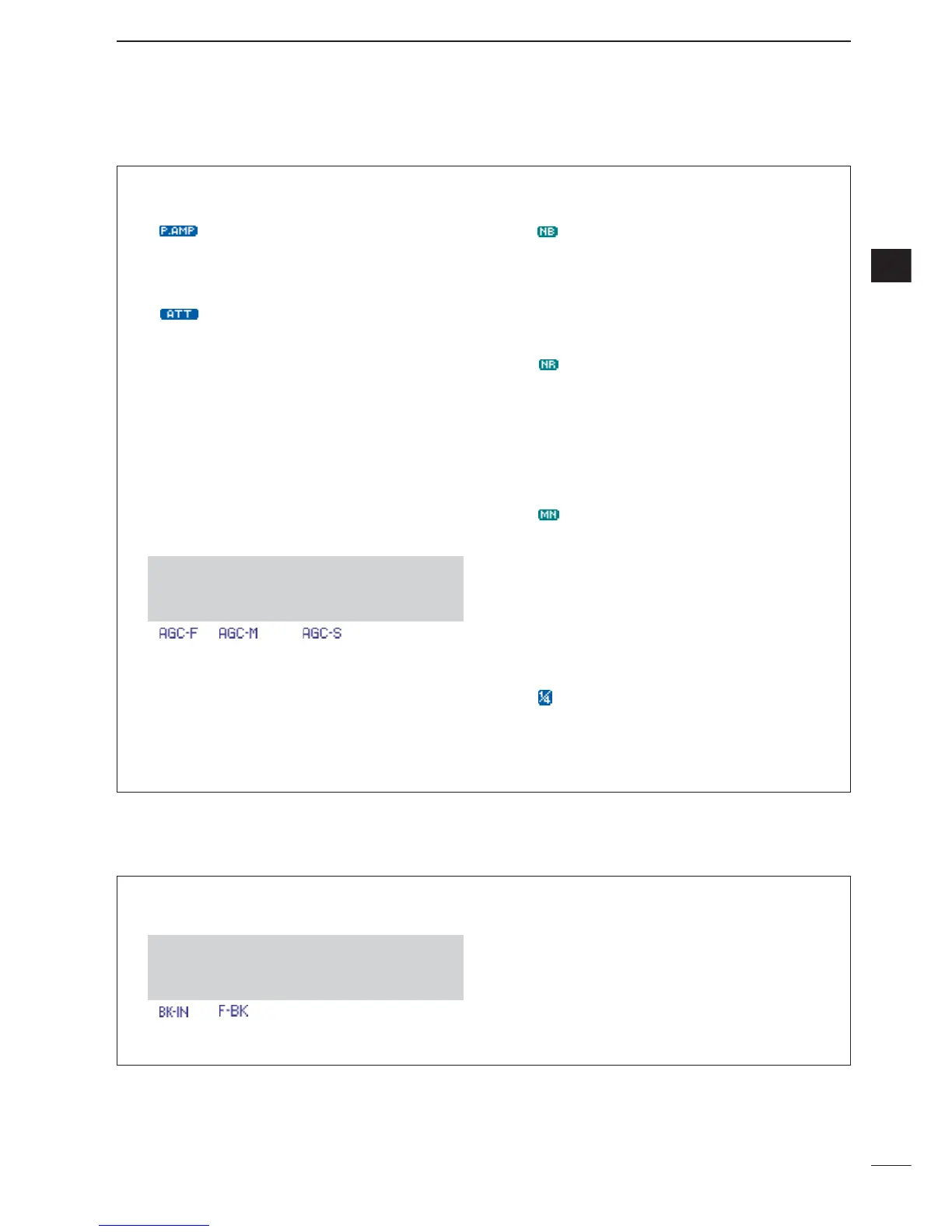
• Break-in function (p. 87)
➥ While “
M
-
3
” is selected, push [F-1
BRK
] one or
more times to select the CW break-in operation.
• “ ” or “ ” appears when the semi break-in or
full break-in is set to ON, respectively.
• Memory keyer function (p. 45)
➥ While “
S
-
1
” is selected, push [F-2
KEY
] to enter
the keyer set memu.
•Push and hold [MENU/GRP] for 1 sec. once or twice
to select the menu group
M
.
•Push [MENU/GRP] momentarily one or more times
to select the menu
M
-
3
.
D Convenient functions for transmit



 To Next Page
 Loading...