74
5
FUNCTIONS FOR RECEIVE
5
■ Preamp and attenuator
The preamp amplifies received signals in the receiver
input (front end) circuit to improve the S/N ratio and
sensitivity. Turn this function ON when receiving weak
signals.
The attenuator prevents a strong undesired signal
near the desired frequency or near your location,
such as from a broadcast station, from causing dis-
tortion or spurious signals.
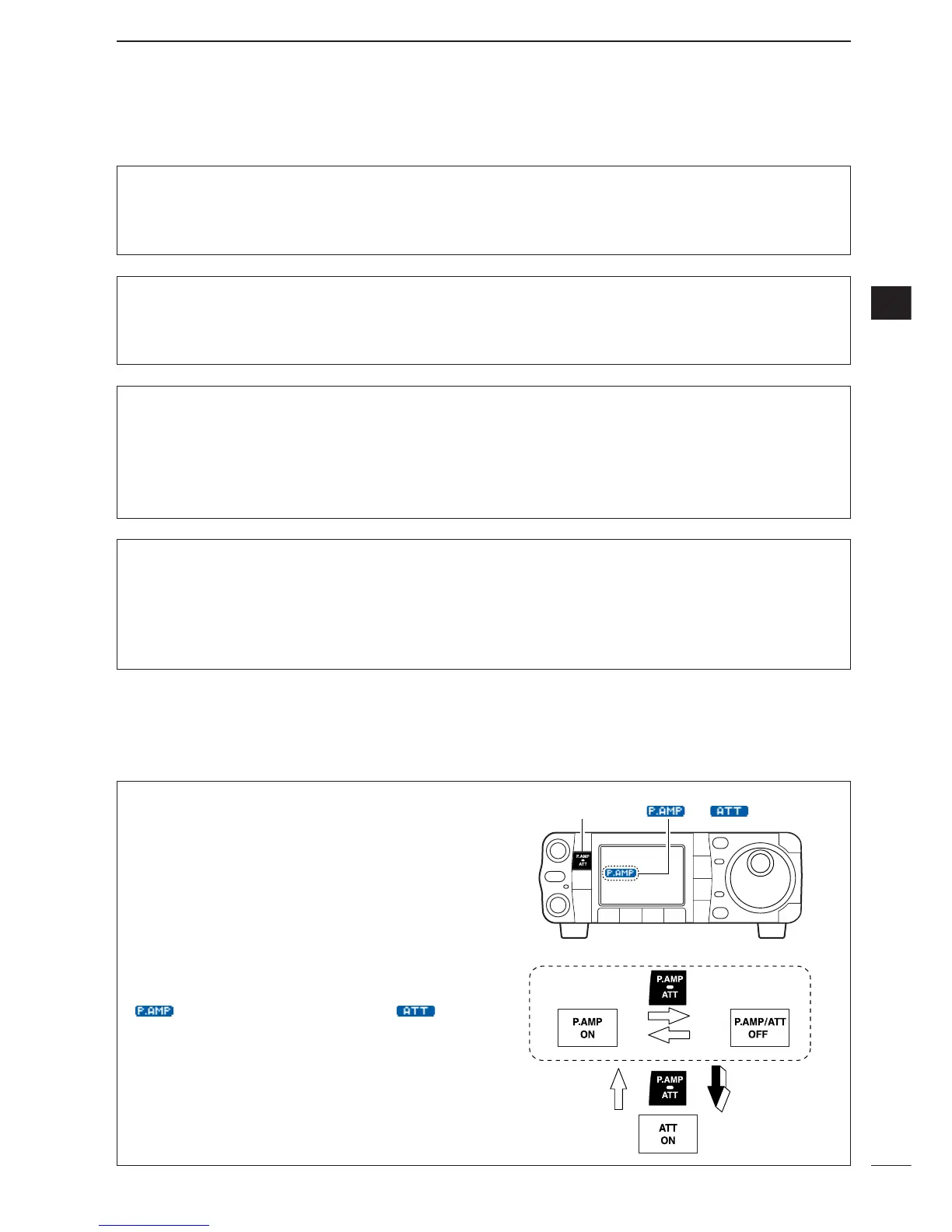
Push [P.AMP/ATT] momentarily to turn the preamp
ON and OFF; push and hold for 1 sec. to turn the at-
tenuator ON.
•“ ” appears when the preamp is ON; “ ” ap-
pears when the 12 dB attenuator is ON.
• Only one of these functions can be activated at a time.
Scope set mode (Continued)
1
Max Hold
This item turns the peak level holding function ON
and OFF.
ON
Peak hold is turned ON.
(default)
OFF
Peak hold is turned OFF.
2
Scope Size
This item turns the scope size setting normal and
wide.
Normal
Normal size is selected.
(default)
Wide
Wide size is selected.
3
FAST Sweep
This item selects the sweep speed setting.
Continuous
Push [F-4
SPD
] momentar-
ily to toggle the sweep
speed Fast and Slow contin-
uously. (default)
1 Sweep
Sweep speed changes Slow
to Fast just for one sweep
every pushing [F-4
SPD
]
momentarily.
4
FAST Sweep Sound
This item sets the monitoring sound level for fast
sweeping.
-10dB
:
Monitoring sound is set 10 dB smaller than
normal sound. (default)
0dB
: Same as normal sound.
OFF
: No sound comes out while fast sweeping
.


 To Next Page
 Loading...