53
6
FUNCTION FOR TRANSMIT
The VOX (Voice-operated Transmission) function tog-
gles between transmit and receive with your voice.
This function provides an opportunity to input log en-
tries into your computer, etc., while operating.
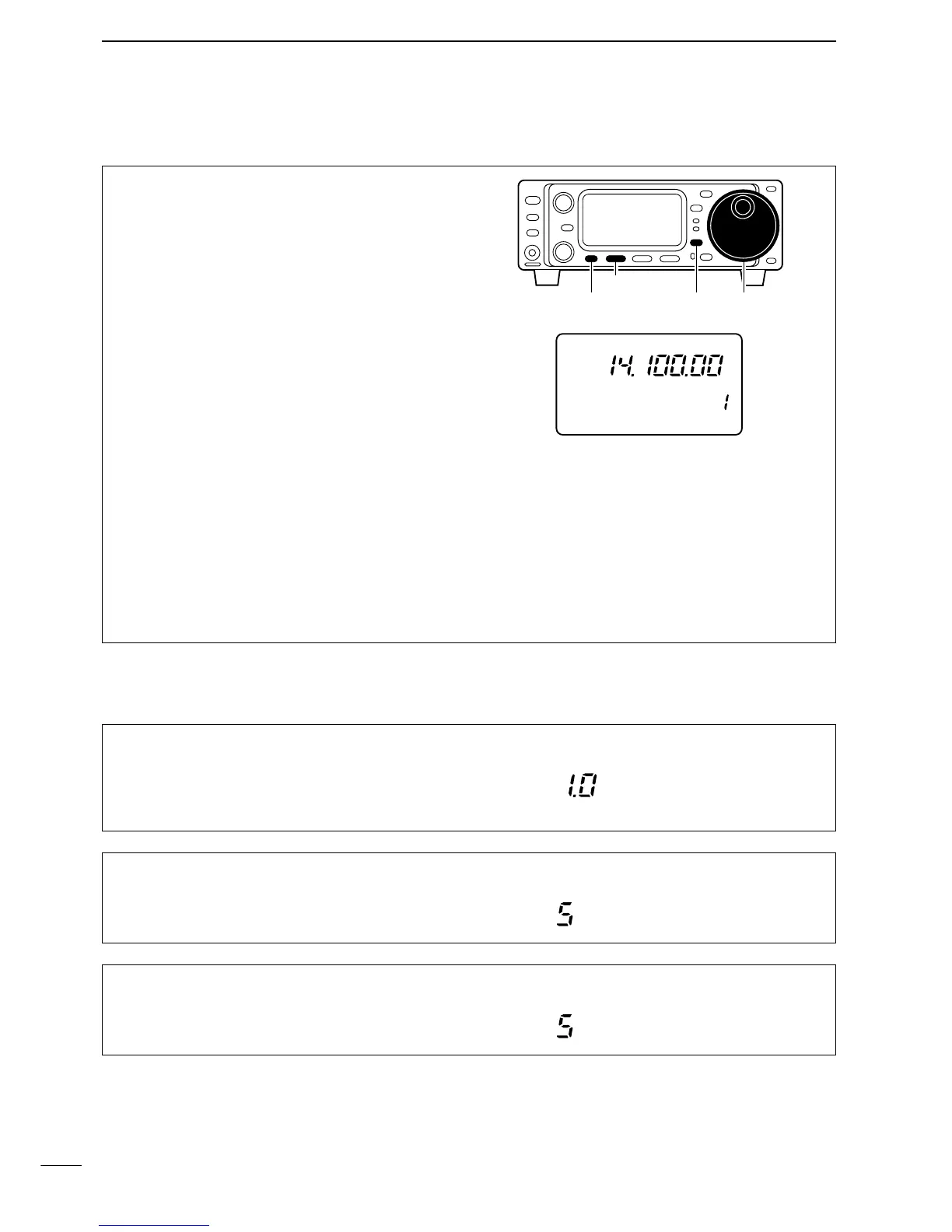
q Select M4.
• Push [DISPLAY] once or twice to select M.
• Push [MENU] one or more times to select M4.
w Push [(F-1)VOX] to toggle the VOX function ON
and OFF.
• “VOX” appears when the function is ON.
e Push [(F-1)VOX] for 1 sec. to enter the VOX set
mode (below), then set the ‘VOX delay,’ ‘VOX gain’
and ‘ANTI-VOX’ if desired.
r Select “VOX DELAY” in VOX set mode.
•Push [MENU] one or more times to select V1.
•While speaking into the microphone, adjust ‘VOX
DELAY’ as desired.
t Select “VOX GAIN” in VOX set mode.
•Push [MENU] one or more times to select V2.
•While speaking into the microphone, adjust ‘VOX GAIN’
until the transceiver is transmitting.
y Select “ANTI VOX” in VOX set mode.
•Push [MENU] one or more times to select V3.
•If the receive audio from the speaker toggles the trans-
ceiver to transmit during receive, adjust the ‘ANTI-VOX’
to the point where it has no effect.
u Push [DISPLAY] to exit VOX set mode.
■ VOX operation
While M4 is selected in SSB/AM/FM modes, push
[
(F-1)
VOX] for 1 sec. to enter the VOX set mode.
D VOX set mode
V1 VOX DELAY
This item adjusts the VOX (Voice-activated Transmit)
delay time. The delay time can be adjusted from 0 to
2 sec. in 0.1 sec. steps.


 To Next Page