62
8
SCAN OPERATION
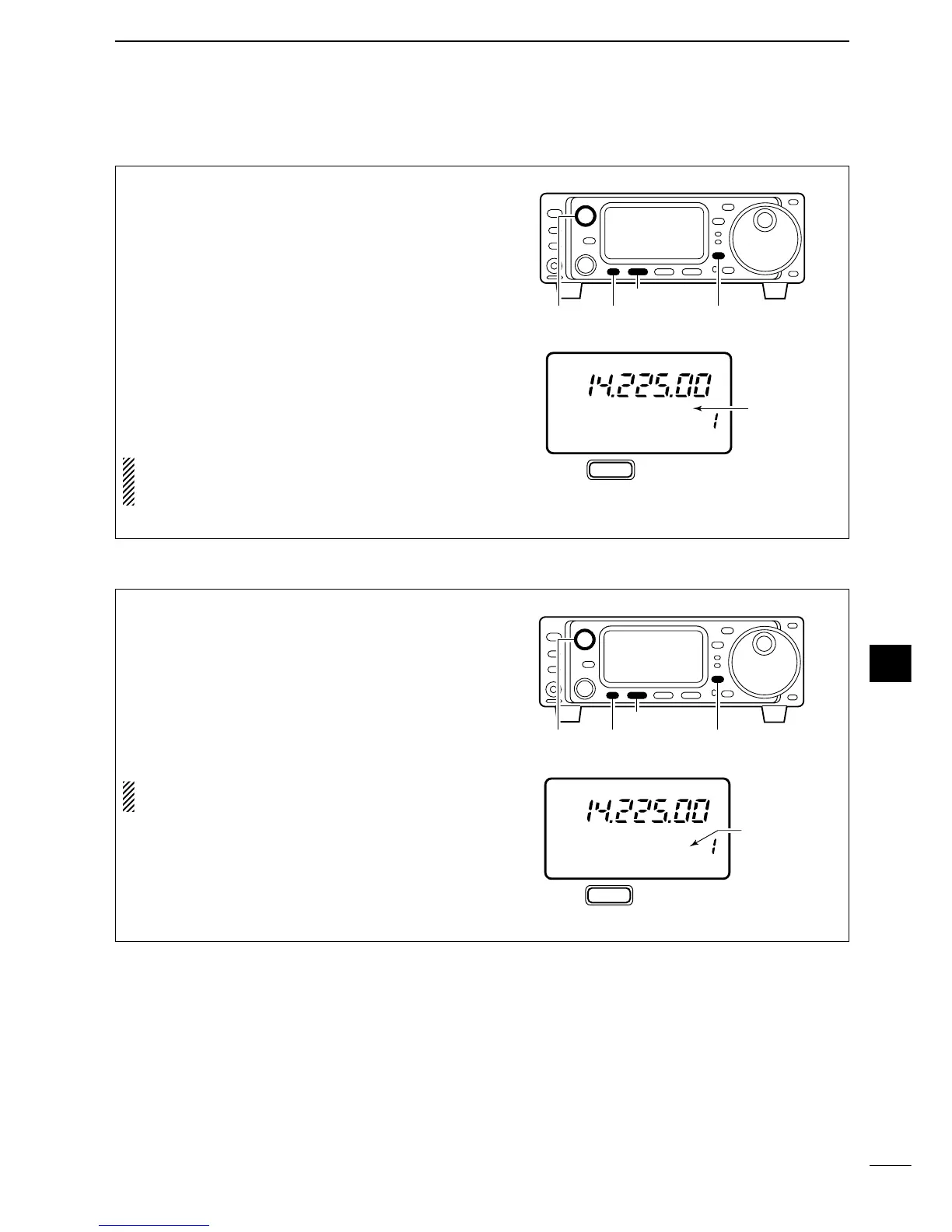
q Select VFO mode.
w Select the desired operating mode.
•The operating mode can also be changed while scan-
ning.
e Set [SQL] open or closed.
• See page a left for squelch condition.
r Select S2.
• Push [DISPLAY] once or twice to select S.
•Push [MENU] one or more times to select S2.
t Push [(F-1)SCN] to start the scan.
• Decimal point blinks while scanning.
y When the scan detects a signal, the scan turns
OFF, pauses or ignores it depending on the re-
sume setting and the squelch condition.
•During scan [TS] can be used only when resume is ON.
u To cancel the scan push [(F-1)SCN].
NOTE:
If the same frequencies are programmed
into the scan edge memory channels 1A and 1B,
programmed scan does not start.
■ Programmed scan operation
q Select memory mode.
w Close the squelch with [SQL].
e Select S2.
• Push [DISPLAY] once or twice to select S.
•Push [MENU] one or more times to select S2.
r Push [(F-1)SCN] to start the scan.
• Decimal point blinks while scanning.
t When the scan detects a signal, the scan stops or
pauses depending on the resume setting.
y To cancel the scan push [(F-1)SCN].
NOTE:
Two or more memory channels must be
programmed for memory scan to start.



 To Next Page