19
3
BASIC OPERATION
• Programmable tuning steps
Programmable tuning steps are available to suit your
operating requirements.
These tuning steps are:
• Independently selectable for each mode
•Selectable from 0.01 (FM/AM only), 0.1, 1, 5, 9, 10,
12.5, 20, 25 and 100 kHz
q Push [TS] one or more times until the programma-
ble tuning step indicator “
Z
” appears above the 1
kHz digit.
•Rotating the main dial changes the frequency according
to the set tuning step.
w Push [TS] for 1 sec. while the programmable tuning
step indicator appears to enter the tuning step se-
lection mode.
•“Rotate DIAL” appears.
e Rotate the main dial to set the desired tuning step.
•Change the mode and select tuning steps for other
modes, if desired.
r Push [TS] to exit the tuning step selection mode.
t Rotate the main dial to change the frequency ac-
cording to the set tuning step.
• Band selection
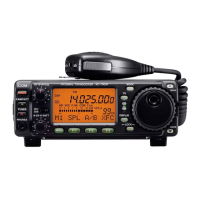
All HF ham bands, the 50 MHz band and a general
coverage receiver band are included in the IC-703.
Push [(Y)BAND]/[(Z)BAND] to select the desired
band.
•Pushing [(Y)BAND]/[(Z)BAND] continuously scrolls
through the available bands.
The band stacking register can also be used to se-
lect bands. Refer to p. 22.


 To Next Page