59
7
MEMORY OPERATION
■ Memory names
All memory channels (including scan edges) can be
tagged with alphanumeric names of up to 9 charac-
ters each.
All common keyboard characters (ASCII characters
33 to 126) can be used, including numerals and punc-
tuation marks.
•Calling up memory names
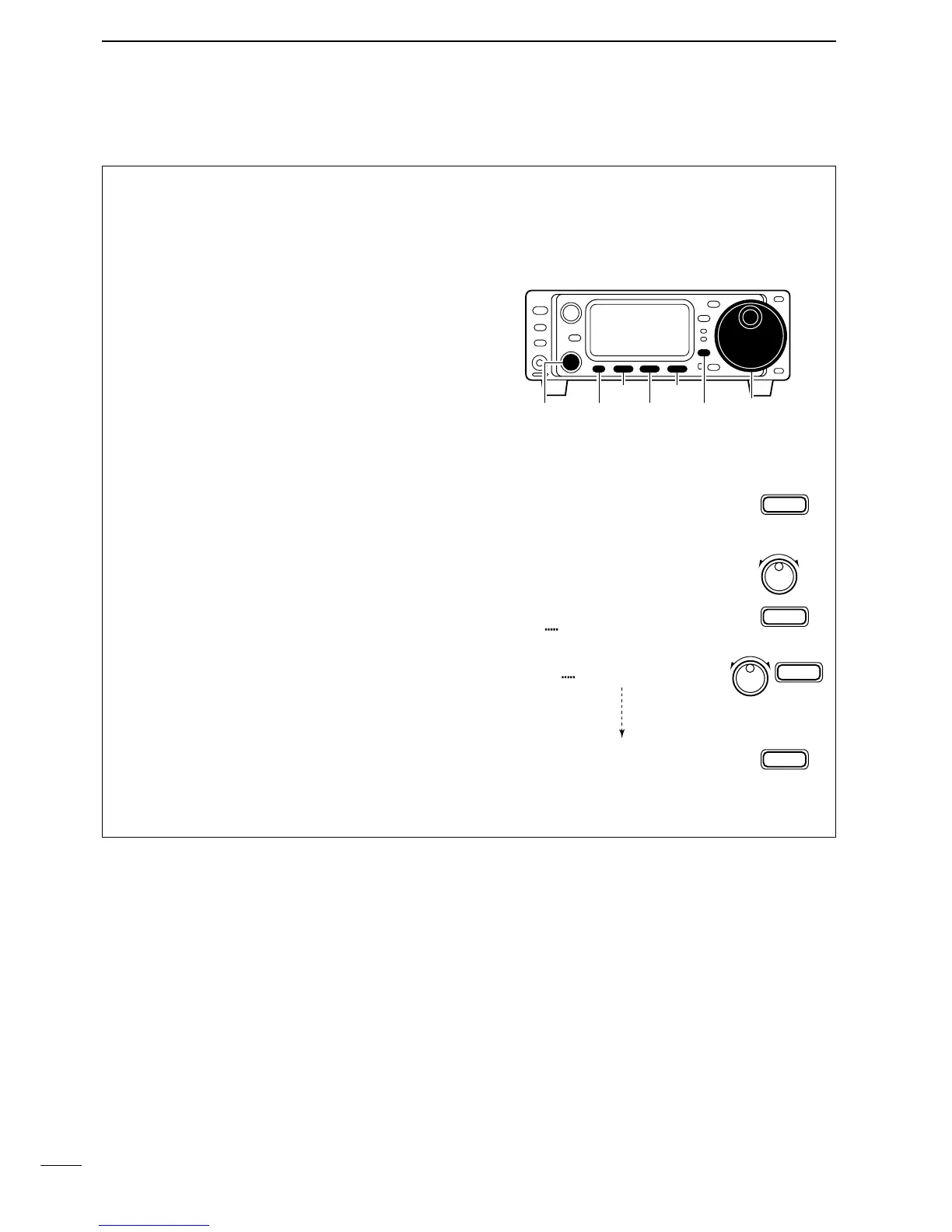
q Select the G4 display.
•Push [DISPLAY] once or twice to select G.
• Push [MENU] one or more times to select G4.
w Select a memory channel with [M-CH].
•Editing (programming) memory names
q Call up the desired memory (channel) name as
above.
w Push [(F-3)É] to enter memory name edit mode.
•“[DEL]” appears briefly, then a cursor blinking under
the first character position.
e Rotate the main dial to select the desired charac-
ter, then advance the cursor position.
•Pushing [(F-3)Ç] moves the cursor to the right; [(F-1)Å]
moves the cursor to the left.
• Pushing [
(F-2)] deletes the character.
r Repeat this procedure until all desired characters
have been selected.
t Push [(MENU)Ä] to exit memory name edit mode.
•The G4 display re-appears and the programmed mem-
ory name is displayed.



 To Next Page