66
8
MENU ITEMS
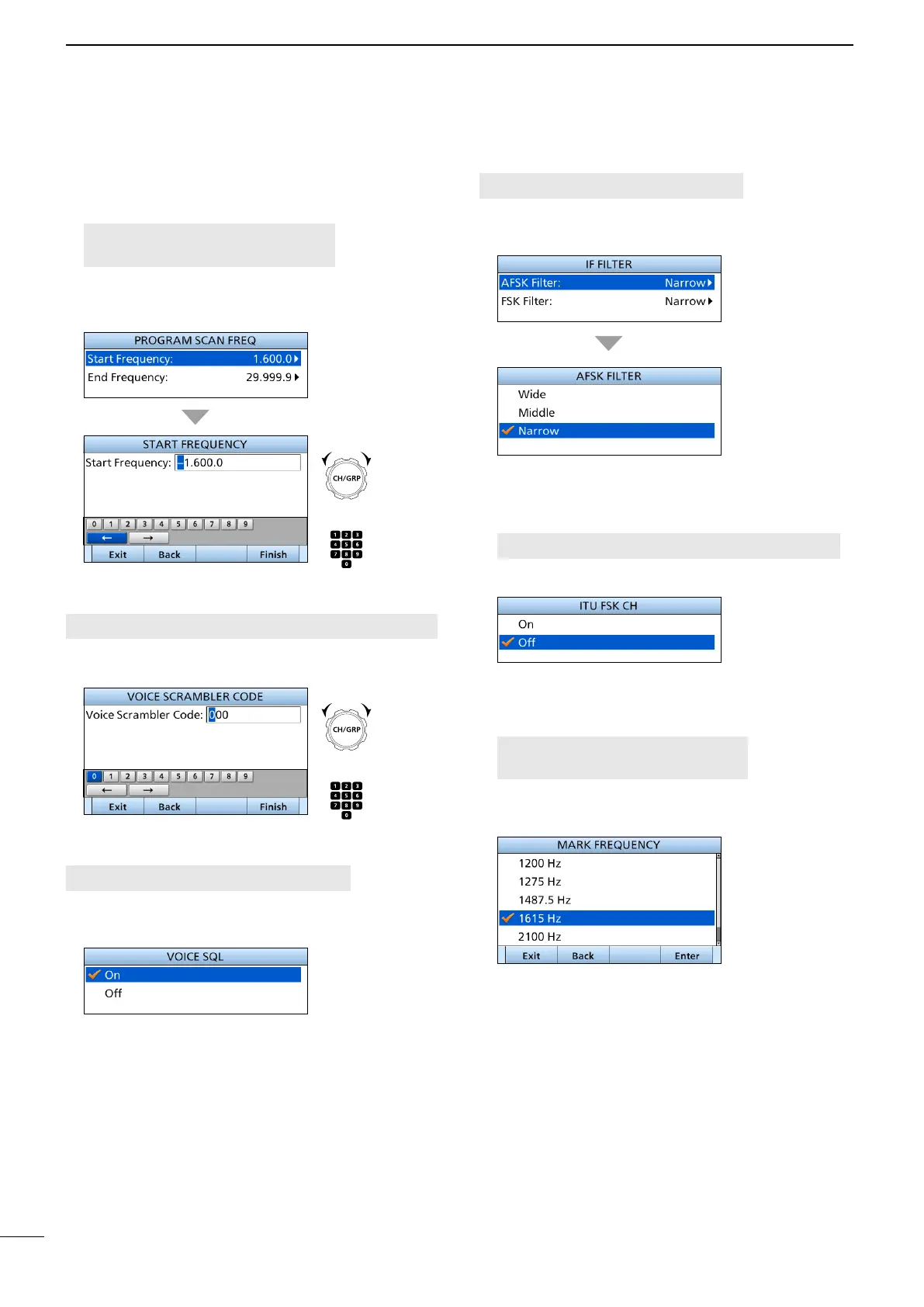
D IF Filter
[MENU] > Radio Settings > IF Filter
Select the IF Filter passband width for the AFSK and
FSK mode operation from Wide, Middle, and Narrow.
D FSK
z ITU FSK CH
[MENU] > Radio Settings > FSK > ITU FSK CH
Select whether or not to use ITU FSK channels.
• On: The channels can be used.
• O: The channels cannot be used.
z Mark Frequency
[MENU] > Radio Settings > FSK >
Mark Frequency
Set the FSK mark frequency for the FSK operation
from 1200, 1275, 1487.5, 1615, 2100, and 2125 kHz.
■ Radio Settings
D Scan (continued)
z Program Scan FREQ
[MENU] > Radio Settings > Scan >
Program Scan FREQ
Set the Start Frequency and the End Frequency
used for the Program scan.
D Voice Scrambler Code
[MENU] > Radio Settings > Voice Scrambler Code
Set the Voice Scrambler Code to use the Voice
Scrambler function.
D Voice SQL
[MENU] > Radio Settings > Voice SQL
Turn the Voice Squelch function ON or OFF for
operating in the USB or AM mode.
• On: Outputs the position data from the NMEA
output.
• O: Does not output the position data.
+
Push
Rotate
+
Push
Rotate



 To Next Page