27
8
DSC OPERATION
Transmitting DSC calls ■
To ensure correct operation of the DSC function, make
sure you correctly set the CH70 SQL LEVEL. (p. 64)
Transmitting an individual call D
The Individual call function allows you to transmit a DSC sig-
nal to only a specific station.
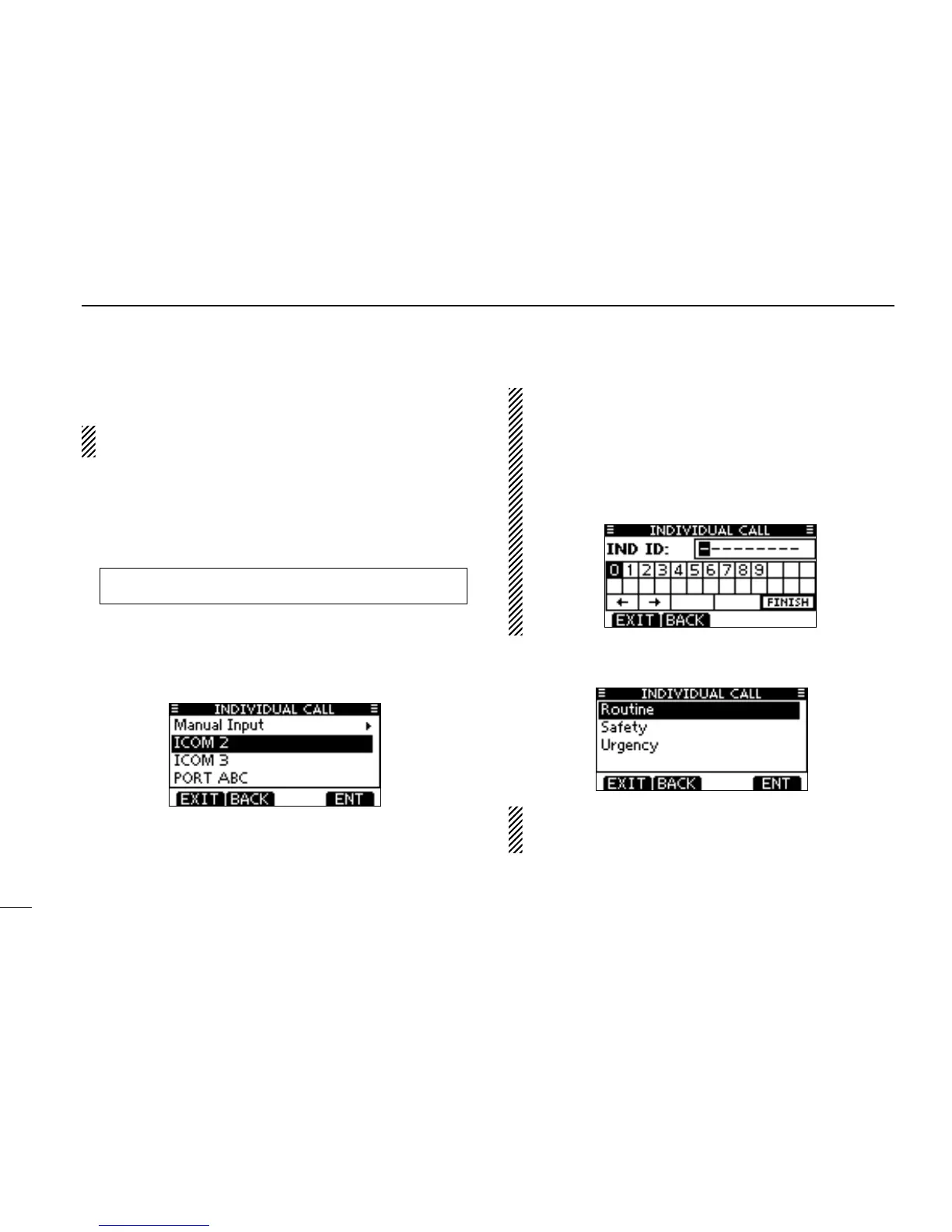
Enter “INDIVIDUAL CALL” in the DSC CALLS menu. q
Select the desired preprogrammed individual address, or w
“Manual Input,” using [Y]/[Z], then push [ENT].
•TheIDcodefortheIndividualcallcanbesetrst.(p.19)
•When“ManualInput”isselected,setadesired9digitMMSIID
code for the individual you wish to call.
About Manual Inputting:
Enter a desired individual ID in the following way:
•Selectadesirednumberusing[Y]/[Z]/[Ω]/[≈].
•Push[ENT]tosetit.
•Tomovethecursor,selecteitherarrow,“←” or “→,” then push
[ENT].
•Therstdigitisspeciedas‘0’foraGroupID.
•Thersttwodigitsare‘0’foranycoaststationID.
Select Routine, Safety or Urgency as the desired call type e
using [Y]/[Z], then push [ENT].
NOTE: When a coast station is selected in step w, the
voice channel is automatically specified by the coast sta-
tion. Therefore, skip step r and go directly to step t.
☞ Continued on the next page.
MENU
➪ DSC Calls ➪ Individual Call
(Push [MENU])
(Push
[Y]/[Z]
, then push [ENT].)



 To Next Page