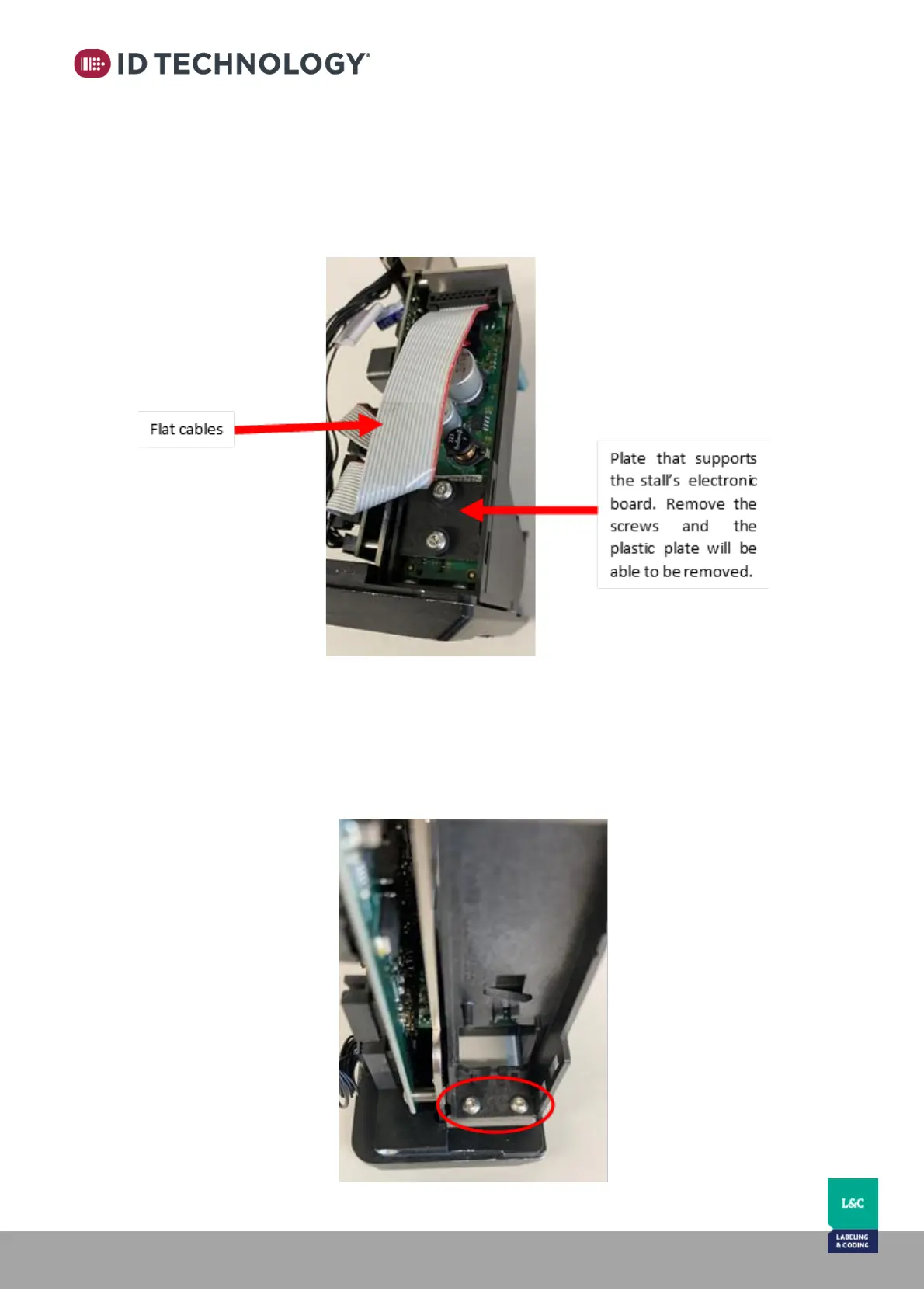
2. Next, remove the electronic board from the bottom of the Cartridge Stall in the
printhead:
a. Remove the flat cables.
b. Remove the plate that supports the board (2 x Torx10). Pop the plate out with
a small flat head screwdriver.
3. Loosen but do not remove the two lower screws (2mm Allen wrench) holding the
bottom of the cartridge stall to the printhead face plate.



 To Next Page