4 Creating and Deleting Data for Recipes
18-14 WindO/I-NV4 User’s Manual
4.1 Editing Recipe Data
You can export recipe data for the selected channel, edit the recipe values in a saved file, and import a recipe file back
into WindO/I-NV4.
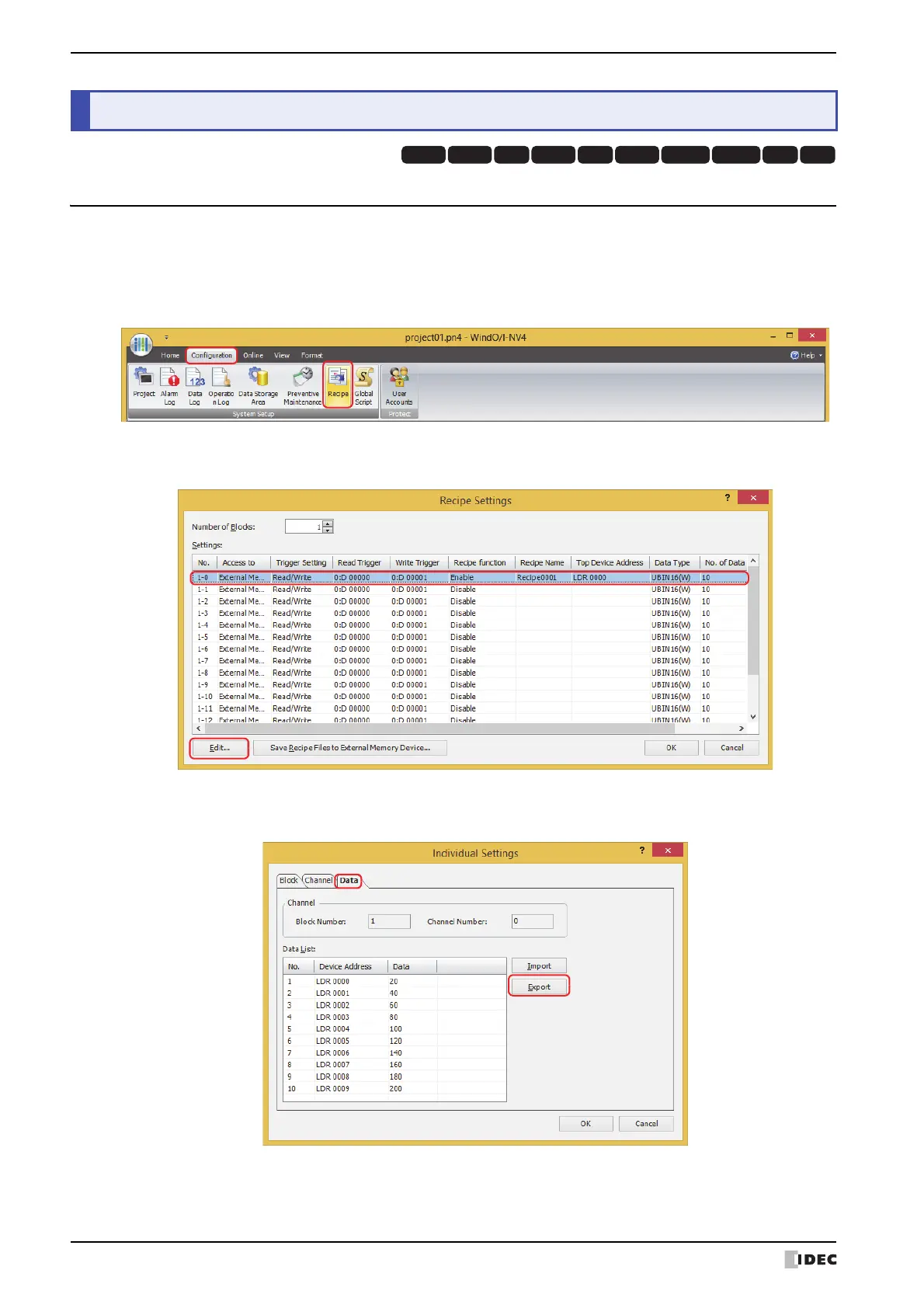
1 On the Configuration tab, in the System Setup group, click Recipe.
The Recipe Settings dialog box is displayed.
2 Select the channel number to export its recipe data in Settings, then click Edit.
The Individual Settings dialog box is displayed.
3 Click the Data tab, then click Export.
The Save As dialog box is displayed.
4 Creating and Deleting Data for Recipes
HG3G
HG2G-5FHG5G-V HG4G-V HG3G-V HG2G-V HG2G-5T
HG4G HG1G HG1P



 To Next Page
 Loading...