WindO/I-NV4 User’s Manual 23-29
2 Security Function Configuration Procedure
23
User Accounts and the Security Function
● Protecting the Display of Parts
Here you will configure the security group for a part to protect the display of that part.
This section describes an example where the display of the Line Chart is protected.
Configuration Procedure
1 Following the procedure in “Creating a User Account” on page 23-11, create the following user account.
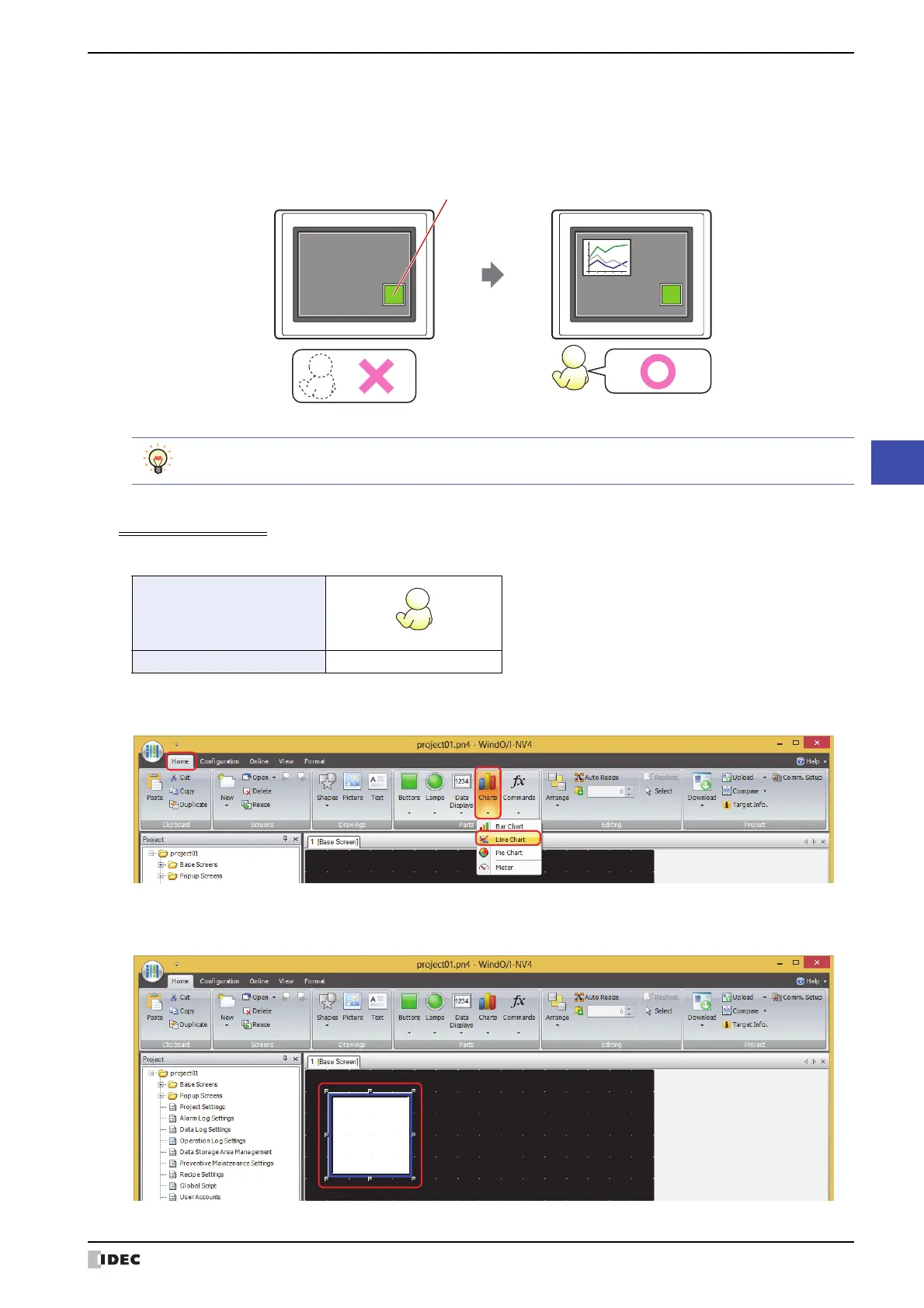
2 Create a Line Chart and configure the display security group.
On the Home tab, in the Parts group, click Charts, and then click Line Chart.
3 Click a point on the edit screen where you wish to place the Line Chart.
4 Double-click the dropped Line Chart and the Properties dialog box is displayed.
Goto Screen Button
(Open password screen)
User2
No user
MICRO/IMICRO/I
Line Chart
Can be displayed
Line Chart
Cannot
be displayed
To change the user account, a button or command is required to open the Password screen.
User Name
Security Group GroupA



 To Next Page
 Loading...