WindO/I-NV4 User’s Manual 24-9
1 Communicating with the MICRO/I
24
Online Function
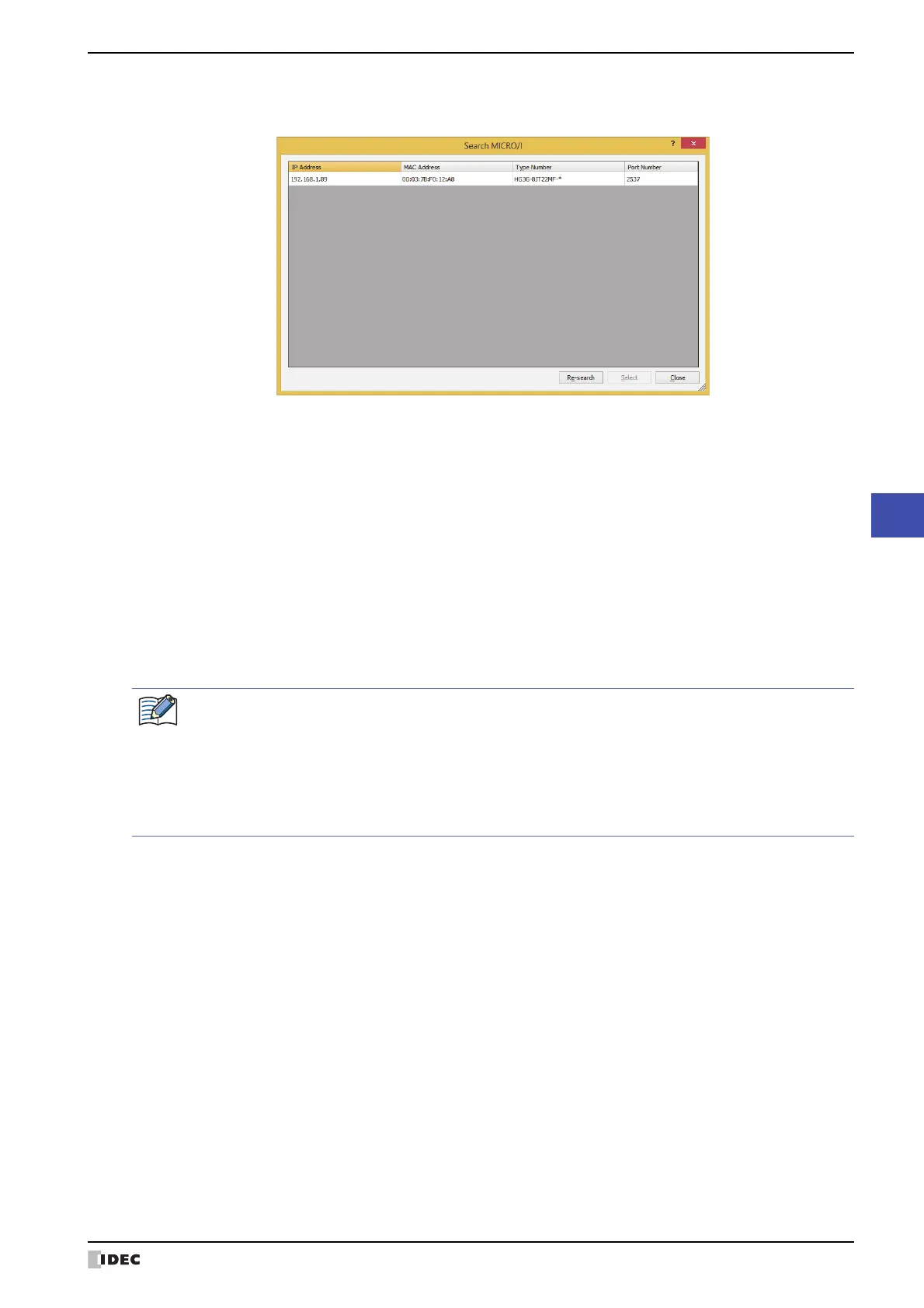
The Search MICRO/I dialog box
The result of the search performed by clicking the Search in the Target IP Address dialog box is displayed.
■ (Results List)
Displays the information of MICRO/I as search results. Selects the MICRO/I to register in the Target List on the
Target IP Address dialog box.
■ Re-search
Search again for MICRO/I on the same network
■ Select
Closes the Search MICRO/I dialog box, and then registers the MICRO/I selected from the (Results List).
■ Close
Closes the Search MICRO/I dialog box.
IP Address: Displays the IP address of the MICRO/I.
MAC Address: Displays the MAC address of the MICRO/I.
Type Number: Displays the part number of the MICRO/I.
Port Number: Displays the port number of the MICRO/I.
If there is a MICRO/I of the IP address already registered in the Target List on the Target IP Address
dialog box, an overwrite confirmation message is displayed.
•Click Yes to overwrite and save the MICRO/I of the IP address displayed in the confirmation message.
•Click Yes To All to overwrite and save the MICRO/Is of all IP addresses.
•Click No to display the next confirmation message without overwriting the MICRO/I of the IP address
displayed in the confirmation message.
•Click Cancel to stop importing the MICRO/I of the IP address.



 To Next Page
 Loading...