WindO/I-NV4 User’s Manual 27-3
1 Overview
27
Pass-Through Function
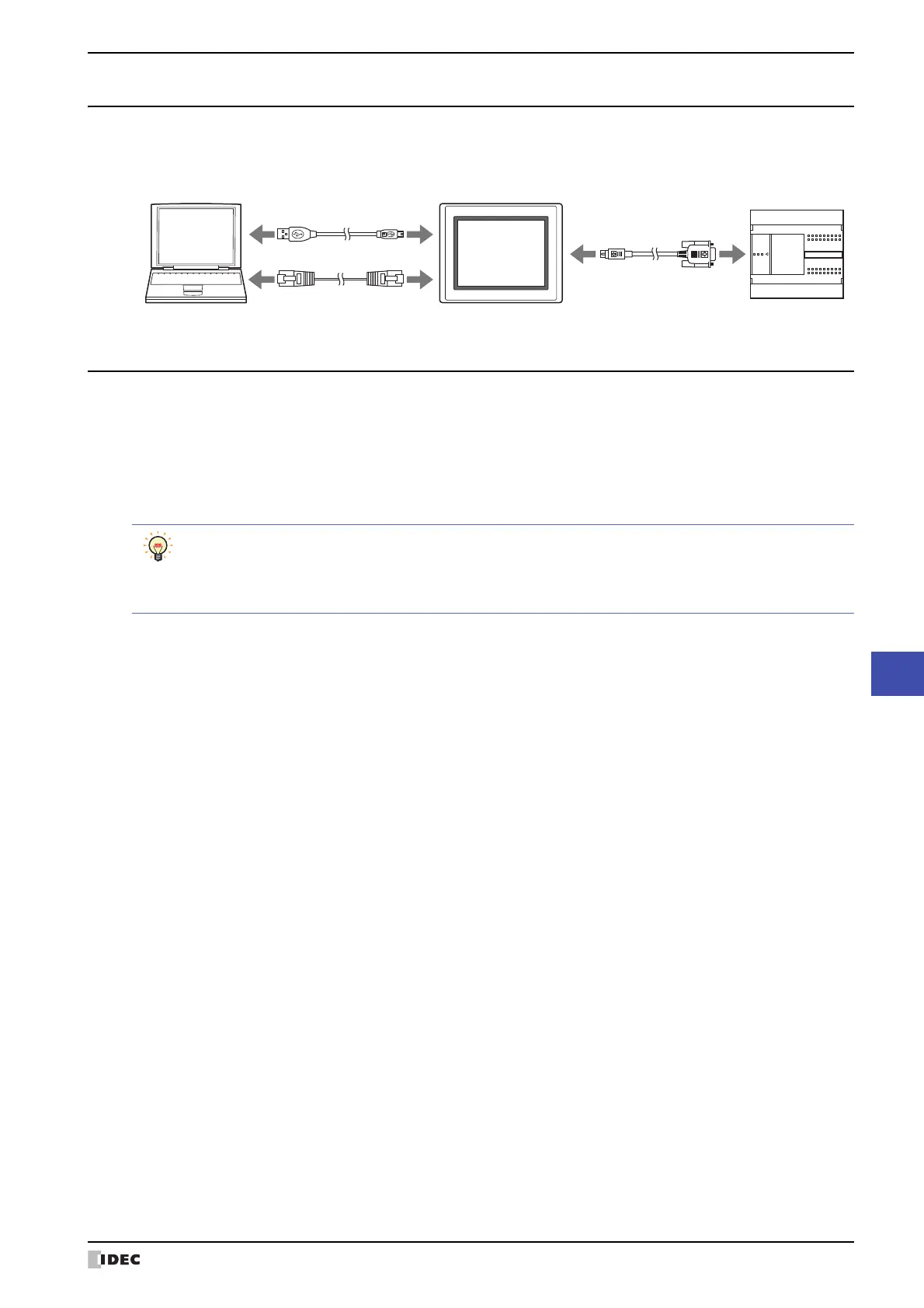
1.3 How to Connect when Using the Pass-Through Function
Connect the computer and MICRO/I with an Ethernet cable or a USB cable, and connect the MICRO/I and external
device with a serial cable.
1.4 Use the Pass-Through Function
The Pass-through function operates under the following conditions:
• The MICRO/I is in the Run mode or Monitor mode.
• A communication driver that supports the Pass-through operation.
• In the Project Settings dialog box, on the Communication Driver tab, the Enable Pass-Through check box is
selected.
MICRO/IComputer
USB cable
Ethernet cable
Serial cable
External device
Use the WindO/I-NV2 Utility software Pass-through Tool if you have the following:
• A compertitor's PLC.
• Currently using WindLDR Ver. 5.0* - 6.0*.
For details on Pass-through Tool, see the WindO/I-NV2 Utility software Pass-through Tool Manual.



 To Next Page
 Loading...