To avoid errors with a manual system configuration it is highly recommended to use the
project template of ifm electronic for the creation of an SmartSPS SafeLine AC4S project in
CODESYS.
Requirements:
> All required software components are correctly installed (→Install the ifm package (→ S. 13)).
> CODESYS was started (→Start CODESYS (→ S. 14)).
1 Create new AC4S project
► Select [File] > [New Project ...].
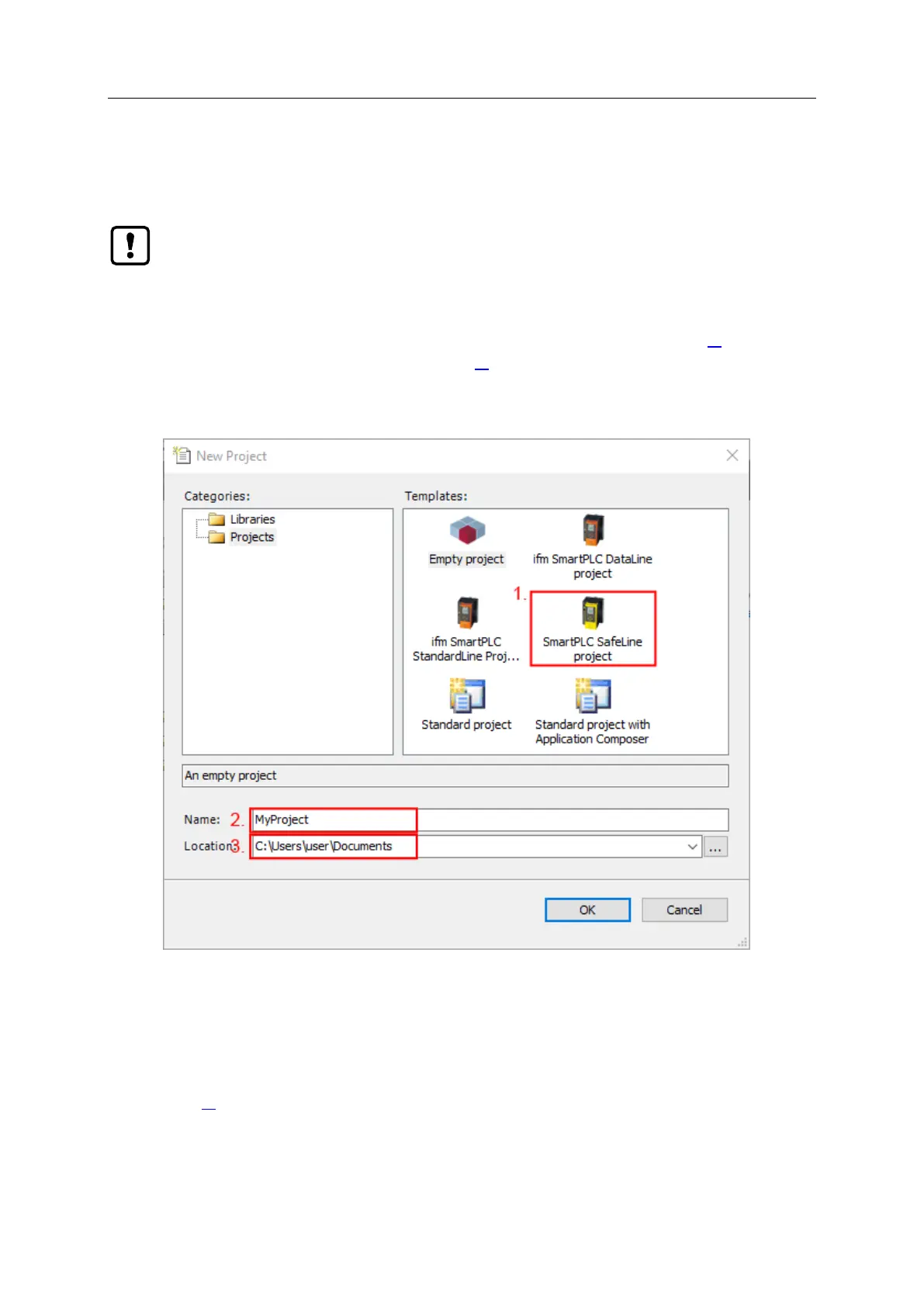
> The window for the configuration of the project properties appears.
► Set the following values:
1. [Templates]: Select [ifm_SmartPLC_SafeLine Project].
2. [Name]: Enter project name
3. [Location]: Select storage location for the project file.
► Click on [OK] to confirm the entered values.
> CODESYS creates a new project with an AC4S.
> The window [Devices] shows the device tree of the project (→Overview: Project structure with AC4S
(→ S. 17)).
2 Save project
► Select [File] > [Save Project].
> CODESYS saves the project.
>



 To Next Page