>
6.7 Add additional device to the project
43361
It is possible to manage several AC4S within one CODESYS project.
To add another device to a CODESYS project:
Requirements:
> CODESYS project was correctly created (→Create new project with AC4S (→ S. 16)).
1 Add device
► Right-click on [MyProject]
> Context menu appears.
► Select [Add device...]
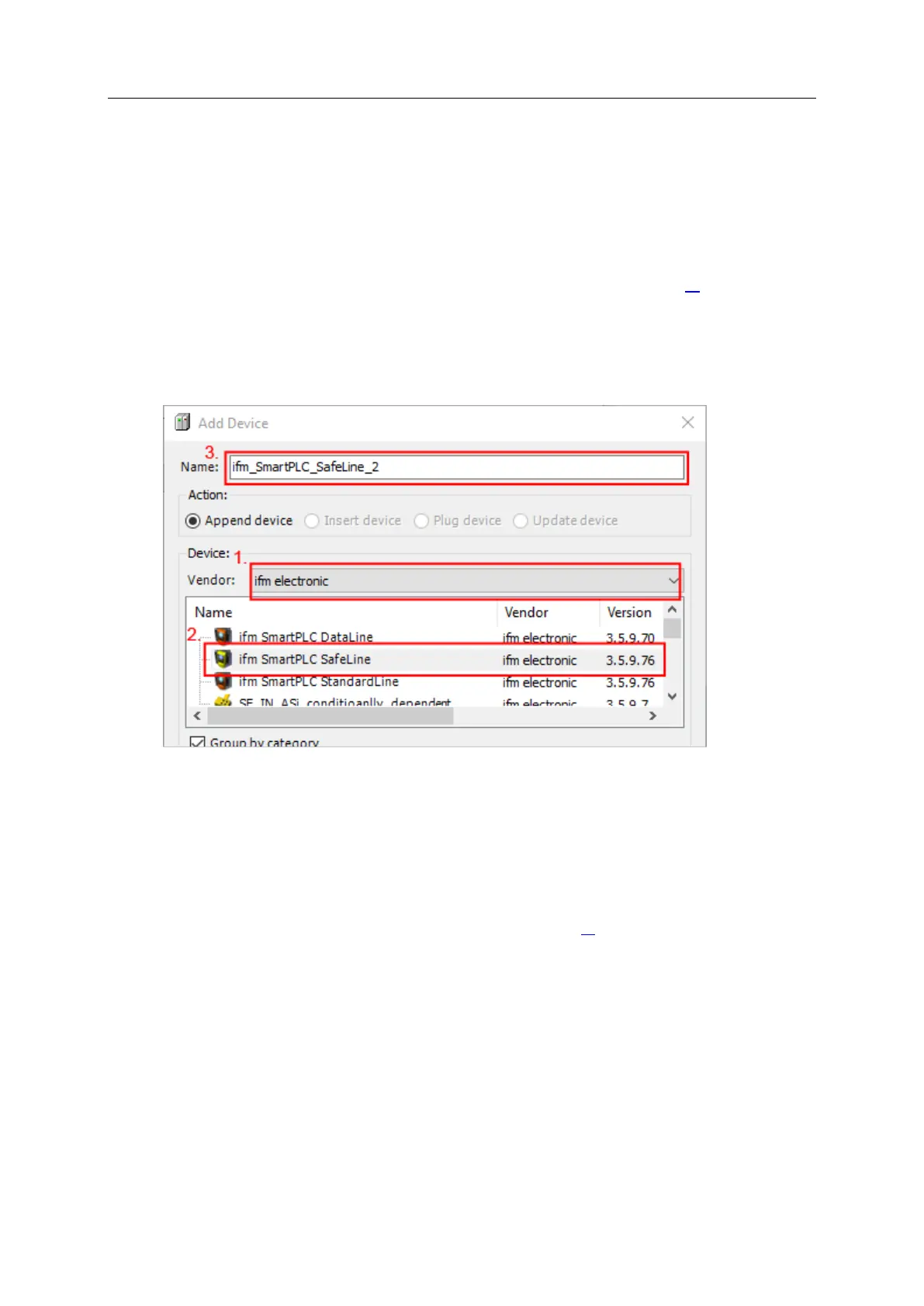
> Window [Add Device] appears:
► Set the following values:
1. [Vendor]: Select [ifm electronic].
2: [Device]: Select [ifm SmartPLC SafeLine] from the list.
3. [Name]: Enter unique name for the device.
► Click on [Add Device] to add the device to the project.
► Click on [Close] to close the window.
> CODESYS adds device to the device tree.
2 Configure the device
► Configure the device as requested (→System configuration (→ S. 22)).
3 Save project
► Select [File] > [Save Project].
> CODESYS saves the project.



 To Next Page