SmartPLC SafeLine AC4S with fieldbus interfaces
>
Add logical device to the project tree
43363
Safe devices at the local I/O interface are added to the project in standard area of device tree via the
node [local_IO_]:
The user is responsible for selecting the suitable logical devices. The user must ensure that
the selected logical devices provide the functionality required for the safety application to be
implemented.
► Observe the documentation of the logical devices (→Logical devices for the local I/O
interface (→ S. 235))!
A logical device of a type with 2 defined input channels (Input_Channel_A, Input_Channel_B)
must only be added to a safety project once.
Requirement:
> Devices are connected to the local I/O interface according to the required safety classification.
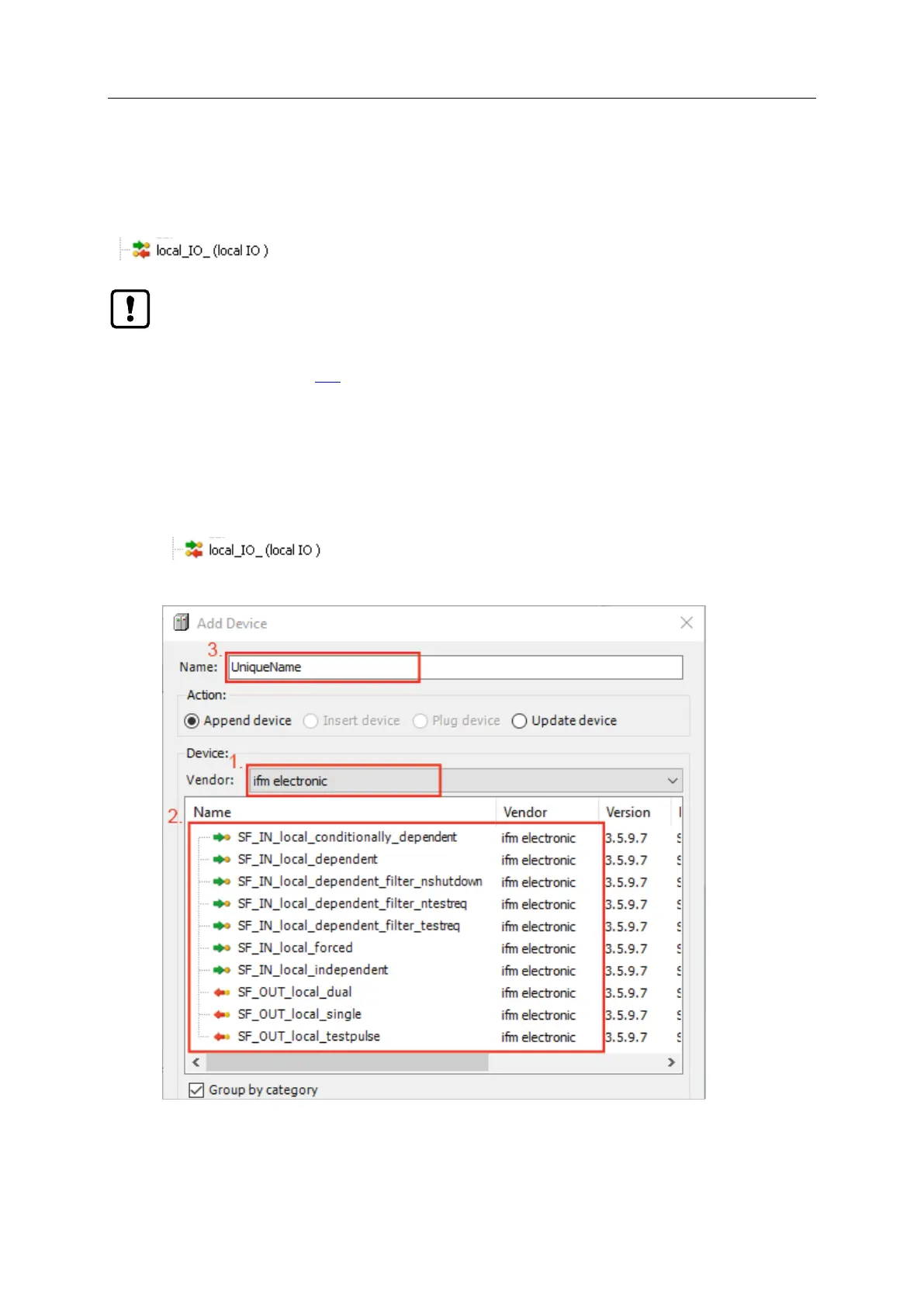
1 Add logical device
► In standard area of device tree: Select node [local_IO_]:
► Select [Project] > [Add Device...]
> Dialogue window appears:



 To Next Page