Multitron - Operating Manual
Options
20 August 2020 Page 53 of 158
4.8 Darkening
The glass panel of the door can be covered with white adhesive film
on the inside. This is used for darkening as well as to ensure better
light distribution in the incubation chamber when using LED lighting.
4.9 Analog Output
4.9.1 Setup and Function
The device can optionally be equipped with an analog output mod-
ule. This provides 8 channels via which setpoints and actual values
can be transferred to external devices.
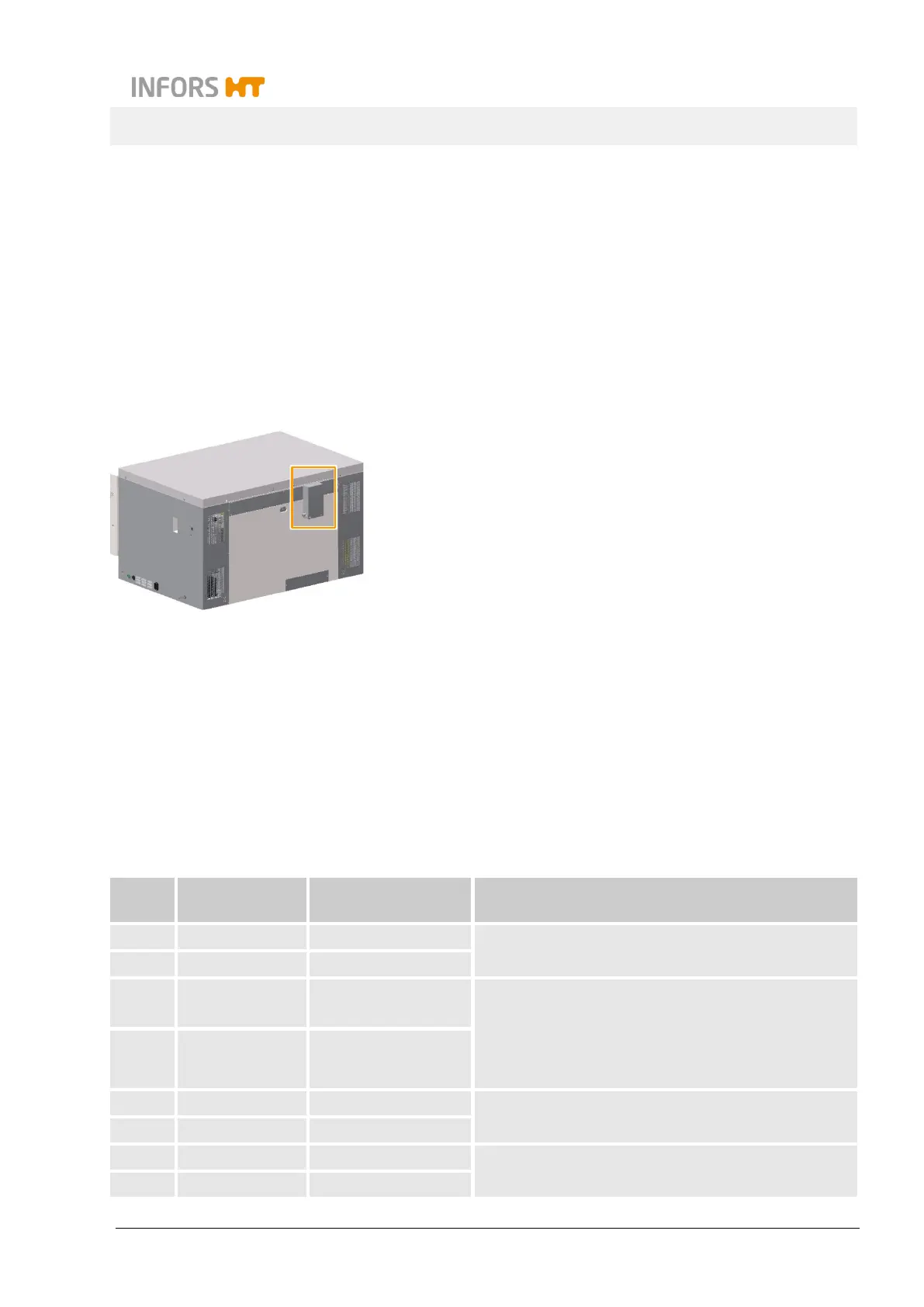
The output module is located at the back of the device in its own cas-
ing. The signal range corresponds to 4 up to 20 mA with a precision
of ± 0.05 mA.
The operator must pre-assemble and connect the cable. To connect
the cable, the lid of the casing can be removed by loosening the four
hexalobular screws (M4x6). The cable is guided out of the casing us-
ing a cable gland. This protects the cable as well as the output mod-
ule from mechanical influences and humidity.
4.9.2 Connection Assignment
The connections of the output module are assigned as follows:
Chan-
nel
Connection Function Signal range
1 Iout0 / AGND0 Actual temperature 0 °C to 100 °C = 4 mA to 20 mA
2 Iout1 / AGND1 Temperature setpoint
3 Iout2 / AGND2 Actual speed
25/50 mm and adjustable
throw:
0 min
-1
to 500 min
-1
= 4 mA to 20 mA
3 mm throw:
0 min
-1
to 1000 min
-1
= 4 mA to 20 mA
4 Iout3 / AGND3/4 Speed setpoint
5 Iout4 / AGND3/4 Actual CO
2
value 0 % to 20 % = 4 mA to 20 mA
6 Iout5 / AGND5 CO
2
setpoint
7 Iout6 / AGND6/7 Actual humidity 0 % to 100 % = 4 mA to 20 mA
8 Iout7 / AGND6/7 Humidity setpoint


 To Next Page