Multitron - Operating Manual
Options
20 August 2020 Page 55 of 158
4.10.2 Using the Cable Pass-through
To correct insert cables and hoses into the incubation chamber, pro-
ceed as follows:
If an external device that is supplied with mains power is operated
on the table whilst it is operating, there is a risk that the cable
might break or get jammed. This poses a risk of death by electro-
cution.
– Electrical devices may only be used when the shake function
is switched off (e.g. in conjunction with the
Temperature
pa-
rameter.)
– Electrical devices may only be used in conjunction with the
Humidity
parameter if the device is adequately protected
against humidity. Observe the permissible environmental con-
ditions for operating the device.
ATTENTION
To avoid damage to when installing the cables and/or hoses in the
incubation chamber, make sure that they do not rub and do not
Procedure
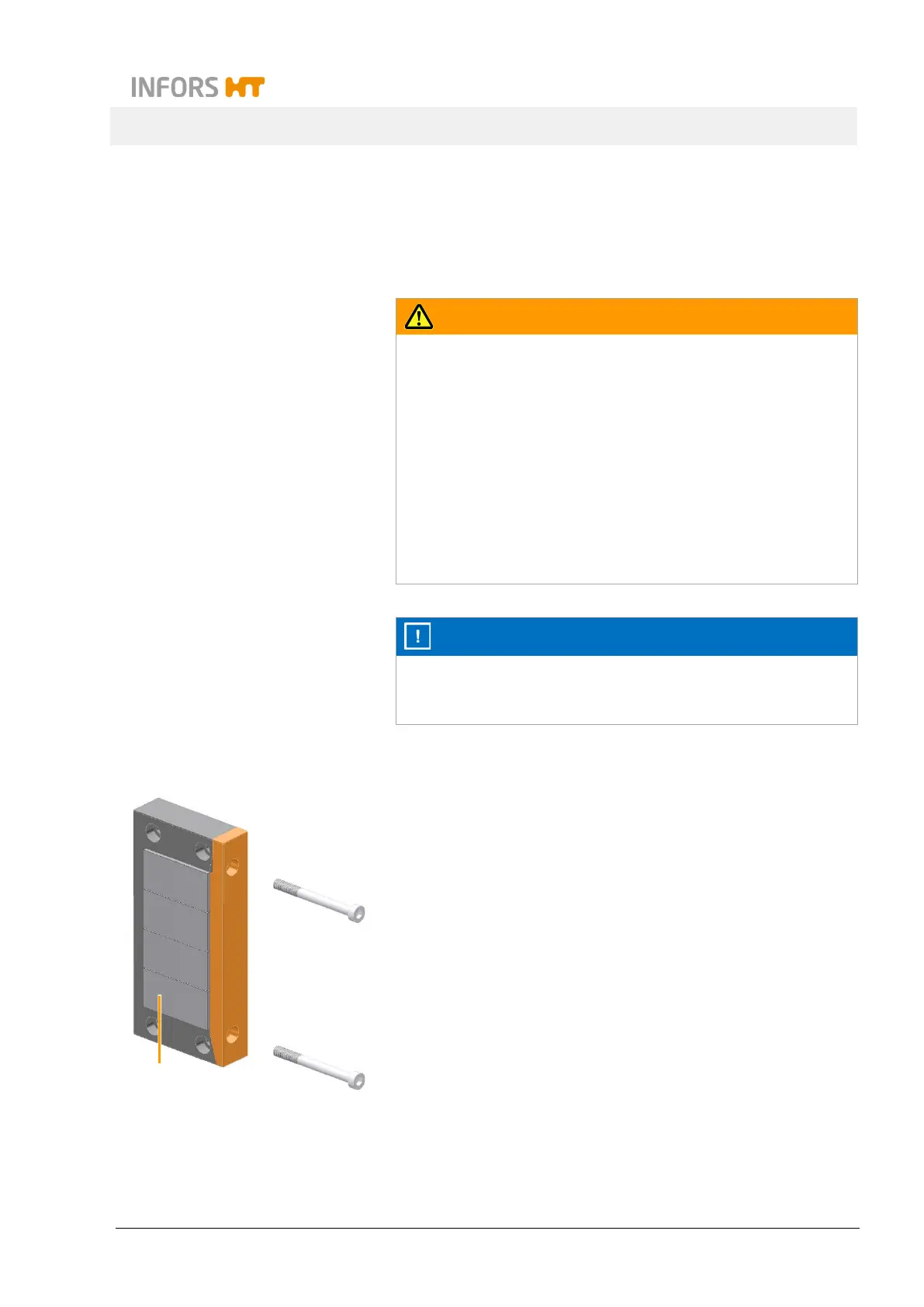
1. Dismantle the removable part of the cable pass-through bar
(highlighted in orange) by loosening the two cylinder head
screws. A suitable screwdriver with SW 4 is included in the de-
vice’s scope of delivery.
2. If necessary, remove the inserted dummy sleeves (1).
3. Place the cable in a suitable cable sleeve.
4. Insert the cable sleeve into the cable pass-through bar.
5. Use dummy seals to seal any openings that you do not require.
6. Mount again the removable part of the cable pass-through bar
with the two cylinder head screws.
1



 To Next Page