Multitron - Operating Manual
Operation
20 August 2020 Page 93 of 158
7.4.3 Turning a Parameter On or Off
Turning a parameter on
To turn a parameter on, proceed as follows:
INFORMATION
Steps 1 and 2 can be omitted, if the parameter is turned on di-
rectly after entering the setpoint value.
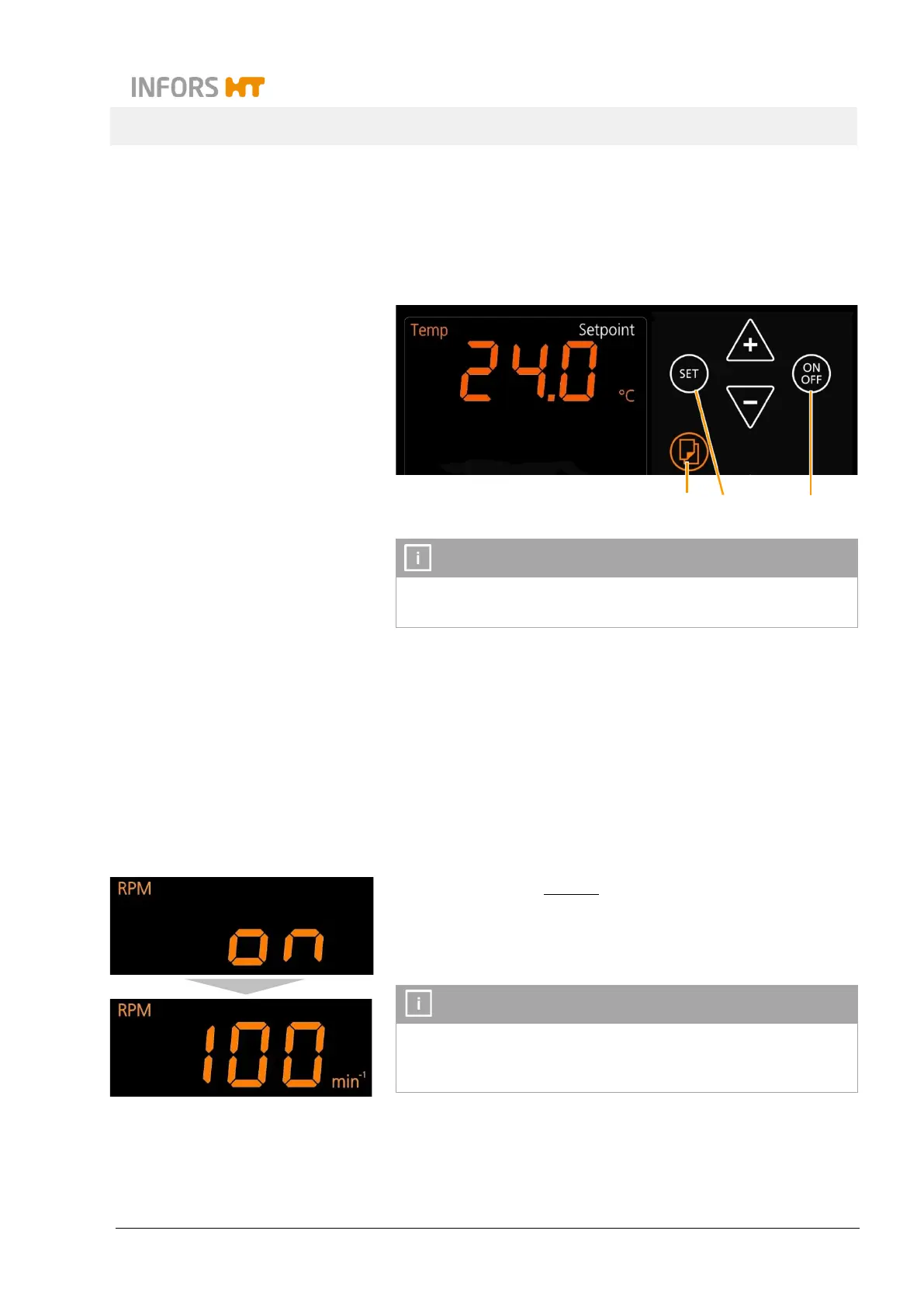
Procedure 1. Select the desired pair of parameters with the Select key (1).
The message
OFF
indicates, that the parameter is switched off.
2. Tap the SET key (2) in the upper or the lower setting key area,
depending on which parameter should be switched on.
On the alphanumeric display the setpoint value of the parameter
is shown. The sign
Setpoint
indicates, that the parameter can be
switched on.
3. To switch on the parameter, tap the ON/OFF key (3) in the ac-
cording operating key area.
The parameter is instantly turned on.
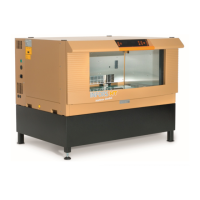
The sign
Setpoint
disappears. On the alphanumeric display the
message on appears for a very short time, then the
of the parameter is shown.
INFORMATION
When the parameter
rotation speed
(
RPM
) is activated, the shaker
table starts to move instantly. It is therefore suggested to turn it on
1
2
3


 To Next Page