Multitron - Operating Manual
Operation
Page 90 of 158 20 August 2020
7.4 Adjusting, Activating and Deactivating Parameters
Has the device been turned on via the power switch and is the initiali-
sation process terminated, the device is ready for getting pro-
grammed.
7.4.1 Overview about the Parameters
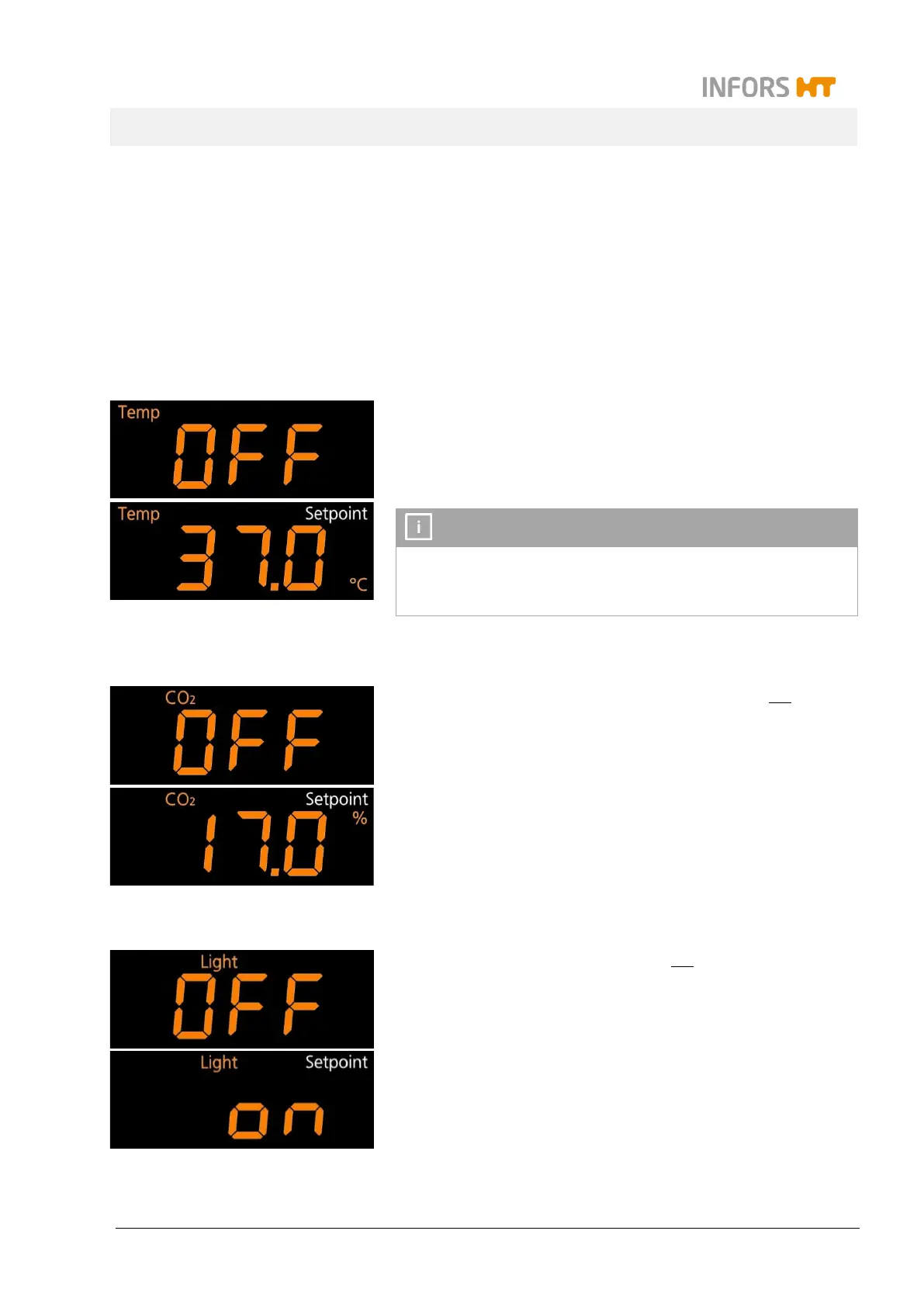
Temperature (Temp)
The parameter
temperature
(
Temp
) belongs to the standard scope of
delivery.
When entering the setpoint value for the temperature it is shown in
degrees Celsius with an accuracy of one decimal place.
INFORMATION
Which temperatures can effectively be reached depends on various
factors, like the ambient temperature, the ventilation or the tem-
perature of the other device in a stack.
Carbon dioxide concentration (CO
2
)
The parameter
carbon dioxide concentration
(
CO
2
) does not belong
to the standard scope of delivery and therefore it is only available if
the according option is installed.
When entering the setpoint value for the carbon dioxide concentra-
tion it is shown in percent with an accuracy of one decimal place. If
the parameter is not installed, the display remains empty.
Light intensity (Light)
The parameter
light intensity
(
Light
) does not belong to the standard
scope of delivery and therefore it is only available if the according op-
tion is installed.
When entering the setpoint value for the light intensity it is shown in
percent.
If the parameter is not installed, the display remains empty.


 To Next Page