22
USING THE TABLET
OBD2 Diagnostics
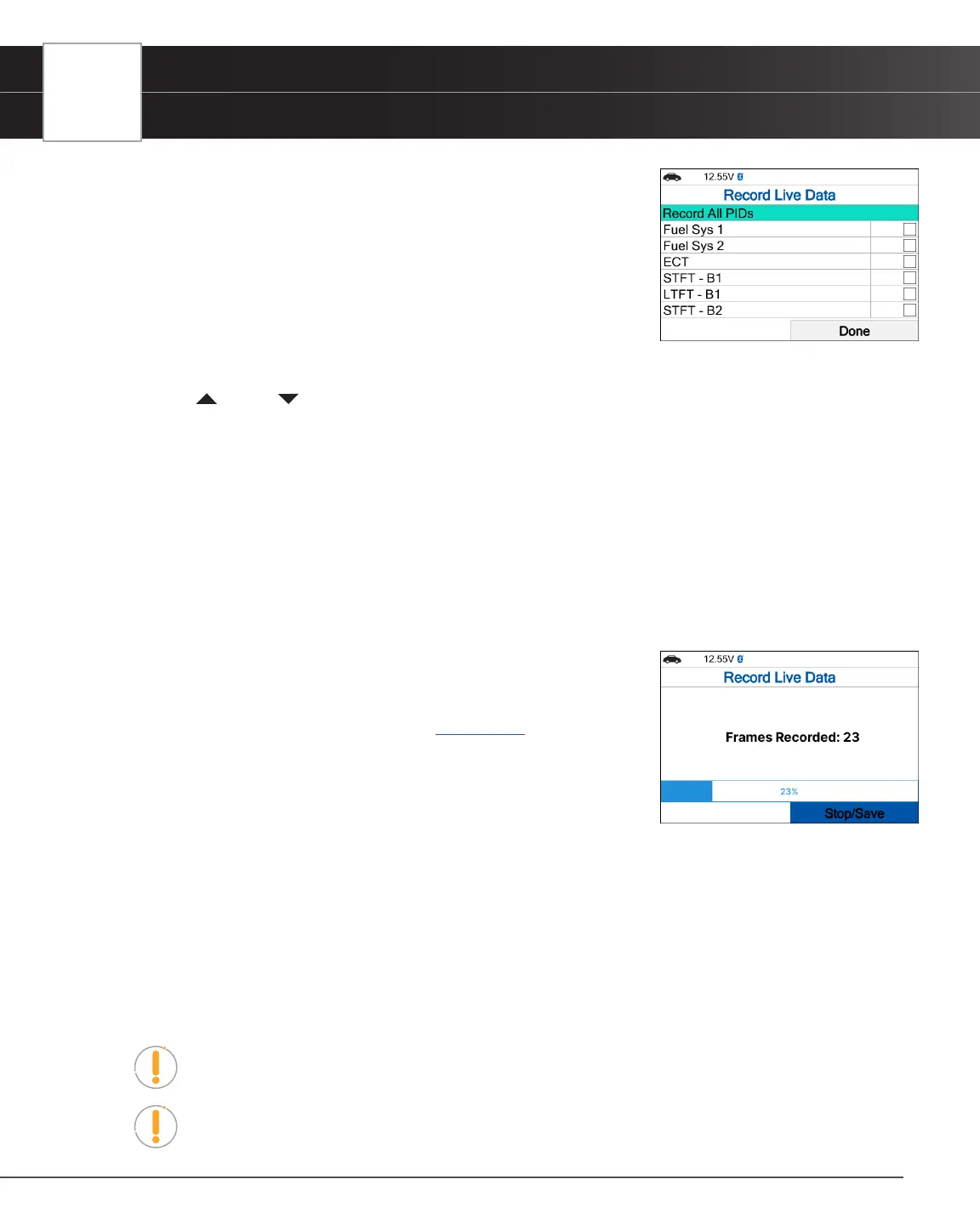
n The Select PIDs to Record screen displays.
n If the Scan Tool fails to establish communication with the vehicle, a
“Communication Error” message displays.
━ Ensure your vehicle is OBD2 compliant.
━ Verify the connection at the DLC, and verify the ignition is ON.
━ Turn the ignition OFF, wait 5 seconds, then back ON to reset
the computer.
━ The Tablet Scan Tool should power up once the ignition is in the ON position.
3. Press UP and DOWN to scroll through the available PIDs. When a PID you wish to record is highlighted,
press OK (a “check-mark” shows to conrm your selection). Repeat until only the PIDs you want to record are
selected.
n To select all PIDs, choose Record All PIDs.
n To deselect a PID, highlight the PID, then press OK. The check-mark is removed.
4. When you are nished making your selections, select Done to continue.
n The Record Live Data screen displays.
n Put the engine in the operating condition where the problem manifests itself.
━ If necessary, drive the vehicle until you reach the vehicle speed at which the problem occurs.
5. When the problem occurs, choose Record.
n A progress message shows on the display.
n When recording is complete, a conrmation screen displays.
Choose Yes to Playback Live Data [See page 22] or No to return
to the Live Data menu, as desired.
n If recording was not successful, an advisory message displays.
Choose Continue to return to the Live Data menu.
Playback Live Data
Once Live Data has been recorded, it is saved in the Tablet Scan Tool’s memory. You can view recorded Live Data
immediately after recording by selecting Yes from the Record Live Data conrmation screen, or you can view it later
using the “Playback” function.
1. From Live Data Mode, select Live Data Menu and press OK.
2. Select Playback Live Data, then press OK.
n The Playback Live Data menu displays.
NOTE: If there is no Live Data currently stored in the Tablet Scan Tool’s memory, an
advisory message shows on the display. Press View LD to return to Live Data mode.
NOTE: When you select Yes from the Record Live Data conrmation screen, the Tablet
Scan Tool enters the “Live Data Playback” mode, and the Playback Live Data menu
displays.


 To Next Page