46
Ioline FlexJet Service Manual
Cartridge calibration
The Cartridge Calibration window is located in the Control Center
and can be accessed in the Tools menu. Step-by-step instructions on
the calibration process are provided in the FlexJet User Guide.
The examples below show different results and settings of the
cartridge calibration window. If the FlexJet is printing poorly, check
some of the examples here for a possible x.
Calibration overview
Cartridge Calibration: Aligns the ink cartridges with each other.
On 1-head machines, cartridge calibration is
not neccessary.
Motion Adjustment: Aligns (side to side) each pass of the car-
riage with the next pass.
Frame Gap: Aligns (from top to bottom) each pass of the
carriage.
Cartridge alignment
Cartridge alignment will align the ink cartridges with each other.
This adjustment is only good for 2 or more heads. A one-head FlexJet
does not need ink cartridge alignment.
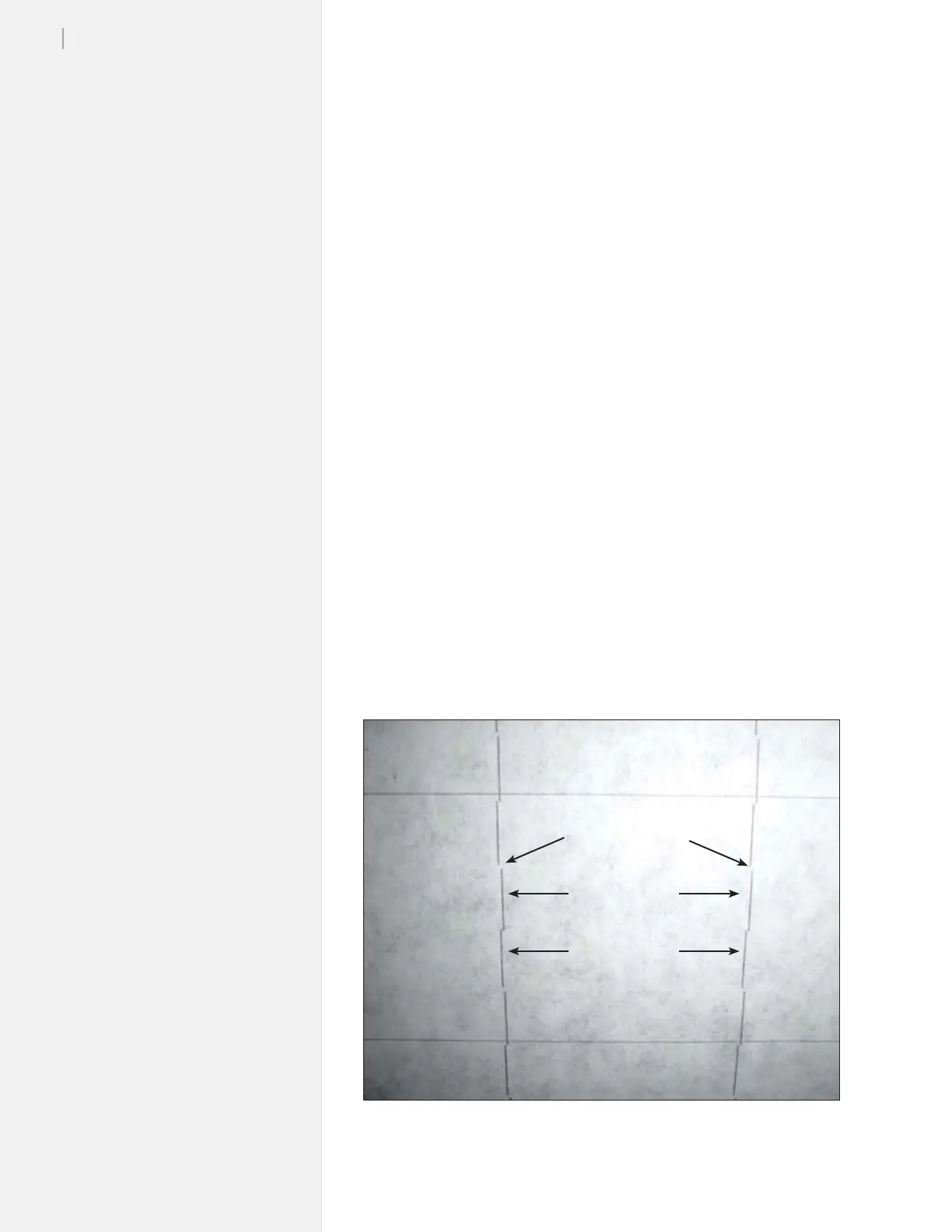
Figure 26 shows a plot from a two head machine with a frame gap of
-30 and all cartridges set to zero in the Cartridge Alignment win-
dow. As you can see, the heads don’t quite line up with each other.
Cartridge #1
Cartridge #2
Frame gap: -30
Figure 26. When calibrating, set a deliberate frame gap to help you see how the
heads line up.



 To Next Page