87
Chapter 4: Repair Procedures
Keypad procedures
Keypad replacement
1. Remove the right end cover.
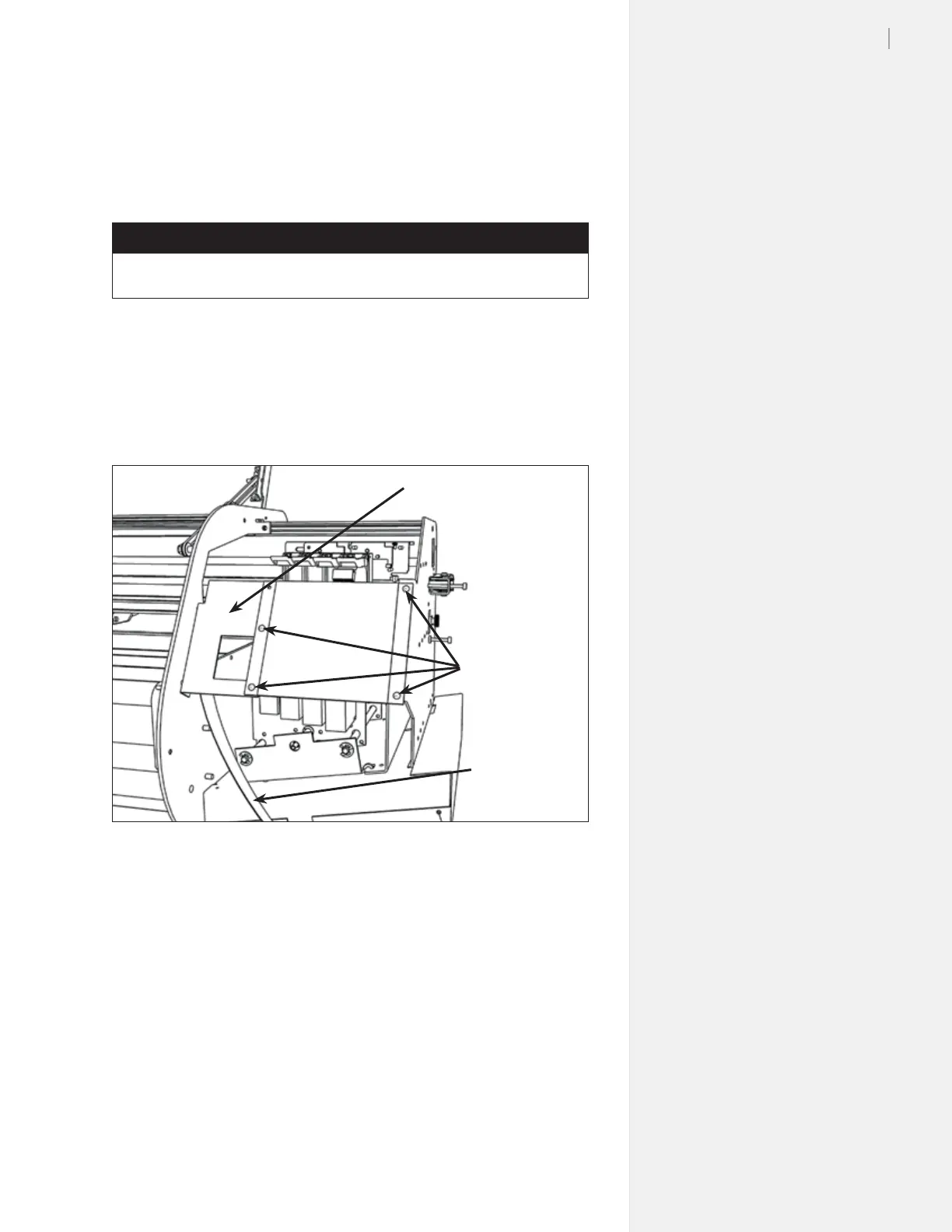
2. Remove the four screws holding the logic board cover. Unplug
the connector from the logic board and set the cover aside.
3. Remove the four Phillips screws holding the keypad to the
bracket. Also remove the keypad bracket from the machine.
Tools Required
n Phillips head screwdriver
4. Unplug the keypad cable from the keypad and the logic board
5. Screw the new keypad and bracket to the machine and connect
the keypad cable to the logic board. (Hold the keypad cable
straight out from the keypad. The bottom lead in the cable
should go to Pin 1.)
6. Test the machine to make sure the new keypad works.
7. Remove the old take-up connector from the bottom of the old
logic board cover, and install it on the new cover.
8. Install the new board cover making sure to plug in the take-
up wire connections to the board rst. Make sure there are no
wires or cables pinched between the cover and the body.
9. Re-install the right side cover if everything works.
Figure 86. Remove the keypad screws and bracket. Unplug the keypad cable.
Keypad bracket
Keypad screws
Keypad cable



 To Next Page