64
Ioline FlexJet Service Manual
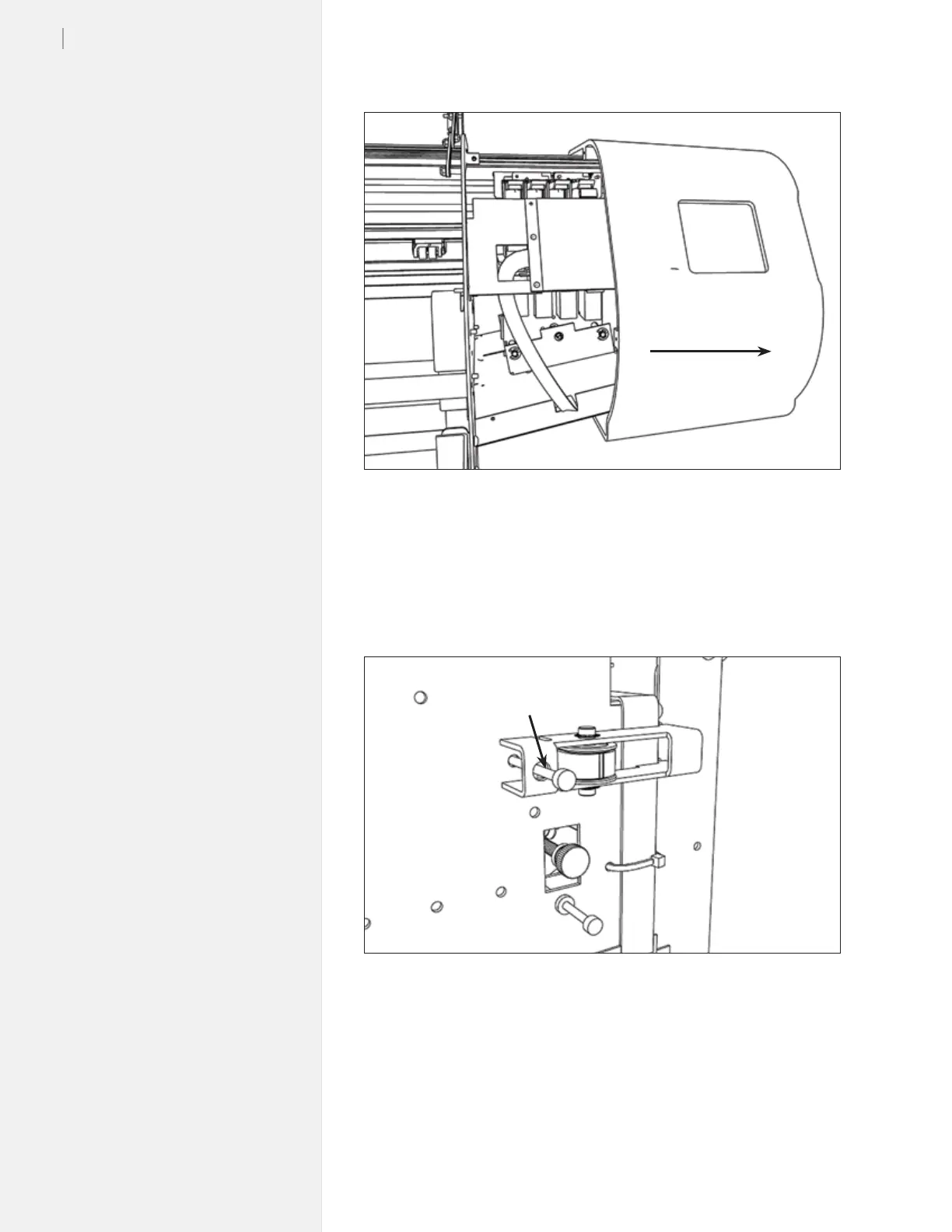
Figure 43. Removing the right end cover.
Step 3: Loosen the carriage belt
1. Find the belt tensioner on the right side above the white cables.
2. Loosen the carriage belt tensioner by rotating the
9
/
64
-in HEX
screw 4 full counterclockwise turns. (Figure 44.)
Step 4: Remove the old carriage
1. Remove the Phillips head screw (on the right side of the car-
riage cover) that holds the carriage cover on.
2. With one hand to each side of the carriage, gently pull the
carriage cover tabs out. The tabs are located near where the car-
riage belts attach to the carriage. Remove the carriage cover.
Remove cover
Figure 44. Loosen the belt tensioner.
Loosen this
9
/
64
-in screw



 To Next Page