Chapter 4
Repair Procedures
Maintenance procedures
See the FlexJet User Guide for information on maintaining the FlexJet
and storing inkjet cartridges.
Repair procedures
The diagnostic processes that follow are detailed and invasive. Do
not attempt to service the FlexJet until it you determine that simpler
solutions fail to resolve the problem (see Troubleshooting).
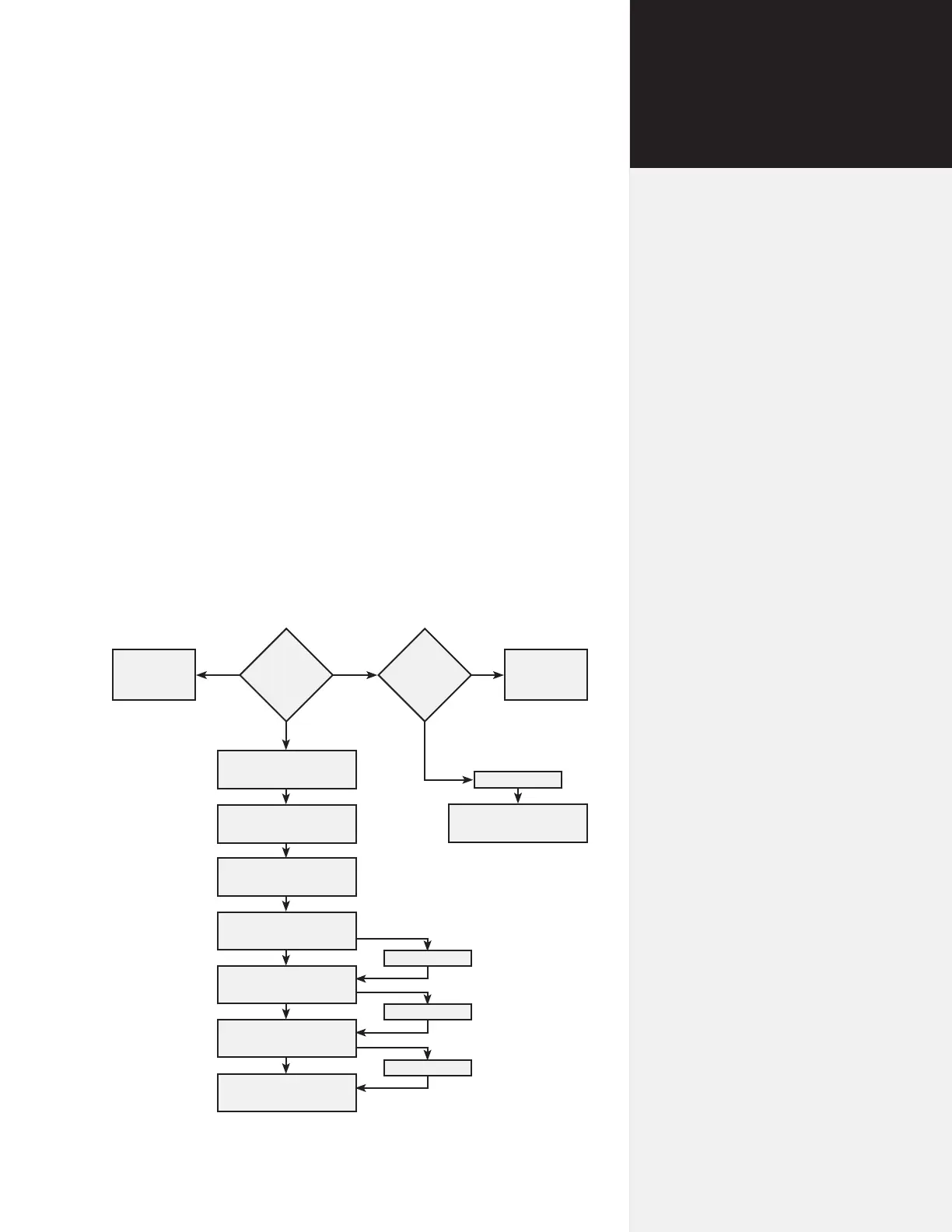
Follow the recommended sequence in Figure 42 when troubleshoot-
ing repair issues with the FlexJet and record the results of your diag-
nostic examination on the Diagnostic Record (see below).
Computer
Software
Resolution
LED Codes
Communication
Problem
Computer
Software
Resolution
Begin recording
diganostic information
Examine the external
components
Disassemble, check cabling
and connections
Examine power supplies
Examine logic board
Examine motors
Contact Ioline Customer
Service (if required)
Power On Test
Power On Test
Power On Test
Power On Test
Begin recording
diagnostic information
Figure 42. Mechanical, electrical and electronic diagnostics ow chart.



 To Next Page