81
Chapter 4: Repair Procedures
5. Click the Move carriage out from SS button. The carriage will
move out of the Service Station.
6. Change the Y Fine Adjust number to -800 and click the Set ne
adjust button.
7. Click on the Return carriage to SS button. The carriage will
move back into the Service Station.
8. Follow steps 4 thru 6 again adding 100 to the Y Fine Adjust
number each time until the bottom of the carriage is just close
to touching the grey ink wells.
9. Reduce the gap further by adding smaller numbers.
10. Press and hold the UP Arrow on the keypad of the printer.
While holding the button, turn the machine back on. When the
carriage starts to move, let go of the button.
11. Once the carriage is back in the Service Station, check the gap
one more time to make sure they are touching.
Step 3: Final screw adjustment
1. If you are happy with the spacing between the carriage and the
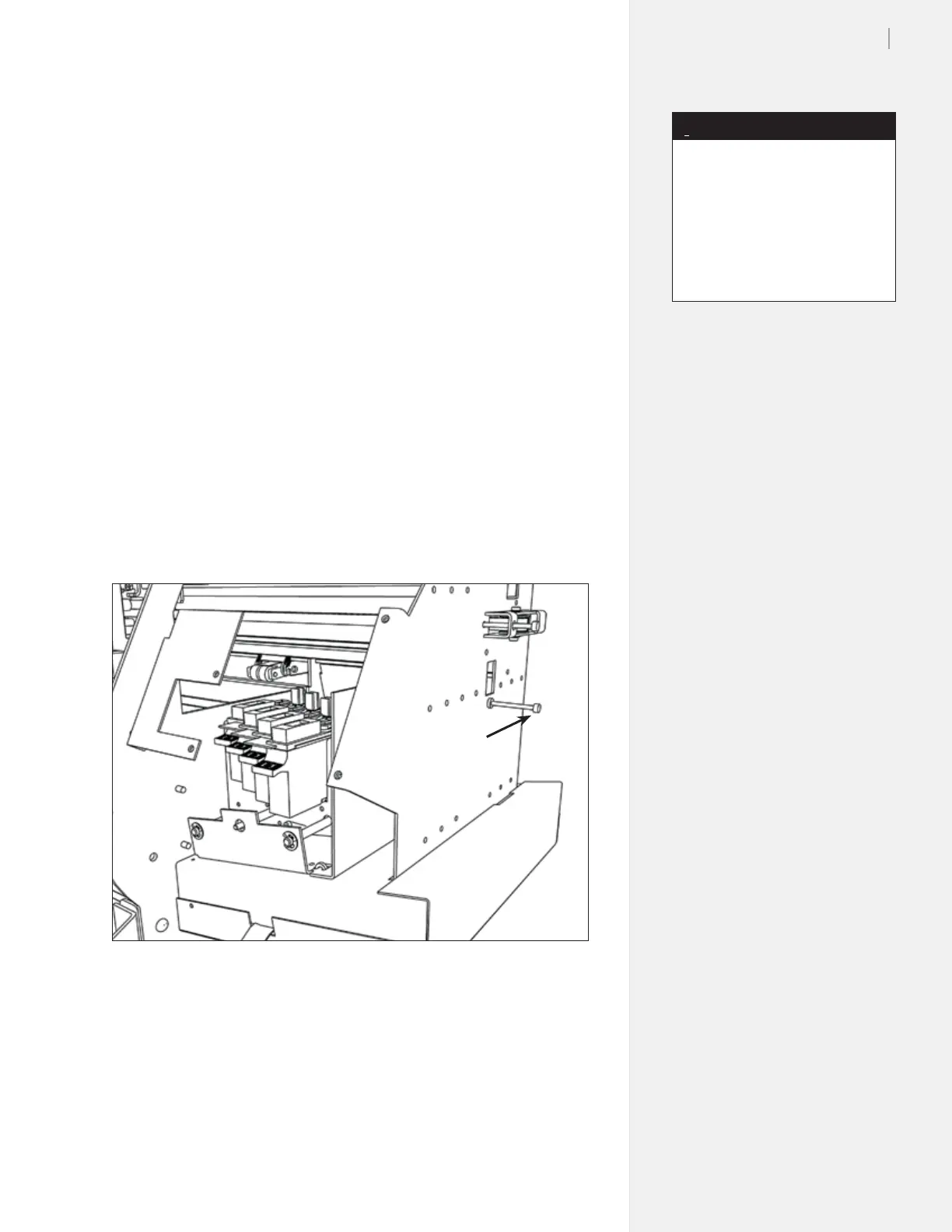
Service Station, turn the service station stop screw on the side
of the machine until it just touches the Service Station.
2. Back the screw off one-half turn until you can see a little bit of
light between the screw and the service station. Apply Loctite
®
or Super Glue
®
to the screw so it won’t back out while the ma-
chine is running. (Figure 77.)
3. Move the carriage catch bracket until it hits the magnet. Tight-
en the nut to hold the stop bracket. (Figure 78.)
Figure 76. The Service Station stop screw.
Service Station
stop screw
A Y Fine Adjust change of 25 mils
results in a gap change that is
equivalent to the thickness of a
piece of paper.
A Y Fine Adjust change of 100
mils results in a gap change of 18
mils.
Note
i



 To Next Page