48
Ioline FlexJet Service Manual
Motion adjustment
To understand Motion Adjustment,
think of each reversal in carriage direc-
tion as a “pass”. With every pass, each
head draws a line
1
/
2
-in long. If the
FlexJet has 2 heads, it draws a 1-in line
for each pass. A four-head machine will
draw a 2-in line.
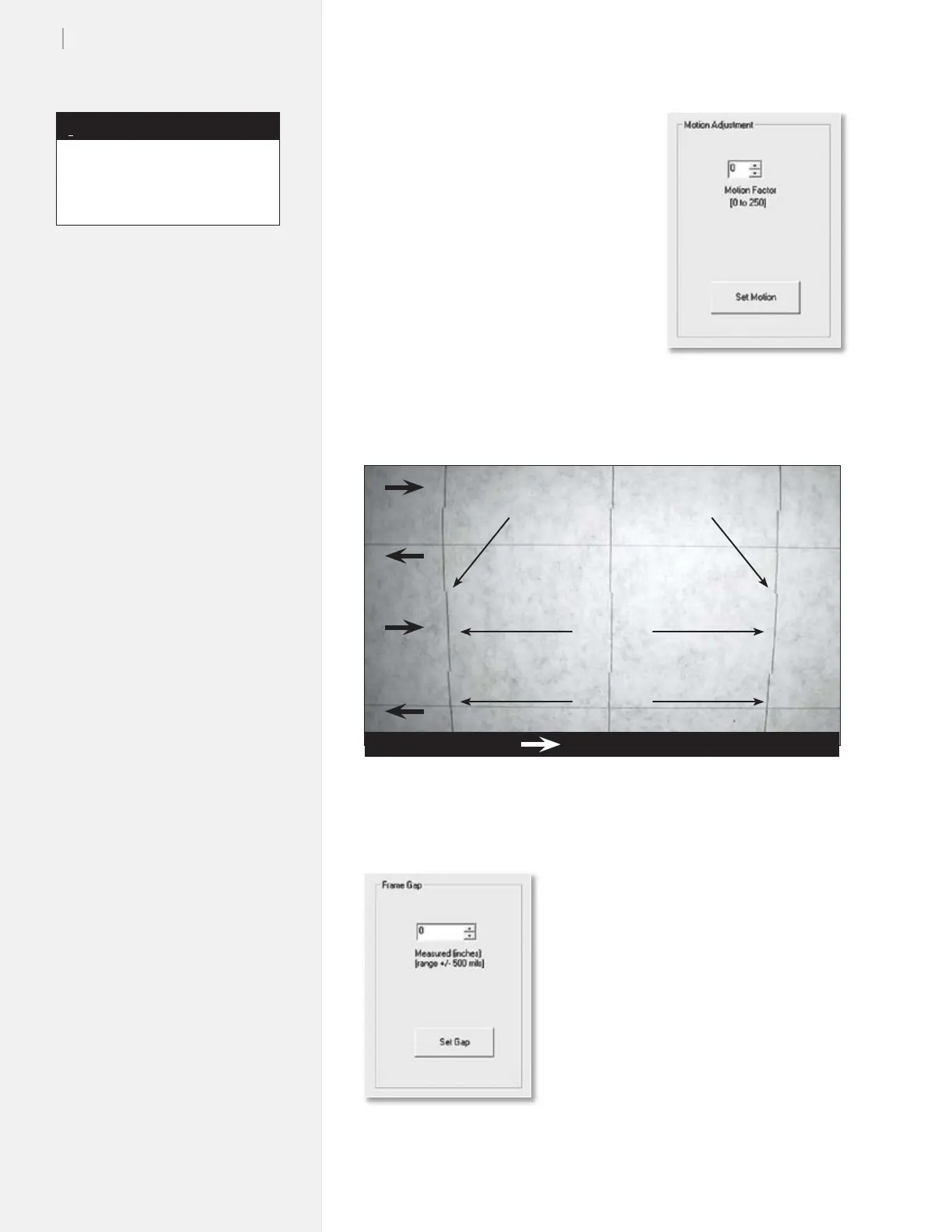
If the Motion Factor is too low, the
FlexJet will draw the line too late. Visu-
ally, this appears as if the line drifts to
the right, as shown in Figure 32. Mo-
tion Factor set too high results in drift
to the left.
Frame gap
The frame gap is dened as the space
between each pass. Use the Frame Gap
window to make adjustments and elimi-
nate the gap.
Figure 32. The heads are drawing the lines too late on this plot.
Scan
Scan
Poor motion adjustment
= Direction of carriage travel
Figure 31. The Motion Adjust
window.
Figure 33. The Frame Gap
window.
You must align the ink cartridges
before performing motion
adjustment.
Note
i



 To Next Page