Version V1.0
23
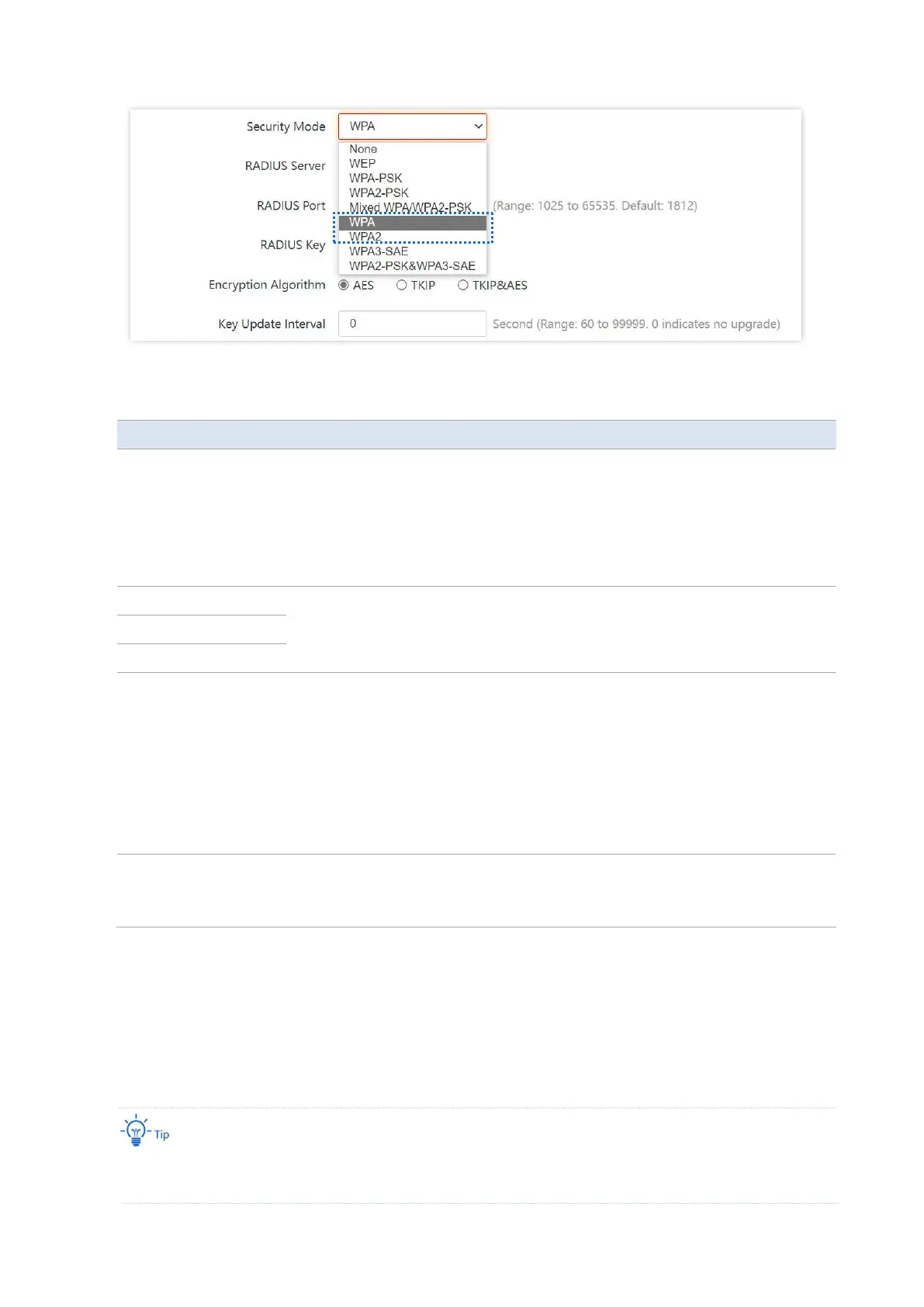
Parameter description
The WPA and WPA2 options are available for network protection with a RADIUS
server.
−
WPA: It indicates that the wireless network corresponding to the selected
SSID is encrypted with WPA.
−
WPA2: It indicates that the wireless network corresponding to the selected
SSID is encrypted with WPA2.
It specifies the IP address/port number/shared password of the RADIUS server.
It specifies the encryption algorithm corresponding to the selected security
mode. The available options include AES, TKIP, and TKIP&AES.
−
AES: It indicates the Advanced Encryption Standard.
−
TKIP: It indicates the Temporal Key Integrity Protocol. If TKIP is used, the
maximum wireless throughput of the AP is limited to 54 Mbps.
−
TKIP&AES: It indicates that both TKIP and AES encryption algorithms are
supported. Wireless clients can connect to the wireless network
corresponding to the selected SSID using TKIP or AES.
It specifies the automatic update interval of a WPA key for data encryption. A
shorter interval results in higher data security.
The value 0 indicates that a WPA key is not updated.
◼
WPA3-SAE
It is an upgraded version of WPA2-PSK. With Simultaneous Authentication of Equals (SAE) and
Protected Management Frames (PMF), this security mode provides protection against
dictionary attacks and information disclosure, saving you the trouble to set a complicated
password.
If your WiFi enabled devices do not support the WPA3-SAE or you have a poor WiFi experience, you are
recommended to switch the security mode back to WPA2-PSK.



 To Next Page