Version V1.0
30
Configuration procedure
I. Configure the AP
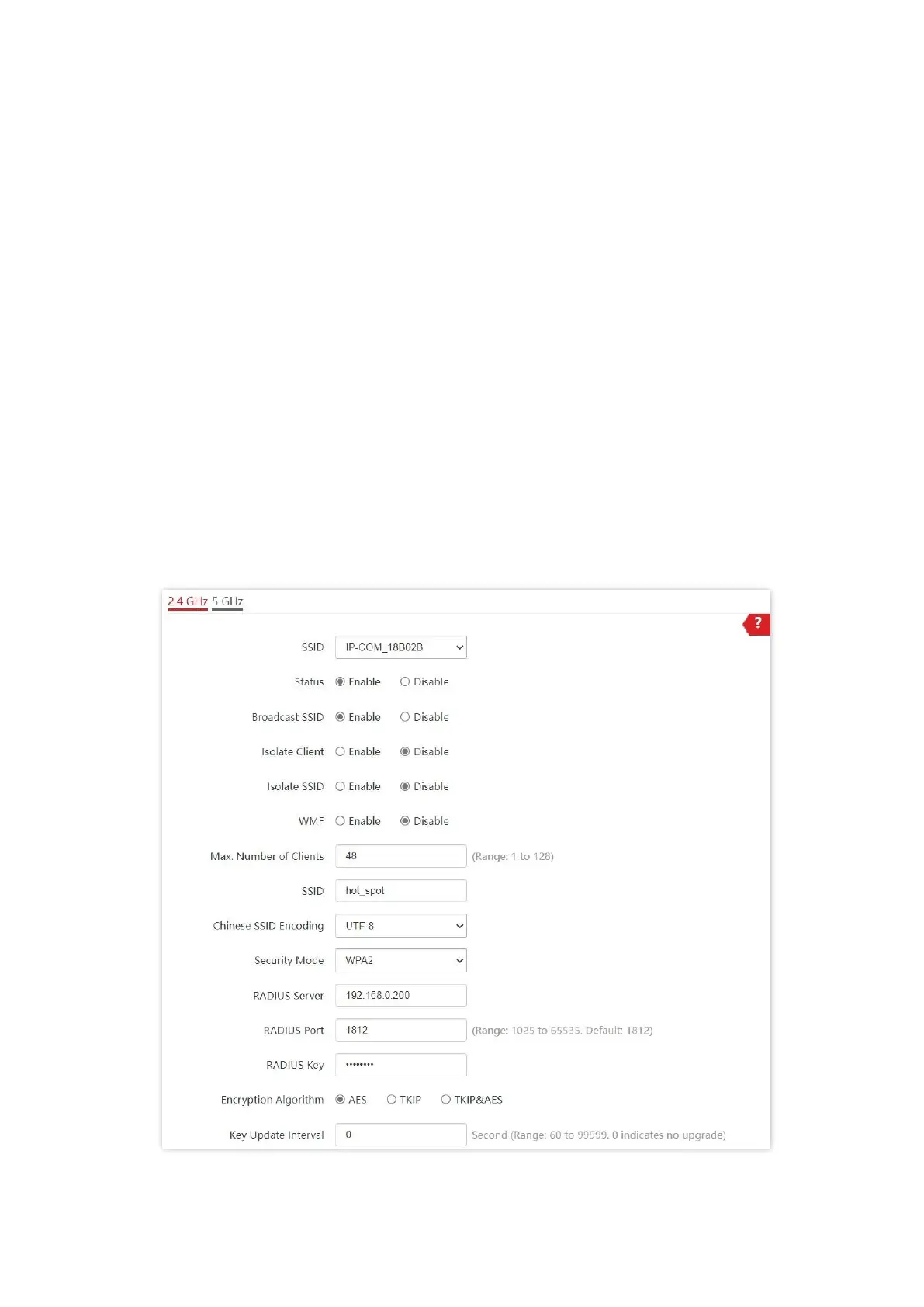
Assume that the second SSID of the AP, the WPA2 security mode, and AES encryption
algorithm are used.
1. Choose Wireless > SSID.
2. Select the second SSID from the SSID drop-down list box.
3. Set Status to Enable.
4. Change the value of SSID to hot_spot.
5. Set Security Mode to WPA2.
6. Set RADIUS Server, RADIUS Port, and RADIUS Password to 192.168.0.200, 1812, and
qtW7J5cA respectively.
7. Set Encryption Algorithm to AES.
8. Click Save.



 To Next Page