Version V1.0
31
II. Configure the RADIUS server
Windows 2003 is used as an example to describe how to configure the RADIUS server.
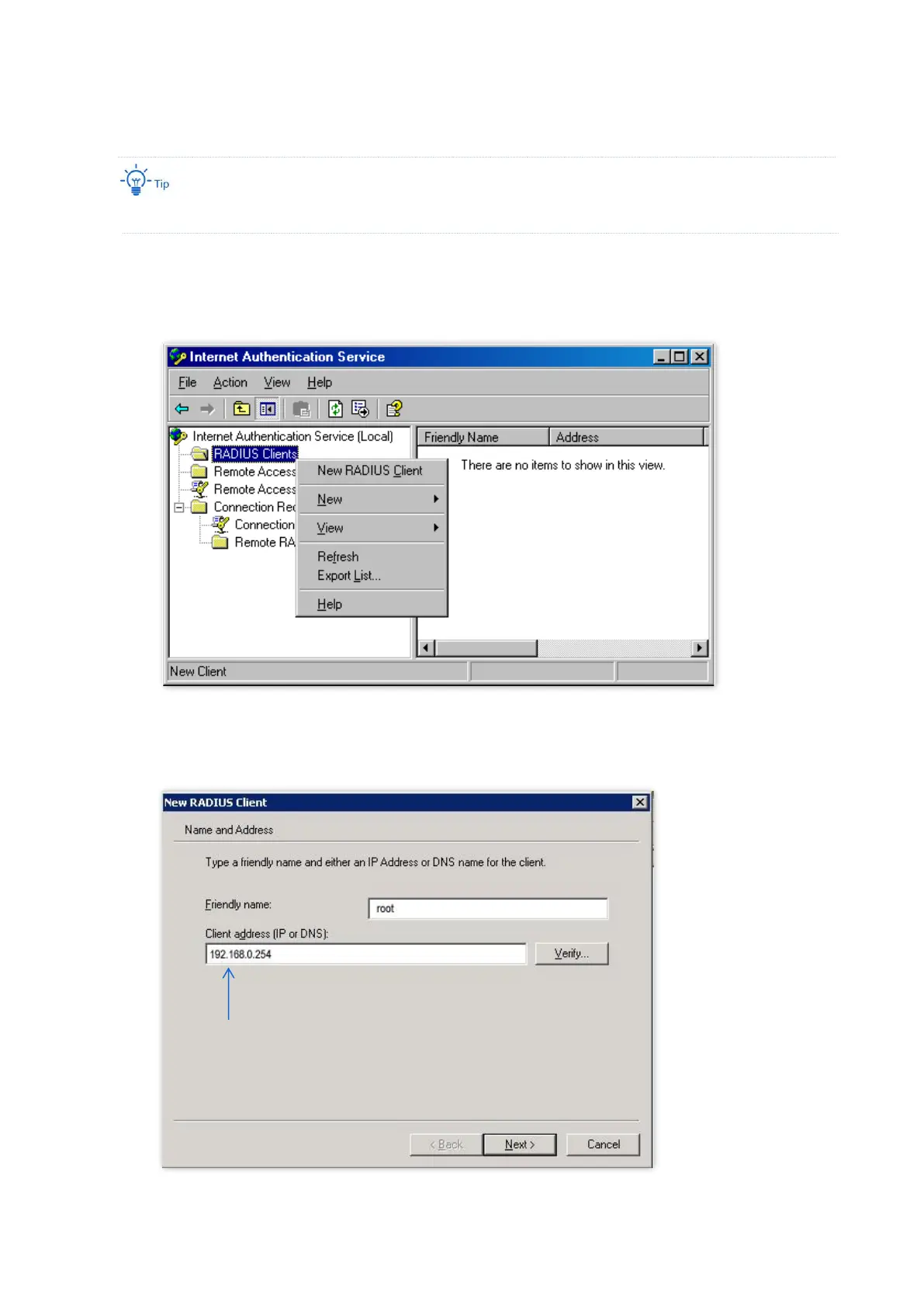
1. Configure a RADIUS client.
(1) In the Computer Management dialog box, double-click Internet Authentication Service,
right-click RADIUS Clients, and choose New RADIUS Client.
(2) Enter a RADIUS client name (which can be the name of the AP) and the IP address of the AP, and
click Next.



 To Next Page