Version V1.0
66
Configuration procedure
I. Configure the AP
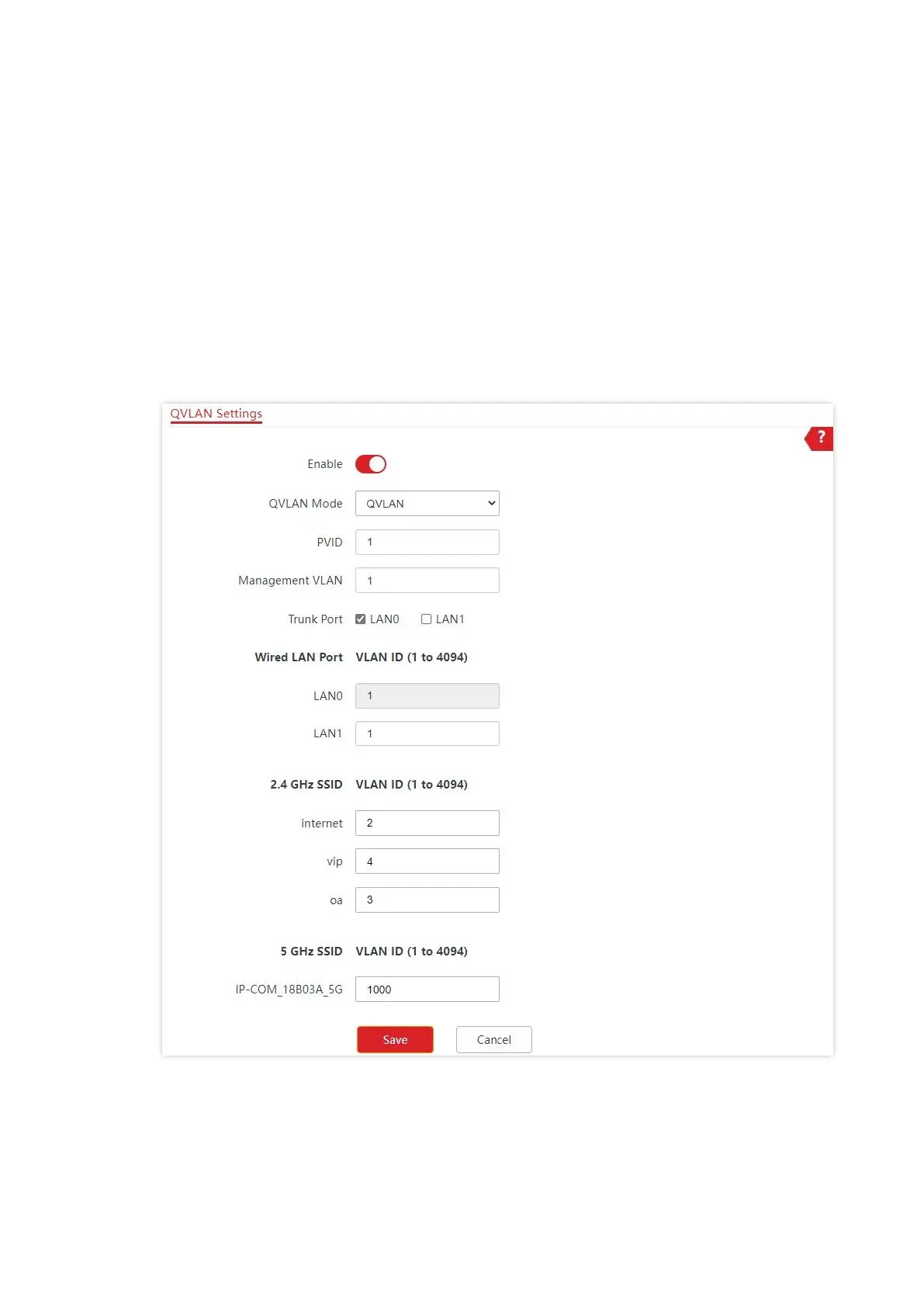
1. Choose Wireless > QVLAN Settings.
2. Enable QVLAN Settings.
3. Modify the VLAN ID of the SSIDs at 2.4 GHz band. Set the VLAN of internet to 2, oa to 3,
and vip to 4 respectively.
4. Click Save.
5. Click OK after confirming the prompted message.
Wait for the automatic reboot of the AP.



 To Next Page