iPECS UCM
Installation Manual Issue 1.1
20
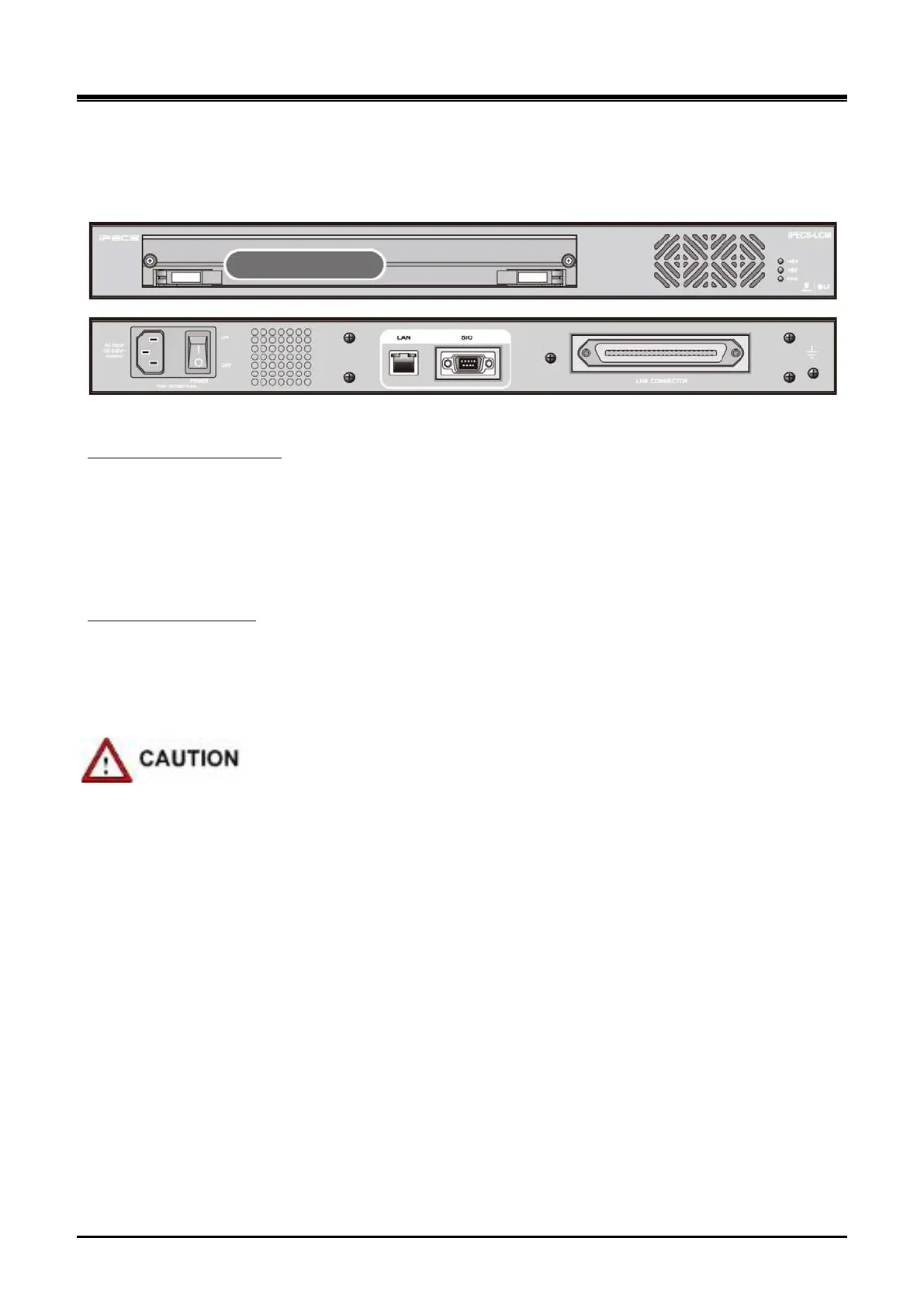
2.2.3.2 UCM-1URMC (1U type Rack Mount Media Gateway Cabinet)
The UCM-1URMC has one slot and it accommodates UCM-S2K or Media Gateway Modules.
It consists of Cabinet, back plane, Fan unit and AC/DC power module. It can be mounted on a 19” rack .
Figure 2-16 UCM-1URMC View (Front and Rear)
The UCM-1UBP is connected to UCM-LANU to provide LAN interface through RJ45 and SIO interface through
RS232C. It provides a 100-pin edge connector to mount a Gateway Module, a 10 pin connector to connect the
power Gateway Module and a champ connector to connect subscriber cables.
UCM-1UBP (1U Back PCB)
It provides max. 32 ports through one slot (32 port/slot 1) and accommodates function Gateway Modules such
as SLT, CO, E1/PRI, etc.
AC/DC Power
Electrical specification
Input : AC 230V(±20%), 50Hz ~ 60Hz(±3Hz)
Output :DC -50V/2.5A, DC +5V/3A
Double pole Fuse : T2A, AC250V
The power supply cord must be connected to a socket-outlet with earth connection
The additional earth should be a permanent connection to protective earth with a cross-sectional area of not
less than 2.5mm².



 To Next Page